Smart Key Diagnosis
Repair Procedures
INSPECTION
Self-diagnosis with scan tool
The KDS can be used to quickly detect faults in the SMART KEY system. The KDS can forcibly operate the actuator, monitor input/output values and perform self-diagnosis.
The following three items are the main causes of problems in the SMART KEY system.
Problem in the input of the SMART KEY unit.
Problem with the SMART KEY unit.
Problem in the output of the SMART KEY unit.
Somit sind die folgenden drei Diagnosens die Hauptproblemlösungen.
Problem in the input of the SMART KEY unit: switch diagnosis
Problem with the SMART KEY unit: communication diagnosis
Problem in the output of the SMART KEY unit: antenna and switch output diagnosis
Schalterdiagnose
Das KDS an den Diagnosestecker unter der Armaturenbrettabdeckung auf der Fahrerseite anschließen und einschalten.
Select vehicle model and SMART KEY system.
Die 'SMART KEY-Einheit' wählen.
Nach Einschalten der Zündung 'Aktuelle Daten' wählen.
Nach Anschließen des Vorgangs 'Aktuelle Daten' können Sie die Die Situation der einzelnen Schalter auf dem Scanner sehen.
DISPLAY Beschreibung Tilt switch L.H. EIN: Drucktaste auf dem Fahrertürgriff ist eingeschaltet. Tilt switch R.H. EIN: Drucktaste auf dem Beifahrertürgriff ist eingeschaltet. Tailgate open switch EIN: Heckklappentaste ist eingeschaltet. Position of shift lever P EIN: Schalthebel ist in Stellung P. IGN 1 EIN: Zünschalter ist in Zündstellung. ACC EIN: Zündschalter ist in ACC-stellung. Brake mechanism EIN: Bremsschalter ist eingeschaltet.
Communication diagnosis with KDS (Self-diagnosis)
Communication diagnosis checks whether each connected component operates normally.
Connect the KDS cable to the diagnosis connector on the driver's side instrument panel cover.
Nach Einschalten der Zündung "DTC" wählen.
Antenna actuation diagnosis
Connect the KDS cable to the diagnosis connector on the driver's side instrument panel cover.
Nach dem Einschalten der Zündung den "Stellgliedtest" wählen.
Place the Smart Key near the connected antenna and actuate it with the KDS.
If the Smart Key LED blinks, the Smart Key is operating normally.
If the Smart Key LED does not blink, check the Smart Key battery.
Antenna actuation
INTERIOR ANTENNA 1
INTERIOR ANTENNA 2
Tailgate antenna
BUMPER ANTENNA
Fahrertürantenne
Door antenna
Antenna actuation diagnosis
Connect the KDS cable to the diagnosis connector on the driver's side instrument panel cover.
Select Antenna Status check.

After turning the ignition on, select "Antenna Status Check".
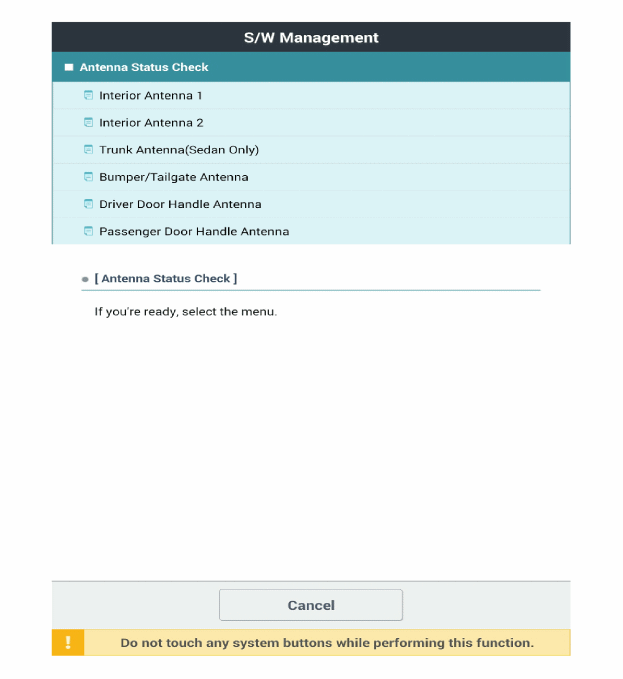
Place the Smart Key near the connected antenna and actuate it with the KDS.
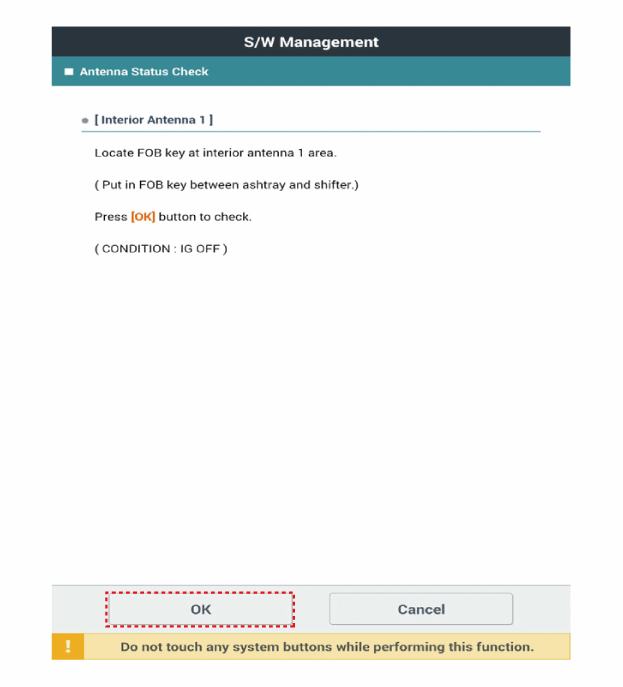
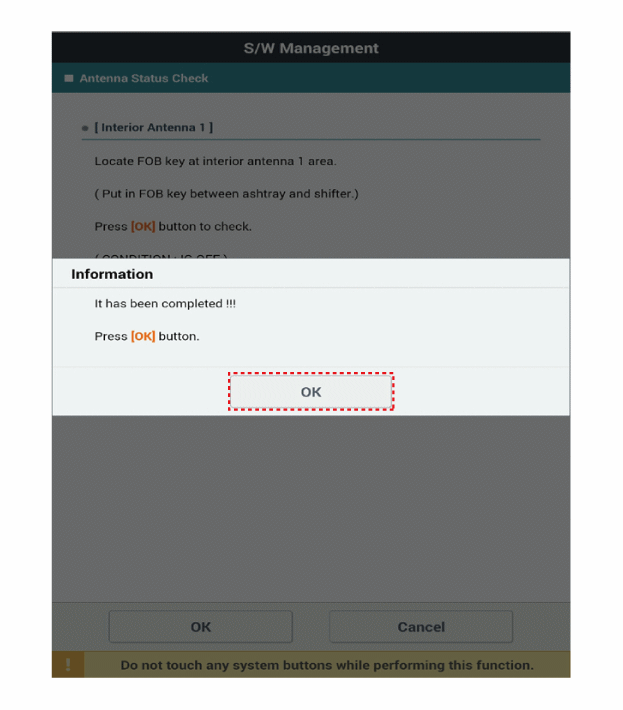
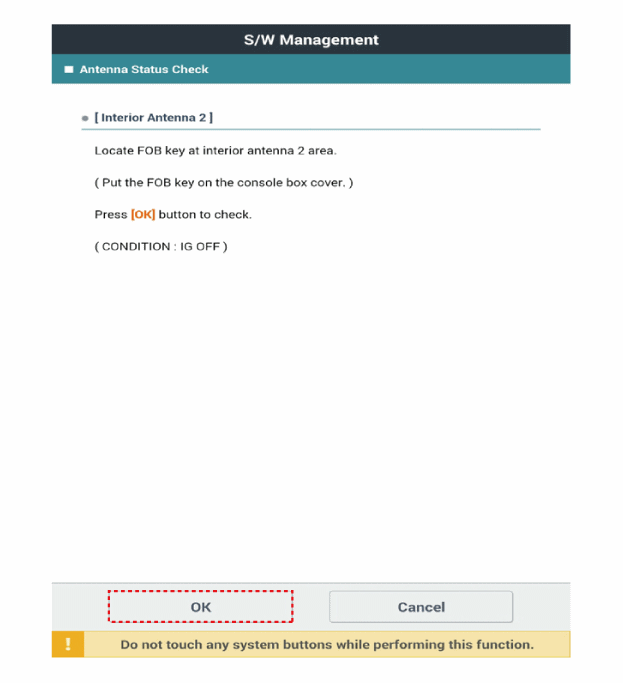
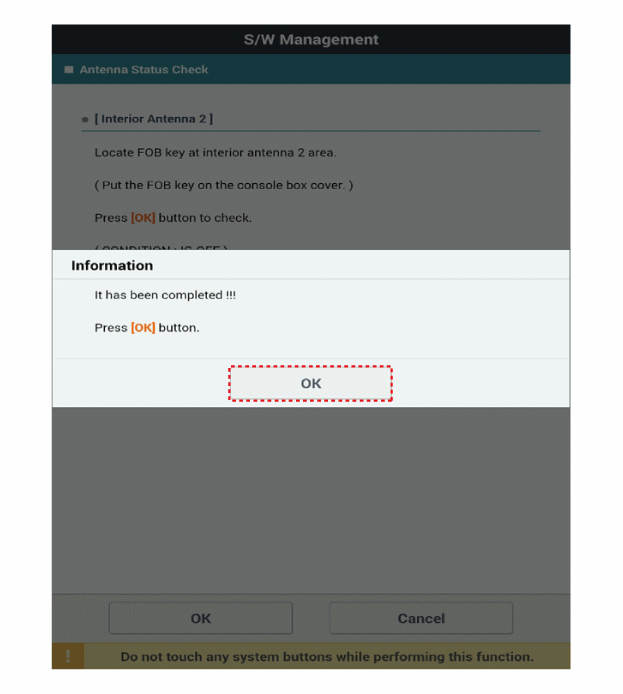
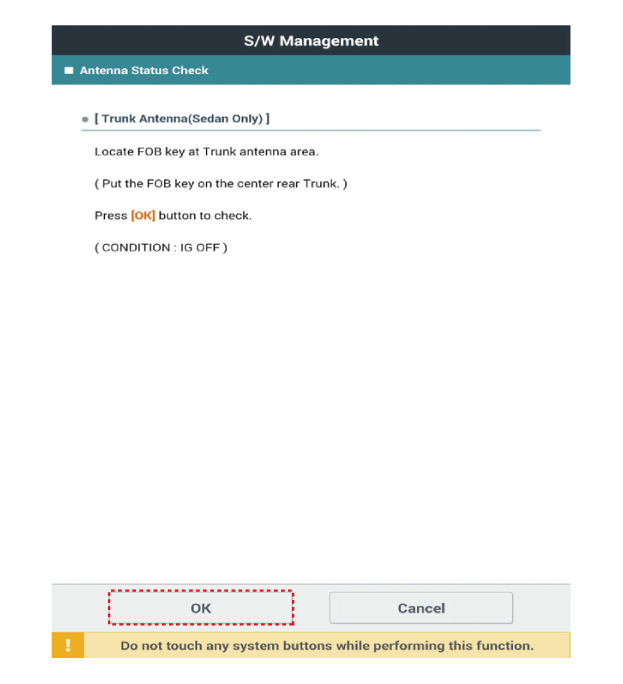
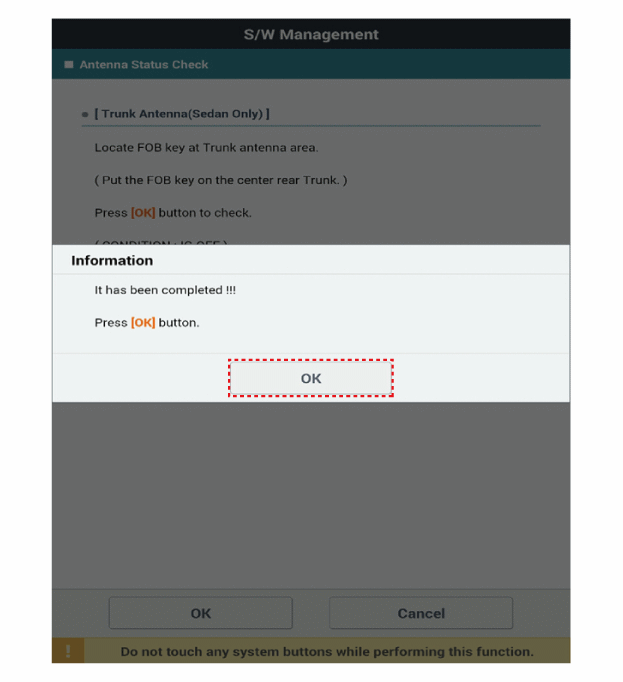
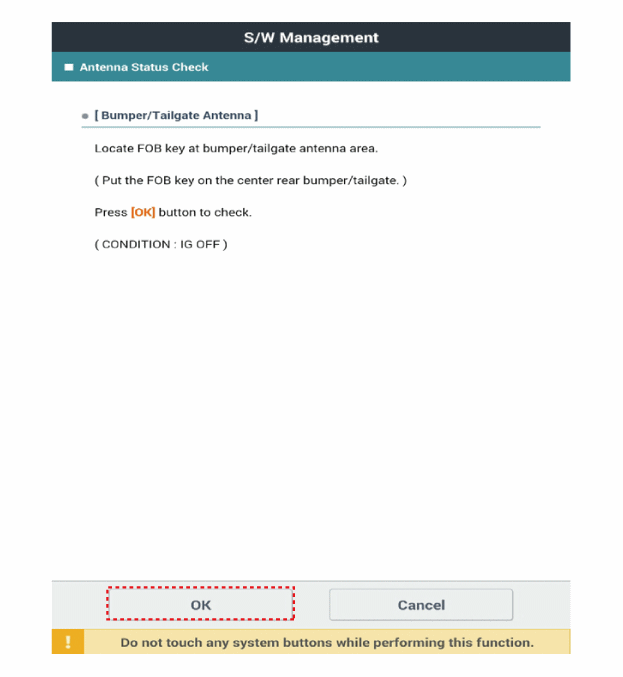
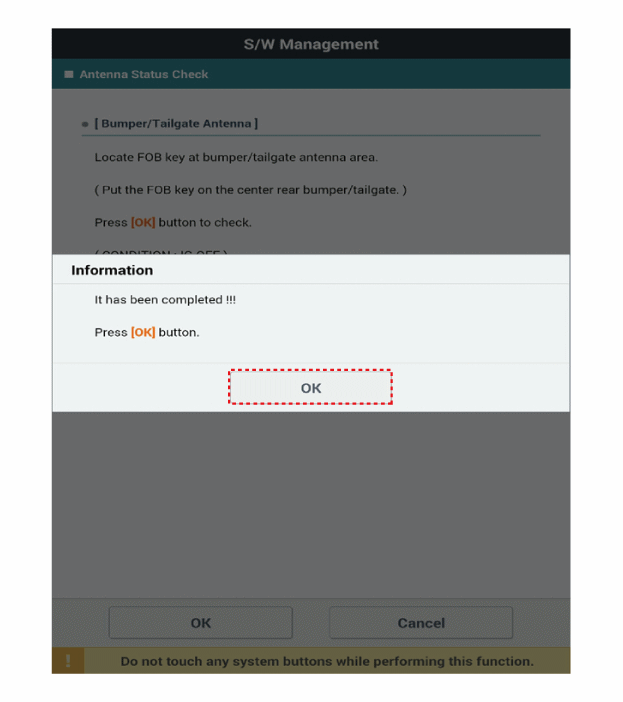
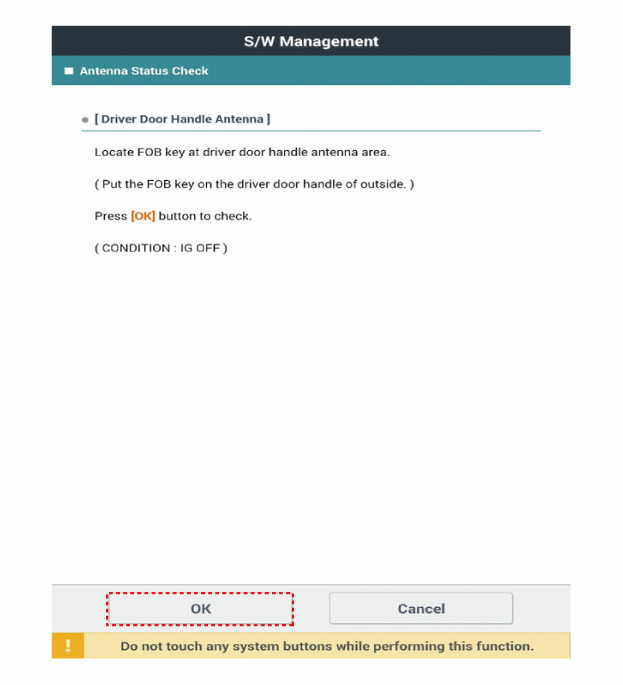
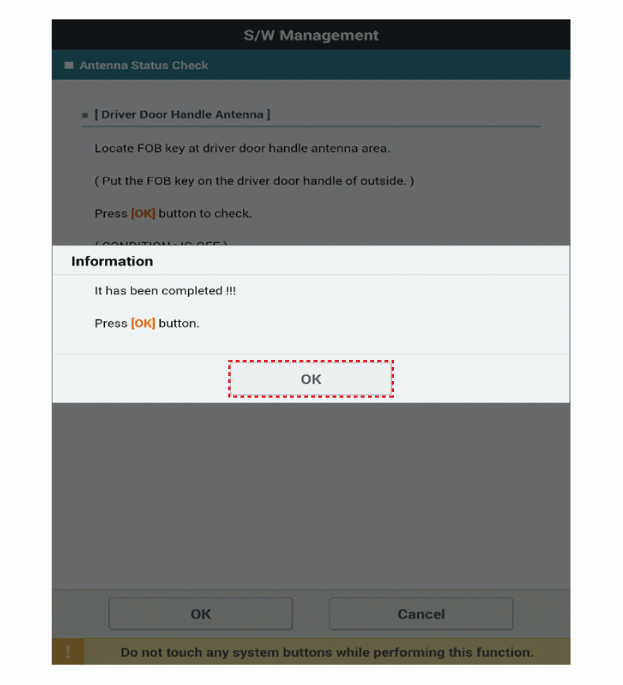
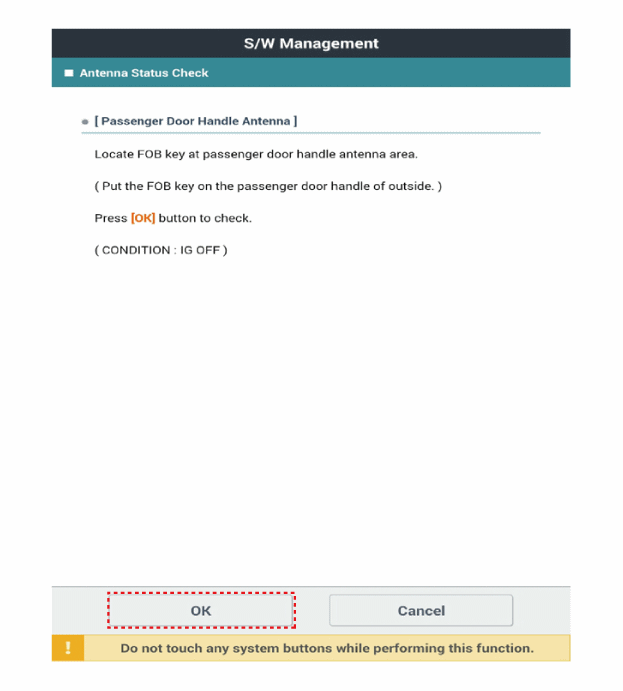
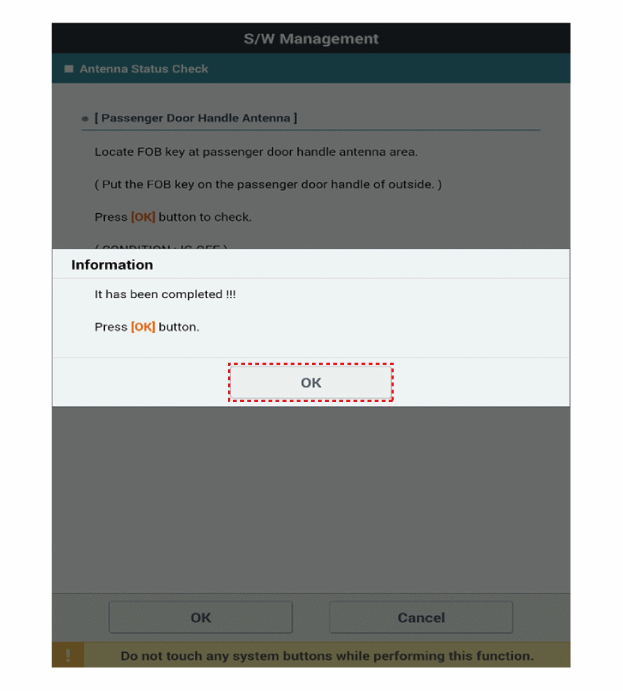
If the Smart Key operates normally with the remote antenna, the Smart Key (transmission, reception) and external receiver are normal.
Antenna status
INTERIOR ANTENNA 1
INTERIOR ANTENNA 2
Tailgate antenna
BUMPER ANTENNA
Fahrertürantenne
Door antenna
Statusprüfung der Fernbedienung
Connect the KDS cable to the diagnosis connector on the driver's side instrument panel cover.
Nach Einschalten der Zündung "FOB KEY STATUS INFO" wählen.
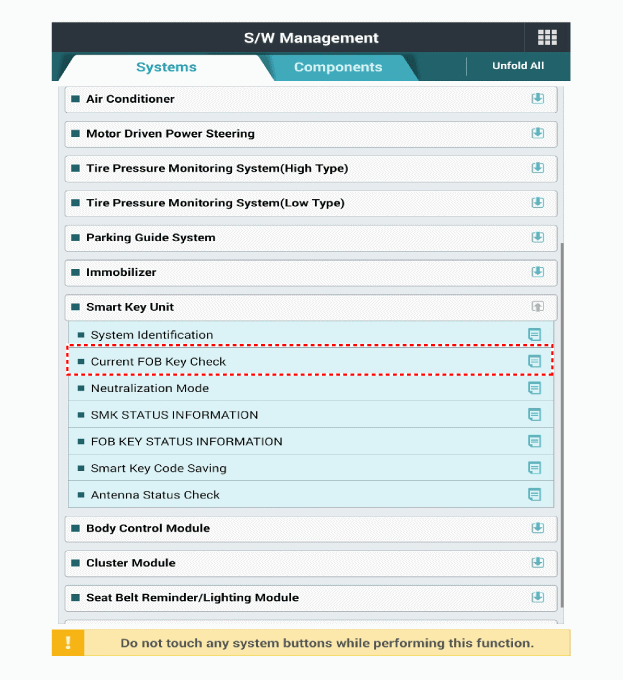
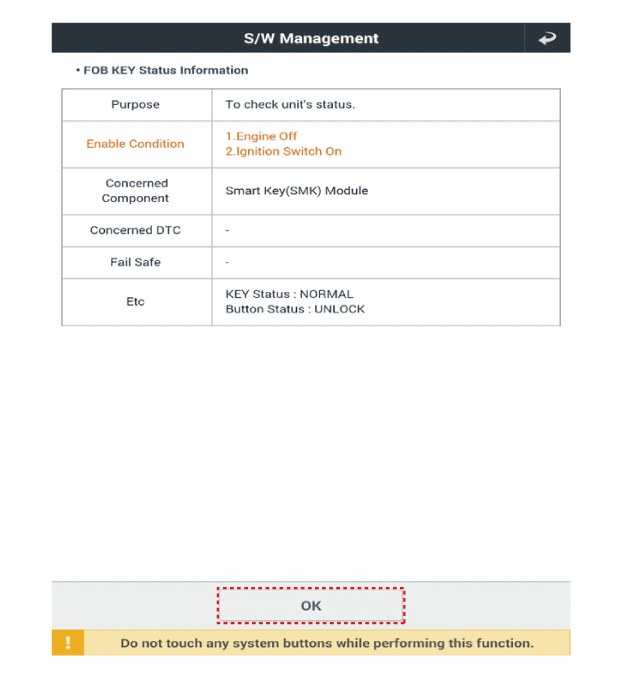
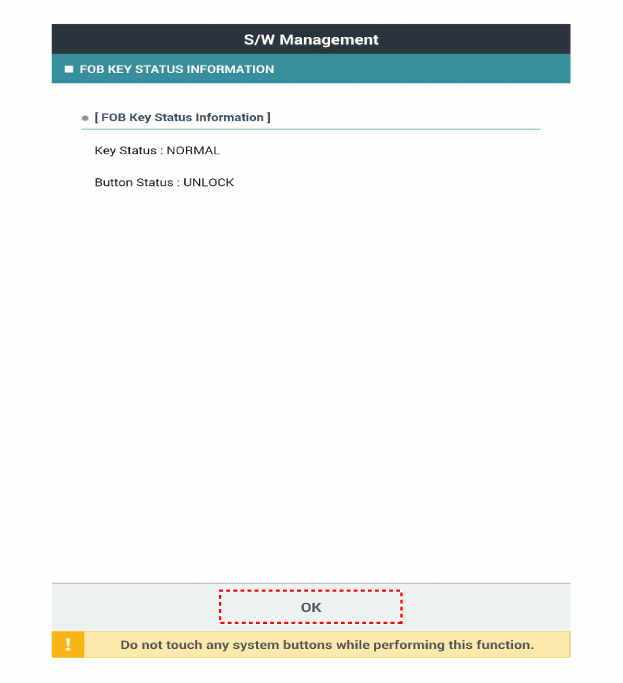
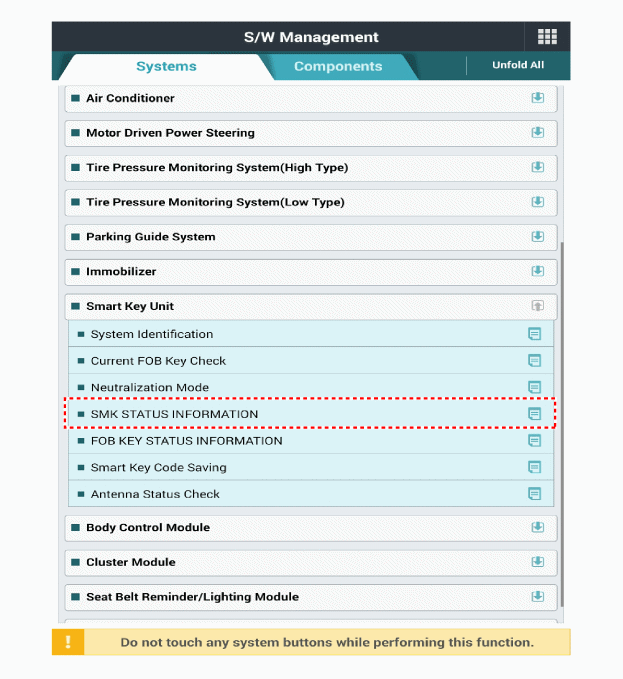
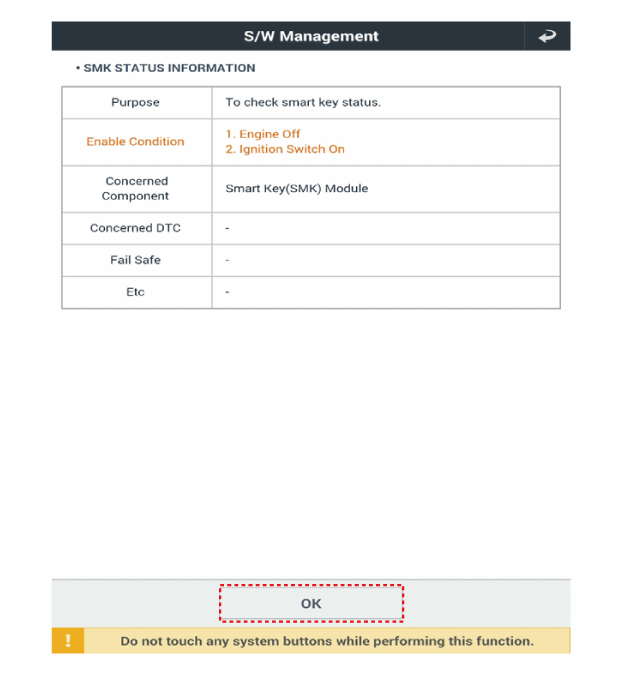
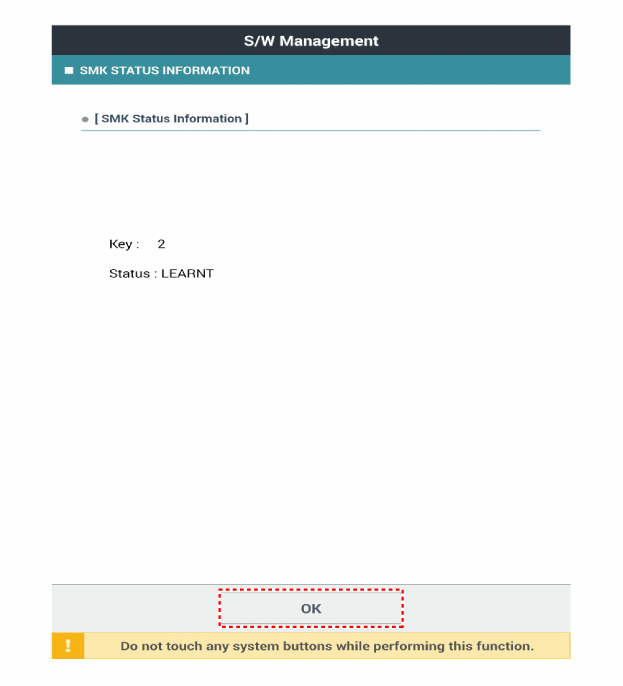
Smart Key-Statusprüfung
Connect the KDS cable to the diagnosis connector on the driver's side instrument panel cover.
Nach Einschalten der Zündung "SMK STATUS INFO" wählen.
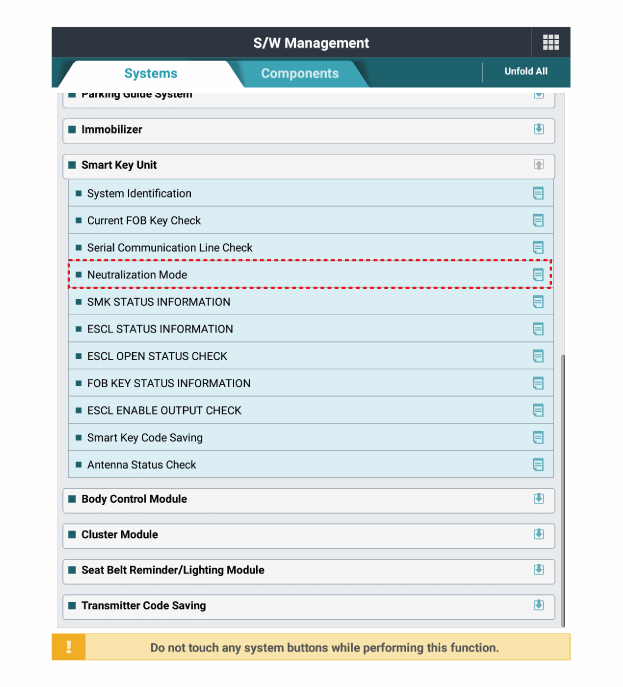
Statusprüfung der Neutralisierung
Connect the KDS cable to the diagnosis connector on the driver's side instrument panel cover.
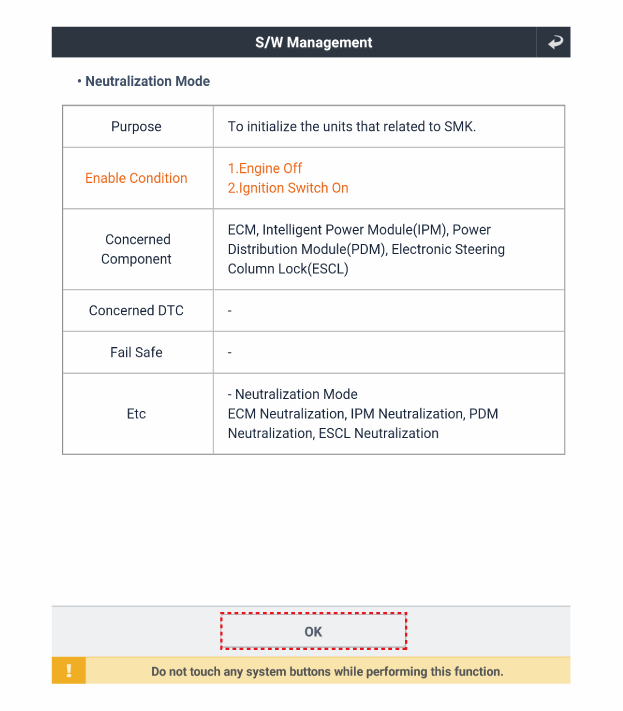
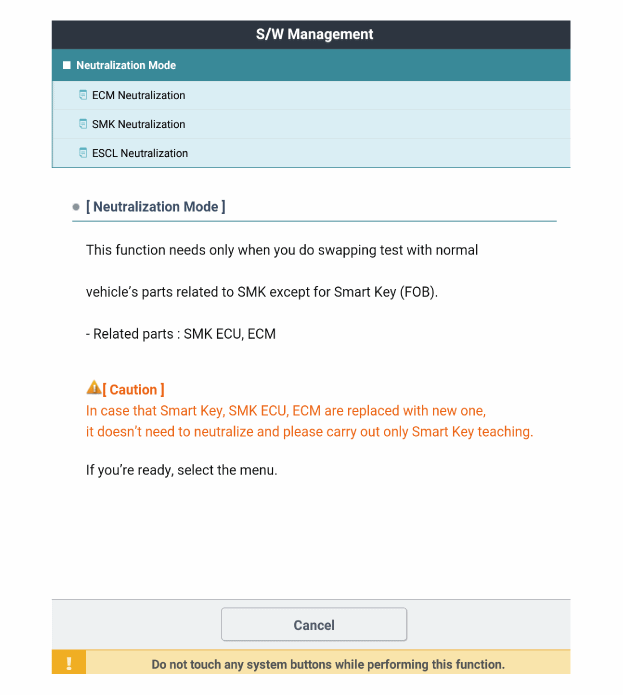
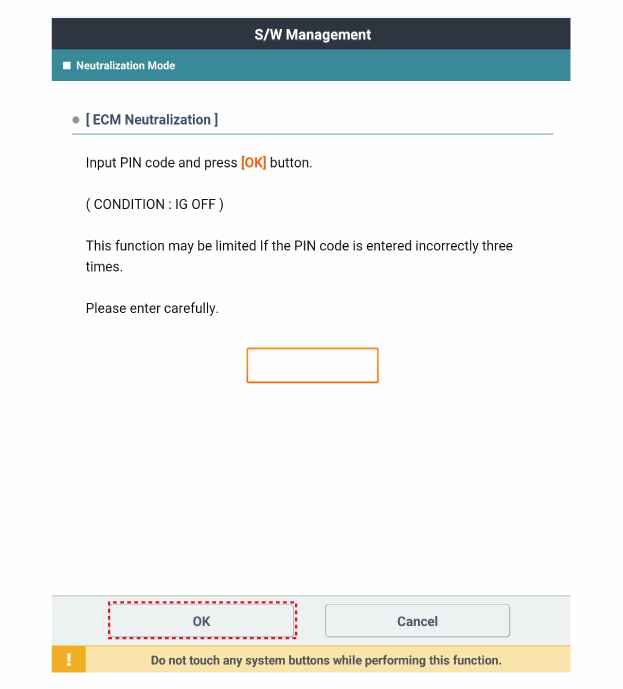
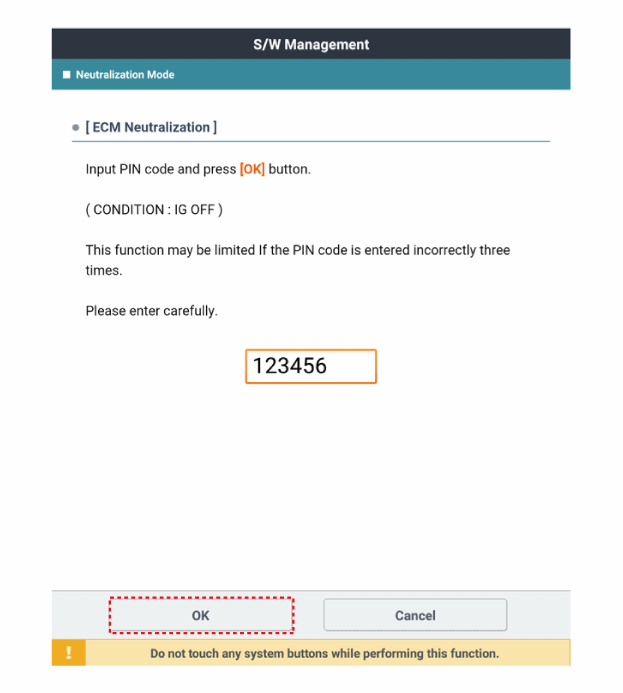
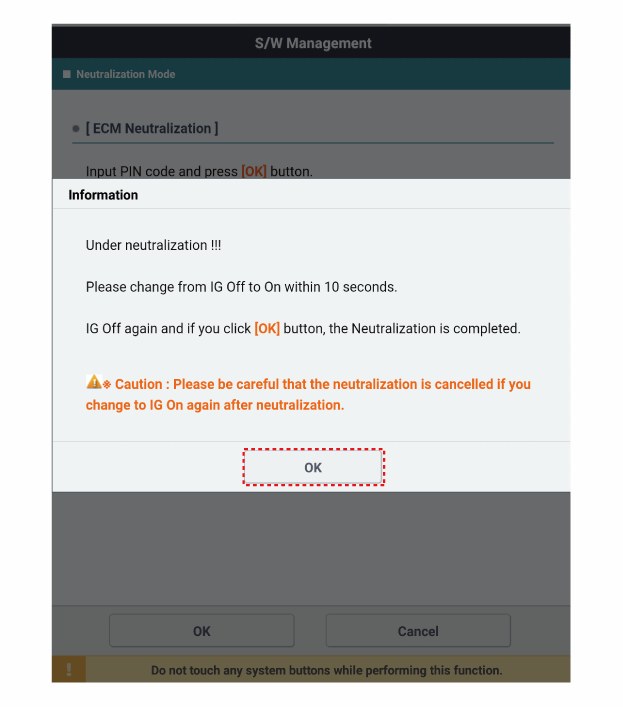
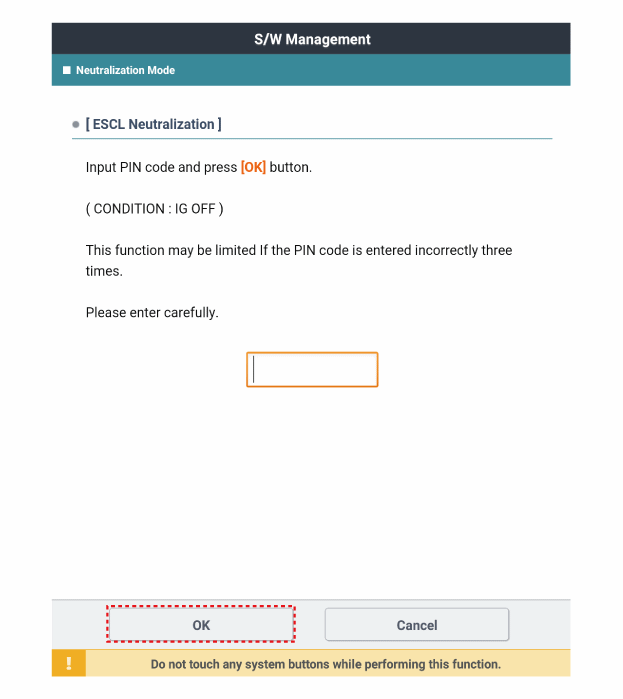
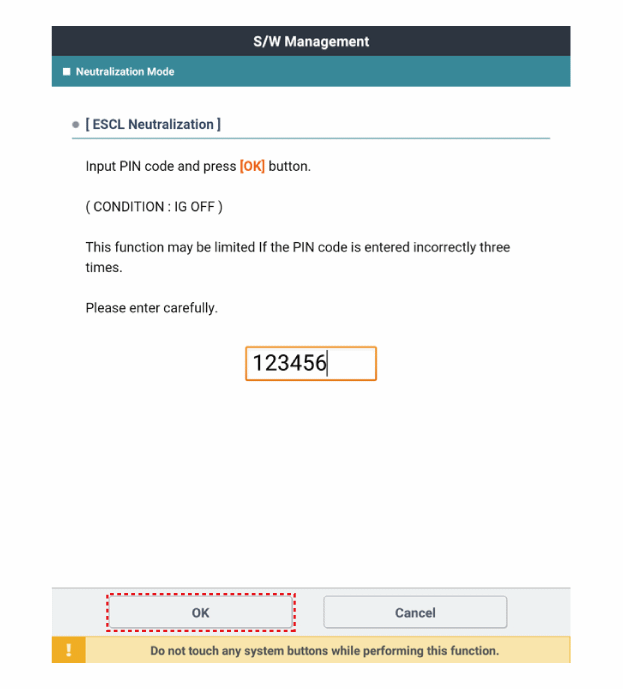
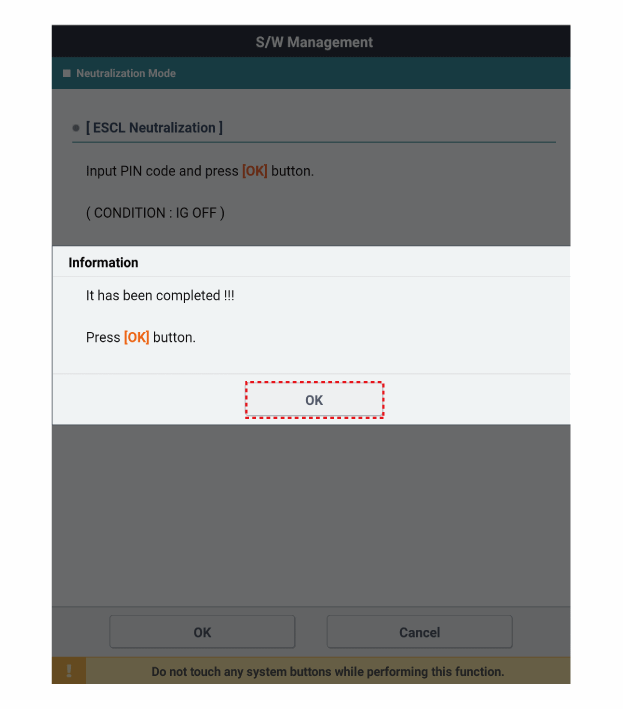
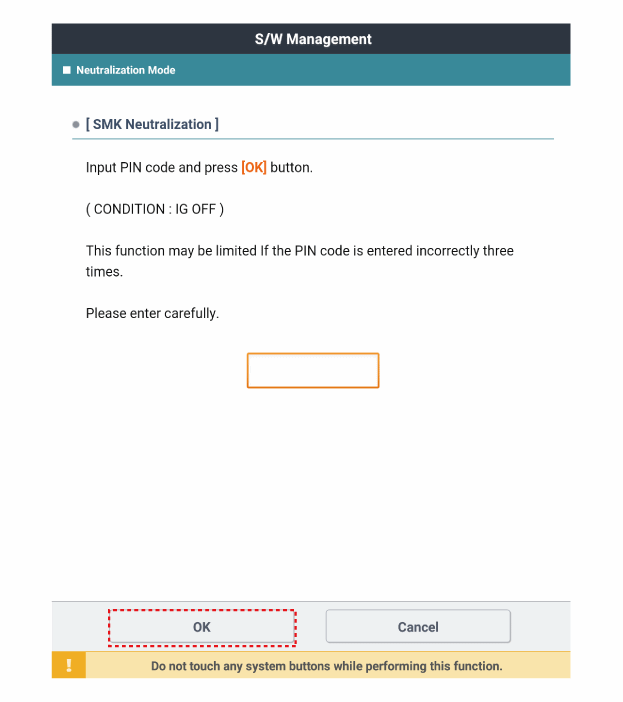
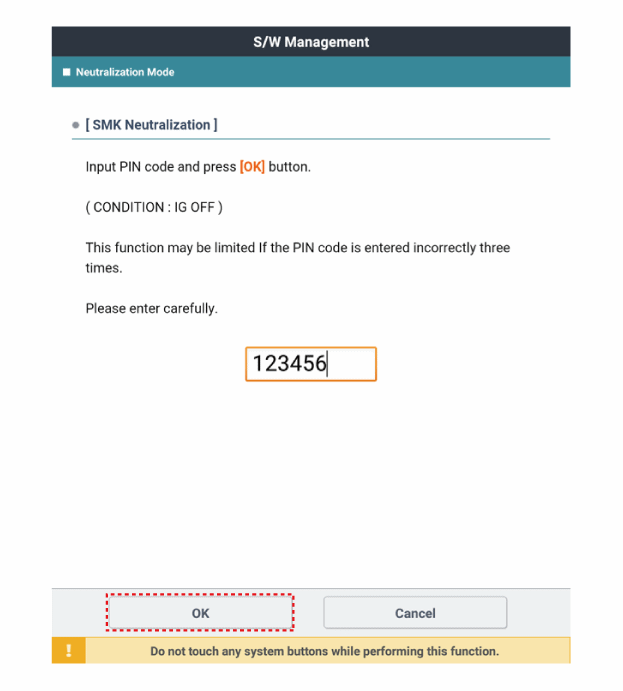
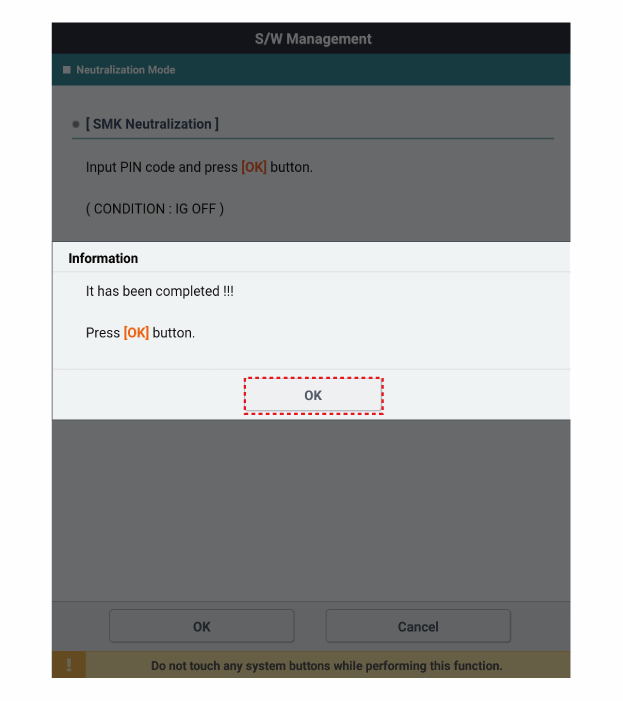
After turning the ignition on, select "Neutralization Mode".
Test yourself
A quick Kia Stonic quiz: every answer comes with an explanation and a link to the manual page.