Push-button ignition switch
WARNING
Do not press the push-button ignition switch while driving, except in an emergency. (The engine stops if the push-button ignition switch is pressed quickly three times or if it is held down for two seconds.) If the engine stops while driving, a collision and serious injury may result.
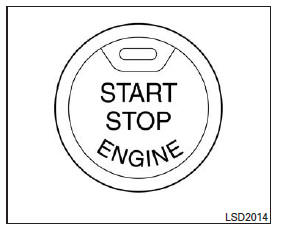
When you press the push-button ignition switch without depressing the brake pedal, the push-button ignition switch light comes on.
Press the center of the push-button ignition switch:
- once for ACC (accessory);
- twice for ON;
- three times for OFF.
The ignition switch automatically returns to the LOCK position when a door is opened or closed and the ignition switch is in the OFF position.
The ignition switch lock is designed so that the ignition switch cannot be moved to the OFF position unless the selector lever is in the P (Park) position.
If the ignition switch cannot be pressed to the OFF position, follow these steps:
- Move the selector lever to the P (park) position.
- Press the ignition switch. The ignition switch position will change to ON.
- Press the ignition switch again to move it to the OFF position.
You can move the selector lever out of the P (Park) position when the ignition switch is in the ON position and the brake pedal is depressed.
If the vehicle battery is discharged, the push-button ignition switch cannot be moved from the LOCK position.
Some indicators and warnings will appear on the multi-function display. See the "Multi-function display" section in the "Controls and instruments" chapter.
Test yourself
A quick Nissan Altima quiz: every answer comes with an explanation and a link to the manual page.