Instruments and controls - Security systems

In this manual: Instruments and controls - Security systems
Air bags, seat belts and child restraints — 1Warning and indicator lights — 1Safety-Seats, seat belts and supplemental restraint system - Seats — 1Safety-Seats, seat belts and supplemental restraint system - Head restraints/headrests — 1Safety-Seats, seat belts and supplemental restraint system - Seat belts — 1Safety-Seats, seat belts and supplemental restraint system - Child safety — 1Safety-Seats, seat belts and supplemental restraint system - Child restraints — 1Safety-Seats, seat belts and supplemental restraint system - Supplemental Restraint System (SRS) — 1Instruments and controls - Instrument panel — 1Instruments and controls - Meters and gauges — 1Instruments and controls - Warning lights, indicator lights and audible reminders — 1Instruments and controls - Vehicle information display 7 inch (18 cm) Type A — 1Instruments and controls - Vehicle information display 12.3 inch (31 cm) Type B — 1Instruments and controls - Security systems — 1Instruments and controls - Wiper and washer switch — 1Instruments and controls - Headlight and turn signal switch — 1Instruments and controls - Climate controlled seat switches — 1Instruments and controls - Heated seat switches — 1Instruments and controls - Heated 2nd row seat switches — 1Instruments and controls - Hill descent control switch — 1Instruments and controls - Head Up Display (HUD) — 1Instruments and controls - Emergency call (SOS) button — 1Instruments and controls - Rear Door Alert — 1Instruments and controls - Power outlets — 1Instruments and controls - USB/iPod charging ports — 1Instruments and controls - Wireless charger — 1Instruments and controls - Storage — 1Instruments and controls - Windows — 1Instruments and controls - Power moonroof — 1Instruments and controls - Interior lights — 1Instruments and controls - HomeLink Universal Transceiver — 1Pre-driving checks and adjustments - Keys — 1Pre-driving checks and adjustments - Doors — 1Pre-driving checks and adjustments - NISSAN Intelligent Key system — 1Pre-driving checks and adjustments - Remote Engine Start — 1Pre-driving checks and adjustments - Hood — 1Pre-driving checks and adjustments - Liftgate — 1Pre-driving checks and adjustments - Fuel-filler door — 1Pre-driving checks and adjustments - Steering wheel — 1Pre-driving checks and adjustments - Sun visors — 1Pre-driving checks and adjustments - Mirrors — 1Pre-driving checks and adjustments - Memory seat — 1Monitor, climate, audio, phone and voice recognition systems - NissanConnect Owner's Manual — 1Monitor, climate, audio, phone and voice recognition systems - RearView Monitor — 1Monitor, climate, audio, phone and voice recognition systems - Intelligent Around View Monitor — 1Monitor, climate, audio, phone and voice recognition systems - Camera aiding sonar (parking sensor) — 1Monitor, climate, audio, phone and voice recognition systems - Moving Object Detection (MOD) — 1Monitor, climate, audio, phone and voice recognition systems - Heater and air conditioner (automatic) — 1Monitor, climate, audio, phone and voice recognition systems - Servicing air conditioner — 1Monitor, climate, audio, phone and voice recognition systems - Car phone or CB radio — 1Starting and driving - Precautions when starting and driving — 1Starting and driving - Push-button ignition switch — 1Starting and driving - Starting the engine — 1Starting and driving - Driving the vehicle — 1Starting and driving - Parking brake — 1Starting and driving - Automatic brake hold — 1Starting and driving - Drive Mode Selector — 1Starting and driving - Traffic Sign Recognition (TSR) — 1Starting and driving - Lane Departure Warning (LDW) — 1Starting and driving - Intelligent Lane Intervention (I-LI) — 1Starting and driving - Blind Spot Warning (BSW) — 1Starting and driving - Intelligent Blind Spot Intervention (I-BSI) — 1Starting and driving - Rear Cross Traffic Alert (RCTA) — 1Starting and driving - Cruise control — 1Starting and driving - ProPILOT Assist — 1Starting and driving - Rear Automatic Braking (RAB) — 1Starting and driving - Automatic Emergency Braking (AEB) with Pedestrian Detection — 1Starting and driving - Intelligent Forward Collision Warning (I-FCW) — 1Starting and driving - Intelligent Driver Alertness (I-DA) — 1Starting and driving - Fuel efficient driving tips — 1Starting and driving - Intelligent 4X4 (I-4X4) — 1Starting and driving - Parking/parking on hills — 1Starting and driving - Power steering — 1Starting and driving - Brake system — 1Starting and driving - Vehicle Dynamic Control (VDC) system — 1Starting and driving - Active Brake Limited Slip (ABLS) system — 1Starting and driving - Chassis control — 1Starting and driving - Hill descent control system — 1Starting and driving - Hill start assist system — 1Starting and driving - Front and Rear Sonar System — 1Starting and driving - Idling Stop System — 1Starting and driving - Cold weather driving — 1In case of emergency - Hazard warning flasher switch — 1In case of emergency - Flat tire — 1In case of emergency - Jump starting — 1In case of emergency - If your vehicle overheats — 1In case of emergency - Towing your vehicle — 1Appearance and care - Cleaning exterior — 1Appearance and care - Cleaning interior — 1Appearance and care - Corrosion protection — 1Do-it-yourself - Maintenance precautions — 1Do-it-yourself - Engine compartment check locations — 1Do-it-yourself - Engine oil — 1Do-it-yourself - Automatic Transmission Fluid (ATF) — 1Do-it-yourself - Windshield-washer fluid — 1Do-it-yourself - Battery — 1Do-it-yourself - Variable voltage control system — 1Do-it-yourself - Drive belt — 1Do-it-yourself - Spark plugs — 1Do-it-yourself - Air cleaner — 1Do-it-yourself - Windshield wiper blades — 1Do-it-yourself - Brakes — 1Do-it-yourself - Fuses — 1Do-it-yourself - Battery replacement — 1Do-it-yourself - Lights — 1Do-it-yourself - Wheels and tires — 1Maintenance and schedules - Maintenance requirements — 1Maintenance and schedules - General maintenance — 1Maintenance and schedules - Explanation of scheduled maintenance items — 1Maintenance and schedules - Maintenance schedules — 1Technical and consumer information - Recommended fluids/lubricants and capacities — 1Technical and consumer information - Specifications — 1Technical and consumer information - Vehicle identification — 1Technical and consumer information - Vehicle loading information — 1Technical and consumer information - Towing a trailer — 1Technical and consumer information - Flat towing your vehicle — 1Technical and consumer information - Uniform tire quality grading — 1Technical and consumer information - Reporting safety defects — 1Technical and consumer information - Readiness for Inspection/Maintenance (I/M) test — 1Technical and consumer information - Event Data Recorders (EDR) — 1
~4min read
  • Basic Information
  • NISSAN Vehicle Immobilizer System

Basic Information Nissan Pathfinder
Nissan Pathfinder. Basic Information

Your vehicle has two types of security systems:

  • Vehicle security system
  • NISSAN Vehicle Immobilizer System

Vehicle security system

Basic Information

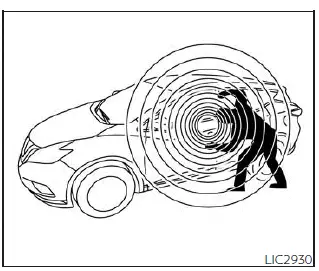
The vehicle security system provides visual and audible alarm signals if someone opens the doors, hood or liftgate when the system is armed. It is not, however, a motion detection type system that activates when a vehicle is moved or when a vibration occurs.

The system helps deter vehicle theft but cannot prevent it, nor can it prevent the theft of interior or exterior vehicle components in all situations. Always secure your vehicle even if parking for a brief period.

Never leave your keys in the vehicle, and always lock the vehicle when unattended.

Be aware of your surroundings, and park in secure, well-lit areas whenever possible.

Many devices offering additional protection, such as component locks, identification markers, and tracking systems, are available at auto supply stores and specialty shops. A NISSAN dealer may also offer such equipment. Check with your insurance company to see if you may be eligible for discounts for various theft protection features.

How to arm the vehicle security system

1. Close all windows and the moonroof (if so equipped). The system can be armed even if the windows and moonroof are open.

2. Remove the Intelligent Key from the vehicle.

3. Close all doors, hood and liftgate. Lock all doors. The doors can be locked with the Intelligent Key, door capacitive touch pad (if so equipped) or power door lock switch.

4. Wait 30 seconds for the system to complete the pre-armed phase. If during the pre-armed phase one of the following occurs, the system will not arm:

  • Any door is unlocked with the Intelligent Key or door capacitive touch pad (if so equipped).
  • The ignition switch is placed in the ON position.
  • Even when the driver and/or passengers are in the vehicle, the system will activate when all the doors, hood and liftgate are locked with the ignition switch placed in the LOCK position.

    When placing the ignition switch in the ON position, the system will be released.

Vehicle security system activation

The vehicle security system will give the following alarm:

  • The headlights blink and the horn sounds intermittently.
  • The alarm automatically turns off after a period of time. However, the alarm reactivates if the vehicle is tampered with again. The alarm can be shut off by unlocking the driver's door by pressing the button on the Intelligent Key or placing the ignition switch in the ON position.

The alarm is activated by:

  • opening a door without using the Intelligent Key (even if the door is unlocked by using the inside lock knob or the power door lock switch).

How to stop an activated alarm

The alarm stops only by unlocking the driver's door or the liftgate by pressing the button on the Intelligent Key or pushing the capacitive touch pad (if so equipped) on the driver's or passenger's door with the Intelligent Key in range of the door handle.

NISSAN Vehicle Immobilizer System Nissan Pathfinder 2026

The NISSAN Vehicle Immobilizer System will not allow the engine to start without the use of a registered key.

If the engine fails to start using a registered key (for example, when interference is caused by another registered key, an automated toll road device or automatic payment device on the key ring), restart the engine using the following procedures:

1. Leave the ignition switch in the ON position for approximately 5 seconds.

2. Place the ignition switch in the OFF or LOCK position and wait approximately 10 seconds.

3. Repeat steps 1 and 2.

4. Restart the engine while holding the device (which may have caused the interference) separate from the registered key.

If the no start condition reoccurs, NISSAN recommends placing the registered key on a separate key ring to avoid interference from other devices.

Never leave these keys in the vehicle.

FCC Notice:

For USA:

This device complies with Part 15 of the FCC Rules. Operation is subject to the following two conditions: (1) This device may not cause harmful interference, and (2) this device must accept any interference received, including interference that may cause undesired operation.

NOTE:

Changes or modifications not expressly approved by the party responsible for compliance could void the user's authority to operate the equipment.

For Canada:

This device contains licence-exempt transmitter(s)/receiver(s) that comply with Innovation, Science and Economic Development Canada's licence-exempt RSS(s). Operation is subject to the following two conditions: (1) This device may not cause interference. (2) This device must accept any interference, including interference that may cause undesired operation of the device.