Time and outside temperature
Setting the time
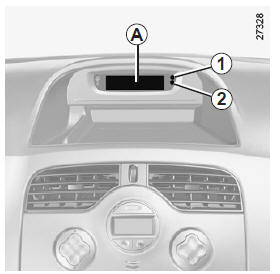
Setting the time
With the ignition on, the time and, depending on the vehicle, the outside temperature are displayed.
Setting clock A
On vehicles so equipped, adjustment buttons 1 and 2 are used to set the time.
Press button 1 to set the hours and button 2 to set the minutes.
Setting clock B
Display the "Time" page on the instrument panel by pressing either button on control 3.
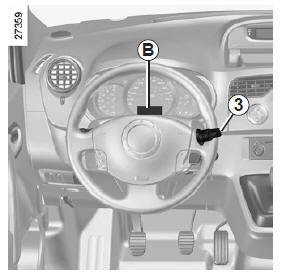
Outside temperature
After two seconds, the hours and minutes flash.
Press and hold the lower button to enter hour setting mode.
When only the hours are flashing, press the upper button to scroll through them.
Press and hold the lower button to enter minute setting mode.
When only the minutes are flashing, press the upper button to scroll through them.
Confirm by pressing and holding the lower button on control 3.
Where equipped, the outside temperature is displayed as A or B. If it is between –3 °C and +3 °C, the °C symbols flash (ice warning).
If the power supply is interrupted (battery disconnected, power wire cut, etc.), the clock must be reset.
We recommend not making adjustments while driving.
! Outside temperature indicatorIce formation depends on weather exposure, local humidity and temperature, so the outside temperature indication alone cannot be relied upon to detect ice.
Test yourself
A quick Renault Kangoo quiz: every answer comes with an explanation and a link to the manual page.