Display e comandi vocali
Attivazione e disattivazione del display centrale
In questo manuale: Display e comandi vocali
2passaggi
~12min
1/5difficoltà
Completati 0 di 2
The center display can be temporarily switched off and reactivated using the home button under the screen.
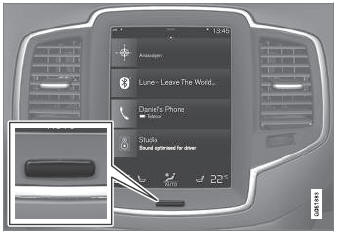
Pulsante Display centrale.
Quando si utilizza il pulsante Home, lo schermo si oscura e il touchscreen non risponde più al tocco. La barra del clima rimane visibile. Tutte le funzioni collegate allo schermo continuano a funzionare, come clima, audio, navigazione* e app. Lo schermo del display centrale può essere pulito quando il display è oscurato. La funzione di oscuramento può essere usata anche per abbassare la luminosità dello schermo, così da non distrarre durante la guida.
- Press and hold the button beneath the screen.
- Lo schermo si oscura (la barra del clima rimane visibile). Tutte le funzioni collegate allo schermo continuano a funzionare.
- To reactivate the screen, briefly press the Home button.
- The view that was displayed before the screen was turned off will be displayed again.
* Opzione/accessorio.
Mettiti alla prova
Un breve quiz sulla Volvo XC90: ogni risposta ha una spiegazione e un link alla pagina del manuale.
Questa pagina ti è stata utile?