Displays and Controls
Activating and Deactivating the Center Display
In this manual: Displays and Controls
2steps
~12min
1/5difficulty
Done 0 of 2
The center display can be temporarily switched off and reactivated using the home button under the screen.
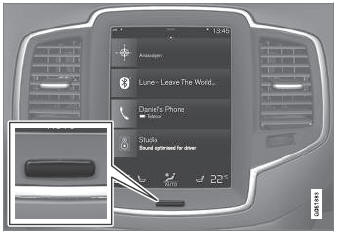
Center display button
When the Home button is used, the screen will go dark and the touchscreen no longer reacts to touch. The climate bar will remain visible. All functions connected to the screen continue to operate, such as climate, audio, guiding* and apps. The center display screen can be cleaned when the display is dimmed. The dimming function can also be used to darken the screen so it is not a distraction while driving.
- Press and hold the button beneath the screen.
- The screen will go dark (the climate bar will remain visible). All functions connected to the screen continue to operate.
- To reactivate the screen, briefly press the Home button.
- The view that was displayed before the screen was turned off will be displayed again.
* Option/accessory.
Test yourself
A quick Volvo XC90 quiz: every answer comes with an explanation and a link to the manual page.
Was this page helpful?