Gestione dei riquadri sul display centrale
La vista Home è composta da quattro riquadri: Navigazione, Media, Telefono e un quarto riquadro. Questi riquadri possono essere espansi.
Espansione del riquadro dalla modalità standard
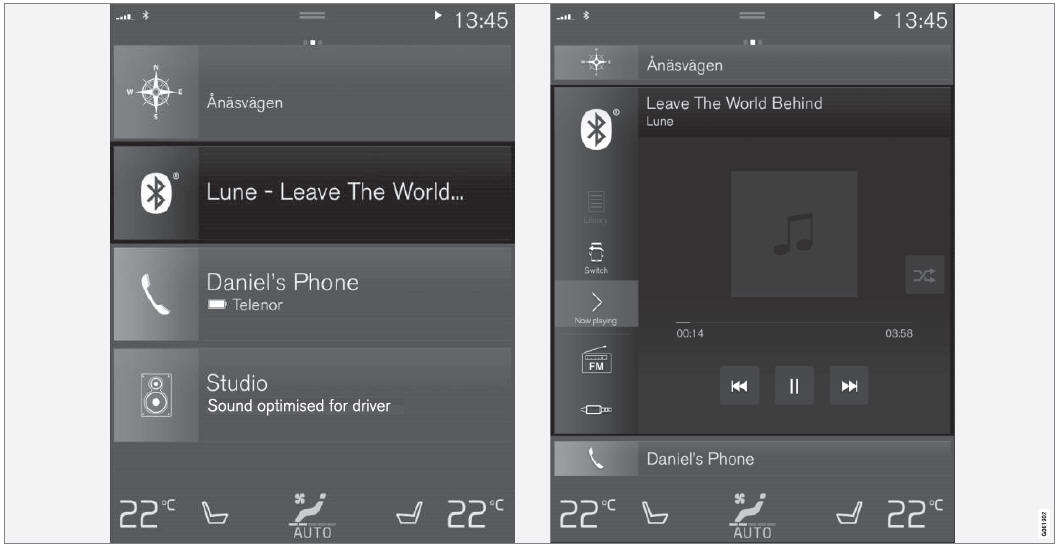
Modalità standard e modalità espansa dei riquadri sul display centrale.
Espansione del riquadro:
- For tiles Navigation, Media and Phone: Tap the screen anywhere in the tile. When a tile is expanded, the extra tile in Home view will be temporarily hidden. The other two tiles will be minimized and only show certain information. When the extra tile is tapped, the other three tiles are minimized and only certain information is displayed.
Expanded view provides access to the basic functions of the respective apps.
Chiusura del riquadro espanso:
- The tile can be closed in three different ways:
- Toccare la parte superiore del riquadro espanso.
- Toccare un altro riquadro (che verrà quindi aperto in modalità espansa).
- Premere brevemente il pulsante Home sotto il display centrale.
Apertura o chiusura di un riquadro a schermo intero
Il quarto riquadro1 e il riquadro Navigazione possono essere aperti a schermo intero per visualizzare informazioni aggiuntive e le possibili impostazioni.
When a tile is opened in full-screen mode, no information from the other tiles is displayed.
 In expanded mode, open the app in full-screen mode. Tap the symbol.
 To return to expanded mode, tap the symbol or press the Home button under the screen.
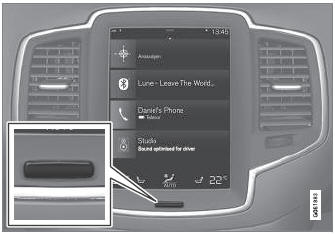
Pulsante Display centrale.
È sempre possibile premere il pulsante Home per tornare alla vista Home. Per tornare alla vista standard della vista Home dalla modalità a schermo intero, premere due volte il pulsante Home.
1 Does not apply to all apps or vehicle functions opened via the fourth tile.
Mettiti alla prova
Un breve quiz sulla Volvo XC90: ogni risposta ha una spiegazione e un link alla pagina del manuale.