Utilizzo del riconoscimento vocale
Starting voice control1
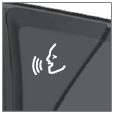 Voice commands are given through a "dialog" with the voice control system. Press the button for voice control
 on the right-side steering wheel keypad to activate the system and initiate a voice command dialog. When you press the button, a beep will sound and the voice control symbol will appear in the instrument panel.
This shows that the system has begun listening and you can now begin speaking commands. As soon as you start speaking, the system will be trained to recognize and understand your voice. This takes several seconds and is done automatically, which means that you don't need to manually initiate any voice training.
Possono includere:
- Wait until after the tone, and then speak in your normal voice at a normal speed.
- Do not speak while the system is responding (the system is unable to process commands during this time).
- Avoid background noises in the passenger compartment by keeping doors, windows and the panoramic roof* closed.
Generally, the system will listen for a basic command that is then followed by more detailed commands specifying what you want the system to do.
To change the audio volume of the system, turn the volume knob while the voice is speaking. It is possible to use other buttons while voice commands are being given. However, because other audio is silenced during dialog with the system, it is not possible to perform any functions connected to audio using the buttons.
Annullamento del controllo vocale
Per annullare il controllo vocale, eseguire una delle seguenti operazioni:
- Premere brevemente
 e dire "Annulla".
- Press and hold the steering wheel keypad's voice command button
 until two audible signals are given. This cancels voice control even when the system is speaking.
Il controllo vocale viene annullato anche se non si risponde durante il dialogo. Il sistema chiederà per tre volte una risposta e, se la risposta non viene ancora fornita, il controllo vocale verrà annullato automaticamente.
To speed up communication and skip prompts from the system, press the voice control button  on the steering wheel keypad. This will interrupt the system's response and you can say the next command.
Esempi di comandi vocali
- Tap
 .
- Dire "Chiama [Nome] [Cognome] [Categoria numero]", ad esempio "Call Robyn Smith cellular".
- Il sistema chiama il contatto selezionato dalla rubrica. Se il contatto ha più numeri di telefono (ad esempio casa, cellulare, ufficio), è necessario indicare anche la categoria corretta.
Comandi/frasi
I seguenti comandi possono generalmente essere utilizzati in qualsiasi situazione:
- "Ripeti" - ripete l'ultimo comando vocale nel dialogo corrente.
- "Annulla" - annulla il dialogo.2
- "Aiuto" - avvia un dialogo di aiuto. Il sistema risponde con i comandi utilizzabili nella situazione corrente, un'istruzione o un esempio.
Commands for specific functions, such as phone and audio, are described in the sections related to that function.
Quantità
Number commands can be given in different ways depending on the function to be controlled:
- Numeri di telefono e codici postali devono essere pronunciati cifra per cifra, ad esempio "zero, three, one, two, two, four, four, three" (03122443).
- Indirizzi possono essere pronunciati cifra per cifra o a gruppi, ad esempio "two, two" oppure "twenty-two" (22). Per le impostazioni di lingua inglese e olandese, i gruppi di numeri possono essere pronunciati anche in sequenza, ad esempio "twenty-two, twenty-two" (22 22). Per l'inglese si possono usare anche le cifre doppie o triple, ad esempio "double zero" (00). Possono essere utilizzati numeri nell'intervallo 0-2300.
- Frequenze possono essere pronunciate come "ninety-eight point eight" (98.8), "one hundred four point two" oppure "hundred and four point two" (104.2).
Velocità del parlato e modalità di ripetizione
È possibile regolare la velocità con cui parla il sistema.
Con la modalità di ripetizione, il sistema ripete ciò che è stato detto.
Per modificare la velocità del parlato o attivare/disattivare la modalità di ripetizione:
- Toccare Impostazioni nella vista superiore.
- Tap System
 Voice Control and select settings.
- Ripeti comando vocale
- Velocità del parlato
* Opzione/accessorio.
1 Certain markets only.
2Note that this only cancels the dialog when the system is not speaking. To do this, press and hold  until you hear two beeps.
Mettiti alla prova
Un breve quiz sulla Volvo XC90: ogni risposta ha una spiegazione e un link alla pagina del manuale.