Heating and Air Conditioning
1. Start the engine.
2. Set the mode to the desired position. For more efficient heating and cooling, select:
- Heating:
- Cooling:
3. Set the temperature control to the desired position.
4. Set the air intake control to the outside (fresh) air position.
5. Set the fan speed control to the desired speed.
6. If air conditioning is desired, turn on the air conditioning system.
Mode Selection
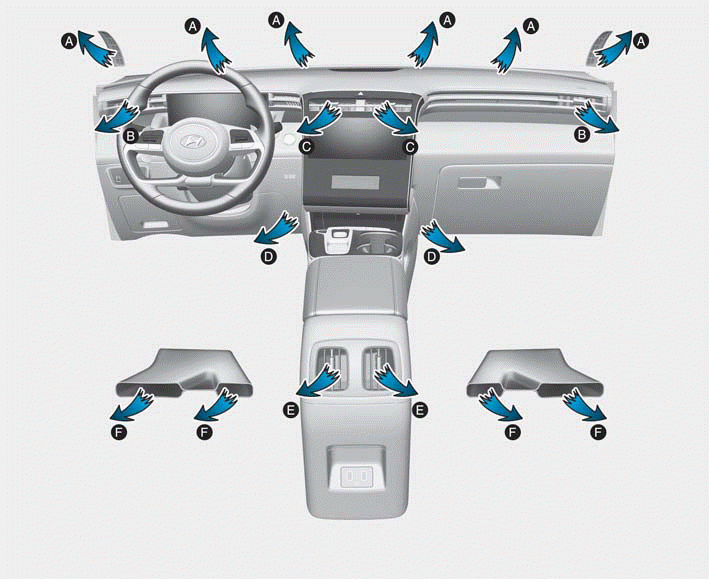
The mode selection button controls the direction of airflow through the ventilation system.
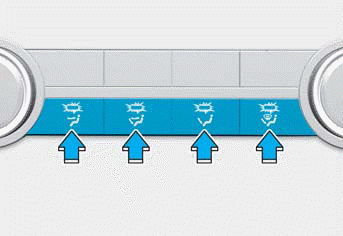
Face Level (B, C, E)

Airflow is directed to the upper body and face. In addition, each outlet can be controlled to direct air discharged from the outlet.
Bi-Level (B, C, D, E, F)

Airflow is directed to the face and floor.
Floor Level (A, B, D, E, F)

Most of the airflow is directed to the floor, with a small amount of air directed to the windshield and side window defrosters.
Floor/Defrost Mode (A, B, C, D, E)

Most of the airflow is directed to the floor and windshield, with a small amount directed to the side window defrosters.
Front Heater (A, B)

Most of the airflow is directed to the windshield, with a small amount of air directed to the side window defrosters.
MAX A/C Level (B, C, E)
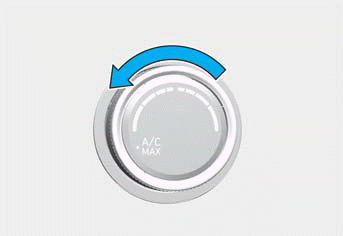
MAX A/C mode is used to cool the vehicle interior faster. The airflow is directed to the upper body and face. Both A/C and recirculated air are selected. Turn the fan speed control to adjust.
Instrument Panel Vents
Front
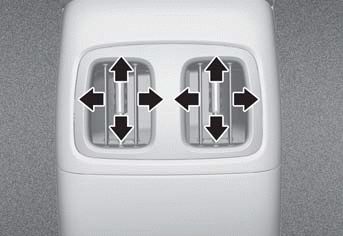
Rear
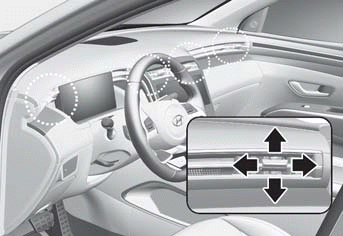
The dashboard air vents can be directed up/down or left/right using the vent adjustment lever. The airflow can also be CLOSED using the vent adjustment lever.
Test yourself
A quick Hyundai Tucson LM quiz: every answer comes with an explanation and a link to the manual page.