Tire pressure warning system
The 2024 Toyota Prius is equipped with a Tire Pressure Warning System (TPWS). This system monitors the tire pressure in each tire and alerts the driver if it detects that any tire is significantly under-inflated. When the system identifies a drop in tire pressure, a warning light illuminates on the instrument cluster, prompting the driver to check and inflate the tires to the recommended levels. Maintaining proper tire pressure is crucial for safe driving, optimal fuel efficiency, and extending tire life. Always refer to the owner’s manual for detailed instructions on resetting the TPWS after adjusting tire pressures.
The tire pressure warning system of this vehicle adopts a 2- type warning system.
- When "Adjust Pressure" is displayed (Normal Warning)
The tire pressure warning light comes on and a buzzer sounds when the tire inflation pressure becomes low due to natural air leakage or outside temperature
- When "Immediately Check tire when Safe" is displayed (Emergency Warning)
The tire pressure warning light comes on and a buzzer sounds when the tire inflation pressure becomes low suddenly due to a blowout.
However, the system may not be able to detect sudden tire ruptures (bursting, etc.).
- The tire pressure detected by the tire pressure warning system can be displayed on the multi-information display.
The illustration used is intended as an example, and may differ from the image that is actually displayed on the multi-information display.
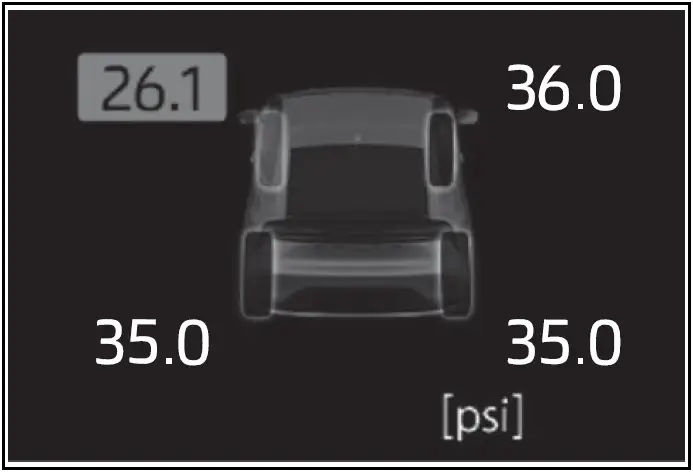
How to change the unit
- Park the vehicle in a safe place and turn the power switch off.
Changing the unit cannot be performed while the vehicle is moving.
- Start the hybrid system.
- Use the meter control switches to select

- Use the meter control switches to select
 , then press and hold
 .
- Use the meter control switches to select "TPWS setting", then press

- Use the meter control switches to select "Pressure unit setting", then press

- Use the meter control switches to select "Pressure unit setting", then press

Routine tire inflation pressure checks
The tire pressure warning system does not replace routine tire inflation pressure checks. Make sure to check tire inflation pressure as part of your routine of daily vehicle checks.
Tire inflation pressure
- It may take a few minutes to display the tire inflation pressure after the power switch is turned to ON.
It may also take a few minutes to display the tire inflation pressure after inflation pressure has been adjusted.
- Tire inflation pressure changes with temperature. The displayed values may also be different from the values measured using a tire pressure gauge.
Situations in which the tire pressure warning system may not operate properly
- In the following cases, the tire pressure warning system may not operate properly.
- If non-genuine Toyota wheels are used.
- A tire has been replaced with a tire that is not an OE (Original Equipment) tire.
- A tire has been replaced with a tire that is not of the specified size.
- Tire chains etc. are equipped.
- If a window tint that affects the radio wave signals is installed.
- If there is a lot of snow or ice on the vehicle, particularly around the wheels or wheel housings.
- If the tire inflation pressure is extremely higher than the specified level.
- If wheel without tire pressure warning valves and transmitters are used.
- If the ID code on the tire pressure warning valves and transmitters is not registered in the tire pressure warning computer.
- Performance may be affected in the following situations.
- Near a TV tower, electric power plant, gas station, radio station, large display, airport or other facility that generates strong radio waves or electrical noise
- When carrying a portable radio, cellular phone, cordless phone or other wireless communication device
If tire position information is not correctly displayed due to the radio wave conditions, the display may be corrected by changing the location of the vehicle as the radio wave conditions may change.
- When the vehicle is parked, the time taken for the warning to start or go off could be extended.
- When tire inflation pressure declines rapidly for example when a tire has burst, the warning may not function.
Warning performance of the tire pressure warning system Toyota Prius 2024-2025
The warning of the tire pressure warning system will change in accordance with driving conditions.
For this reason, the system may give a warning even if the tire pressure does not reach a low enough level, or if the pressure is higher than the pressure that was adjusted to when the system was initialized.
- Installing tire pressure warning valves and transmitters
- Setting the tire pressure
- Registering ID codes
Installing tire pressure warning valves and transmitters
When replacing tires or wheels on your Toyota Prius, it is essential to also install new tire pressure warning valves and transmitters. After installation, new ID codes for these valves and transmitters must be registered in the tire pressure warning computer to ensure proper functionality.
When replacing the tires and wheels
If the ID code of the tire pressure warning valve and transmitter is not registered, the tire pressure warning system will not work properly. In this case, after driving for about 20 minutes, the tire pressure warning light blinks for 1 minute and stays on to indicate a system malfunction.
NOTICE
Repairing or replacing tires, wheels, tire pressure warning valves, transmitters and tire valve caps
- When removing or fitting the wheels, tires or the tire pressure warning valves and transmitters, contact your Toyota dealer as the tire pressure warning valves and transmitters may be damaged if not handled correctly.
- Make sure to install the tire valve caps. If the tire valve caps are not installed, water could enter the tire pressure warning valves, corrode the valve, and cause sticking and air leaks.
- When replacing tire valve caps, do not use tire valve caps other than those specified. The cap may become stuck.
To avoid damage to the tire pressure warning valves and transmitters
When a tire is repaired with liquid sealants, the tire pressure warning valve and transmitter may not operate properly. If a liquid sealant is used, contact your Toyota dealer or other qualified service shop as soon as possible. Make sure to replace the tire pressure warning valve and transmitter when replacing the tire.
Registration of the position of each wheel after performing a tire rotation
It is necessary to register the position of each wheel after performing a tire rotation.
Wheel position registration can be performed by oneself. Wheel position registration is performed by driving forward with moderate left and right turns.
However, depending on the driving conditions and driving environment, registration may take some time to complete.
- Park the vehicle in a safe place, turn the power switch off and wait 15 minutes or more.
- Start the hybrid system.
The wheel position registration procedure cannot be performed while the vehicle is moving.
- Use the meter control switches to select

- Use the meter control switches to select
 , then press and hold
 .
- Use the meter control switches to select "TPWS setting", then press

- Use the meter control switches to select "Tire Rotation", then press

- Use the meter control switches to select "Yes", then press

A message indicating that wheel position registration is being performed will be displayed on the multi-information display. "---" will be displayed for the tire inflation pressure of each tire and wheel position registration will begin.
- Drive straight (with occasional left and right turns) at approximately 40 km/h or more for approximately 10 to 30 minutes.
When wheel position registration is complete, a message indicating that registration has been completed and the inflation pressure of each tire will be displayed on the multi-information display.
Even if it is not possible to drive continuously at approximately 40 km/h or more, registration can be completed by driving for a long time. However, if registration does not complete after driving for 1 hour or more, park the vehicle in a safe place and leave it with the power switch in ON for approximately 15 minutes or more, and then perform the driving procedure again.
When performing wheel position registration
- Normally, wheel position registration can be completed within approximately 30 minutes.
- Wheel position registration is performed while driving at a vehicle speed of approximately 40 km/h or more.
Wheel position registration procedure
- If the power switch is turned off while registering the wheel position, the next time the power switch is turned to ON, the wheel position registration will resume and it will not be necessary to restart the procedure.
- While the position of each wheel is being determined and the inflation pressures are not being displayed, if the inflation pressure of a tire drops, the tire pressure warning light will come on.
If the wheel position cannot be registered easily
- In the following situations, wheel position registration may take longer than usual to be completed or may not be possible.
- Vehicle is not driven at approximately 40 km/h or more
- Vehicle is driven on unpaved roads
- If wheel position registration does not complete after driving for 1 hour or more, park the vehicle in a safe place for approximately 15 minutes and then drive the vehicle again.
- If the vehicle is reversed during wheel position registration, all data collected until then will be cleared. Perform driving again.
Setting the tire pressure
In the following situations, it will be necessary to perform the tire inflation pressure setting procedure of the tire pressure warning system.
- When the specified tire inflation pressure has changed, such as due to carried load, etc.
- When the tire inflation pressure is changed such as when the tire size is changed.
If the tire inflation pressure has been adjusted to the specified level, perform the tire inflation setting procedure by selecting specified inflation pressure on the multiinformation display.
When the tire inflation pressure is to be other than specified, such as when tires other than the specified size are used, etc., set the tire inflation pressure using the current pressure. Make sure to adjust the tire inflation pressure of each tire to the appropriate level before performing tire pressure setting. The tire pressure warning system operates based on this tire inflation pressure.
Setting by selecting a specified tire inflation pressure
- Start the hybrid system.
The tire inflation pressure cannot be set while the vehicle is moving.
- Use the meter control switches to select
 .
- Use the meter control switches to select
 , then press and hold
 .
- Use the meter control switches to select "TPWS setting", then press

- Use the meter control switches to select "Tire Pressure Setting", then press

- Use the meter control switches to select "Setting by Specified Pressure", then press

- Use the meter control switches to select the desired tire pressures, then press

The tire pressure warning light will slowly blink 3 times.
After setting the tire inflation pressure, a message indicating that setting has been completed will be displayed on the multi-information display.
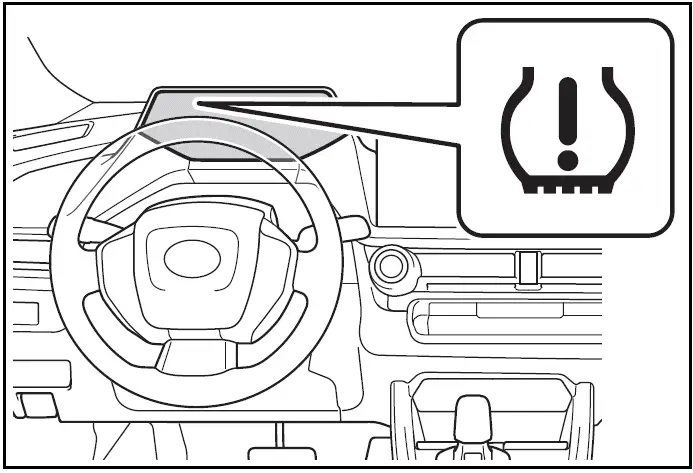
If the tire inflation pressure cannot be set easily
- If the tire pressure warning light does not blink 3 times when starting the tire inflation pressure setting procedure, the procedure may not have started.
Perform the procedure again from the beginning.
- If tire inflation pressure setting procedure cannot be completed after performing the above procedure, contact your Toyota dealer.
Setting using the current tire inflation pressure
WARNING
Before performing tire pressure setting
Make sure to adjust the tire inflation pressure of each tire to the appropriate level. Otherwise, the tire pressure warning light may not illuminate even if the tire inflation pressure drops or may illuminate even though the tire inflation pressure is normal.
- Adjust the tire inflation pressure of each tire to the appropriate level.
Make sure to adjust the tire inflation pressure with the tires cold.
- Start the hybrid system.
The tire inflation pressure cannot be set while the vehicle is moving.
- Use the meter control switches to select

- Use the meter control switches to select
 , then press and hold
 .
- Use the meter control switches to select "TPWS setting", then press
 .
- Use the meter control switches to select "Tire Pressure Setting", then press
 .
- Use the meter control switches to select "Setting by Current Pressure", then press
 .
The tire pressure warning light will slowly blink 3 times and a message indicating that tire inflation pressure is being set will be displayed on the multi-information display.
After setting the tire inflation pressure, a message indicating that setting has been completed will be displayed on the multi-information display.
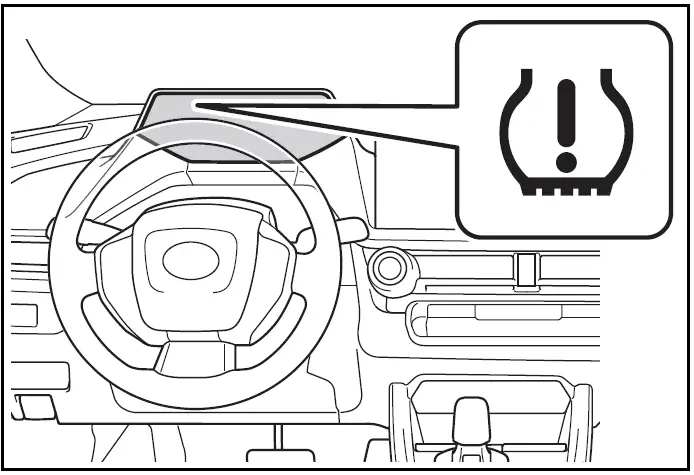
Warning performance of the tire pressure warning system
- When performing the tire pressure setting using the current tire inflation pressure, the warning timing of the tire pressure warning system will vary according to the conditions under which tire pressure setting was performed. Therefore, a warning may be output even if the tire inflation pressure drops slightly or if the tire inflation pressure increases above that when the tire inflation pressure was set.
- Make sure to perform the tire pressure setting procedure after adjusting the tire inflation pressure.
Also, make sure the tires are cold before performing the tire pressure setting procedure or adjusting the tire inflation pressure.
Tire inflation pressure setting procedure
- If the power switch is turned off while setting the tire inflation pressure, the next time the power switch is turned to ON, the setting procedure will resume and it will not be necessary to restart the procedure.
- If the tire inflation pressure setting procedure is started unnecessarily, adjust the tire inflation pressure to the specified level with the tires cold and then perform setting by selecting a specified tire inflation pressure, or perform the tire inflation pressure setting procedure with the current tire inflation pressure.
If the tire inflation pressure cannot be set easily
- Normally, the tire inflation pressure setting procedure can be completed in 2 or 3 minutes.
- If the tire pressure warning light does not blink 3 times when starting the tire inflation pressure setting procedure, the procedure may not have started.
Perform the procedure again from the beginning.
- If tire inflation pressure setting procedure cannot be completed after performing the above procedure, contact your Toyota dealer.
Registering ID codes
The tire pressure warning valve and transmitter is equipped with a unique ID code. When new tire pressure warning valves and transmitters are installed, new ID codes must be registered in the tire pressure warning computer.
- ID codes can be registered by yourself, but depending on the driving conditions and driving environment, registration may take some time to complete.
- When using a wheel set which all of the ID codes have already been registered, the wheel set can be changed in a short amount of time.
Before performing ID code registration, make sure that no wheels with tire pressure warning valve and transmitters installed are near the vehicle.
- Park the vehicle in a safe place, turn the power switch off and wait 15 minutes or more.
- Start the hybrid system.
The ID code registration procedure cannot be performed while the vehicle is moving.
- Use the meter control switches to select
 .
- Use the meter control switches to select
 , then press and hold
 .
- Use the meter control switches to select "TPWS setting", then press
 .
- Use the meter control switches to select "Tire Set Switching", then press
 .
- Use the meter control switches to select "Register New Valve / ID", then press
 .
- Use the meter control switches to select "Tire Set 1" or "Tire Set 2", then press
 .
If ID codes have already been registered for that wheel set, the tire pressure warning light will slowly blink 3 times, and a message indicating that change is occurring will be displayed on the multi-information display.

- Use the meter control switches to select Yes then press

The tire pressure warning light will slowly blink 3 times and a message indicating that ID code registration is being performed will be displayed on the multi-information display.
Wheel set changing will be canceled and registration will begin.
When registration is being performed, the tire pressure warning light will blink for approximately 1 minute then illuminate and "---" will be displayed for the inflation pressure of each tire on the multi-information display.
- Drive straight (with occasional left and right turns) at approximately 40 km/h or more for approximately 10 to 30 minutes.
When registration is complete, the tire pressure warning light will turn off and a message indicating that registration has been completed will be displayed on the multi-information display.
Registration may take longer than normal to complete if the vehicle speed cannot be maintained at approximately 40 km/h or more. If registration cannot be completed after driving for 1 hour or more, perform the registration procedure again from the beginning.
- If the tire inflation pressure of the wheel set installed differs from that of the previous set, it will be necessary to perform the tire inflation pressure setting procedure of the tire pressure warning system.
If the specified tire inflation pressure is the same, it will not be necessary to perform the tire inflation pressure setting procedure.
When registering ID codes
- Normally, ID codes registration can be completed within approximately 30 minutes.
- ID code registration is performed while driving at a vehicle speed of approximately 40 km/h or more.
If ID codes are not registered easily
- In the following situations, ID code registration may take longer than usual to be completed or may not be possible.
- When the vehicle has not been parked for approximately 15 minutes or more before being driven
- Vehicle is not driven at approximately 40 km/h or more
- Vehicle is driven on unpaved roads
- Vehicle is driven near other vehicles and system cannot recognize tire pressure warning valve and transmitters of your vehicle over those of other vehicles
- Wheel with tire pressure warning valve and transmitter installed is inside or near the vehicle
- If the vehicle is reversed during registration, all data collected until then will be cleared. Perform driving again.
- If the tire pressure warning light does not blink 3 times when starting ID code registration procedure to step 9, the procedure may not have started. Perform the procedure again from the beginning.
- If registration does not complete after driving for 1 hour or more, perform the ID code registration procedure again from the beginning.
- If the ID codes cannot be registered even when performing the above procedure, contact your Toyota dealer.
Canceling ID code registration
To cancel ID code registration after it has been started, select "Register New Valve / ID" again on the multi-information display.
If ID code registration has been canceled, the tire pressure warning light will turn off.
If the warning light does not turn off, ID code registration may not have been cancelled correctly. To cancel registration, select "Register New Valve / ID" on the multi-information display.
Selecting wheel set
Your vehicle is equipped with a tire pressure warning system with a function to register two sets of ID codes. This allows for registration of a second wheel set, for example a winter set.
- The wheel set can be changed only if a second wheel set has been registered to the system. If a second wheel set has not been registered, "Switching Incomplete See Owner's Manual" will be displayed and it will not be possible to change to the selected wheel set.
ID codes can be registered by yourself.
- Only a change between both registered wheel set is possible, mixing between these wheel sets is not supported.
- While registering ID codes, it may not be possible to change between wheel sets normally. Cancel registration before changing between wheel sets.
- Install the desired wheel set.
- Use the meter control switches to select

- Use the meter control switches to select
 , then press and hold
 .
- Use the meter control switches to select "TPWS setting", then press
 .
- Use the meter control switches to select "Tire Set Switching", then press
 .
- Use the meter control switches to select "Register Valve / ID", then press
 .
- Use the meter control switches to select the wheel set ("Tire Set 1" or "Tire Set 2") displayed for the set selection setting, then press
 .
- Use the meter control switches to select "yes", then press
 .
The tire pressure warning light will slowly blink 3 times, a message indicating that change is occurring will be displayed, and the wheel set change will begin.
Wheel set change will begin and the tire pressure warning light will blink for 1 minute and then illuminate.
Also, while the change is being performed, "---" will be displayed for the tire inflation pressure of each tire on the multi-information display.
After approximately 2 minutes, the wheel set change will complete, the tire pressure warning light will turn off, and a completion message will be displayed on the multi-information display.
If changing does not complete after approximately 4 minutes, a message indicating that the change could not be completed will be displayed.
Check which wheel set is installed and perform the change procedure again from the beginning.

- If the specified tire inflation pressure of the wheel set installed differs from that of the previous set, it will be necessary to perform the tire inflation pressure setting procedure of the tire pressure warning system.
If the specified tire inflation pressure is the same, it will not be necessary to perform the tire inflation pressure setting procedure.
- Register the position of each wheel