Cruise control
The 2024 Toyota Prius comes equipped with advanced cruise control features designed to enhance driving convenience and safety. Here’s a detailed overview of the cruise control system in the 2024 Toyota Prius:
Dynamic Radar Cruise Control (DRCC)
Overview
Dynamic Radar Cruise Control (DRCC) is an intelligent system that allows the Prius to automatically maintain a set speed and a safe following distance from the vehicle ahead. It uses a combination of radar and camera technology to monitor traffic conditions and adjust the vehicle's speed accordingly.
How It Works
1. Activation:
- To activate DRCC, press the "ON/OFF" button on the cruise control switch, usually located on the steering wheel.
- The DRCC indicator light will illuminate on the instrument panel, indicating that the system is ready.
2. Setting Speed:
- Accelerate to your desired speed (above 30 mph or the system’s minimum operating speed).
- Press the "SET" button on the cruise control switch to set the speed. The set speed will be displayed on the instrument panel.
3. Adjusting Following Distance:
- Use the distance control button on the steering wheel to select your preferred following distance from the vehicle ahead. Options typically include long, medium, and short distances.
- The chosen distance will be displayed on the instrument panel.
4. Automatic Speed Adjustment:
- DRCC automatically adjusts the vehicle's speed to maintain the selected following distance from the vehicle ahead. If the system detects a slower-moving vehicle, it will reduce the speed by decreasing throttle or applying the brakes.
- Once the road ahead is clear, DRCC will accelerate the Prius back to the preset speed.
Safety Features and Alerts
Collision Warning:
- If the Prius approaches a vehicle too quickly and the system cannot provide sufficient deceleration, such as when a vehicle cuts in front, DRCC will issue a warning.
- A warning display will flash on the dashboard, and a buzzer will sound to alert the driver.
- The driver should promptly depress the brake pedal to ensure an appropriate vehicle-to-vehicle distance and prevent potential collisions.
Manual Override:
- The driver can temporarily override DRCC by pressing the accelerator pedal to increase speed or the brake pedal to slow down.
- The system will resume control once the accelerator is released or after the brake pedal is released and the "RES" button is pressed.
Cancelling and Resuming:
- To cancel DRCC, press the "CANCEL" button on the steering wheel or press the brake pedal.
- To completely turn off the system, press the "ON/OFF" button again.
- After canceling, the driver can resume the previously set speed by pressing the "RES" button on the cruise control switch.
Usage Tips
- Stay Attentive: Always keep your eyes on the road and be ready to take over control if necessary.
- Weather Considerations: Use caution in adverse weather conditions, as rain, snow, or fog can affect the performance of the radar and camera sensors.
- System Limitations: Remember that DRCC is a driver-assist feature and not a substitute for attentive driving. Always practice safe driving habits.
The Dynamic Radar Cruise Control in the 2024 Toyota Prius is designed to make driving easier, safer, and more comfortable by intelligently adapting to traffic conditions and maintaining safe distances from other vehicles.
The vehicle can be driven at a set speed even if the accelerator pedal is not depressed.
Use the cruise control only on highways and expressways.
WARNING
For safe use
- Driving safely is solely the responsibility of the driver.
Therefore, do not overly rely on this system. The driver is solely responsible for paying attention to the vehicle's surroundings and driving safely.
- Set the speed appropriately according to the speed limit, traffic flow, road conditions, weather conditions, etc. The driver is responsible for confirming the set speed.
Situations in which cruise control should not be used
Do not use the cruise control in the following situations. As the system will not be able to provide appropriate control, using it may lead to an accident resulting in death or serious injury.
- On roads with sharp bends
- On winding roads
- On slippery roads, such as those covered with rain, ice or snow
- On steep downhills, or where there are sudden changes between sharp up and down gradients
Vehicle speed may exceed the set speed when driving down a steep hill.
- When it is necessary to disable the system
System Components
Meter display
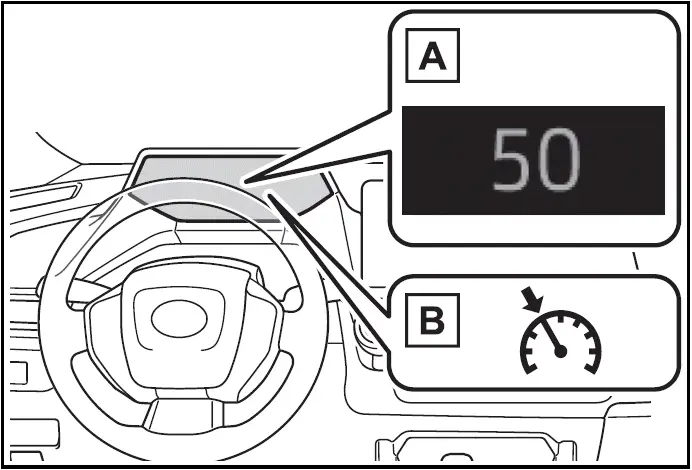
- Set vehicle speed
- Cruise control indicator
Switches
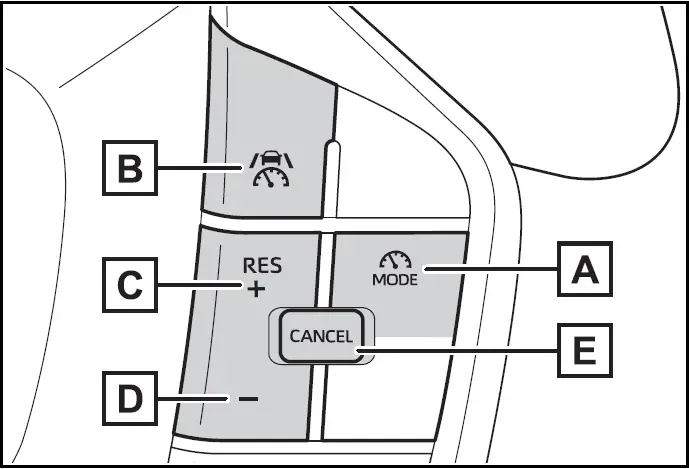
- Driving assist mode select switch
- Driving assist switch
- "+" switch / "RES" switch
- "-" switch
- Cancel switch
Using the cruise control
Setting the vehicle speed in Toyota Prius (2024-2025)
- Press the driving assist mode select switch to select cruise control.
The cruise control indicator will illuminate.
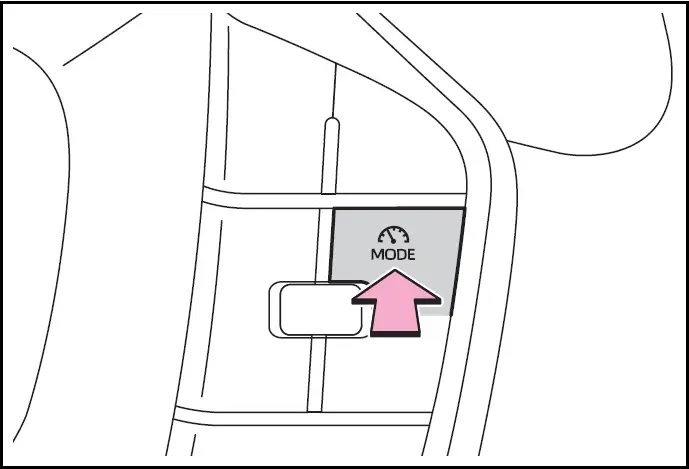
- Using the accelerator pedal, accelerate to the desired vehicle speed (approximately 20 mph [30 km/h] or more), and press the driving assist switch to set the set vehicle speed.
The vehicle speed at the moment the switch is released will be the set vehicle speed.

Adjusting the set speed
- Adjusting the set vehicle speed using the switches
To change the set vehicle speed, press the "+" or "-" switch until the desired speed is displayed.
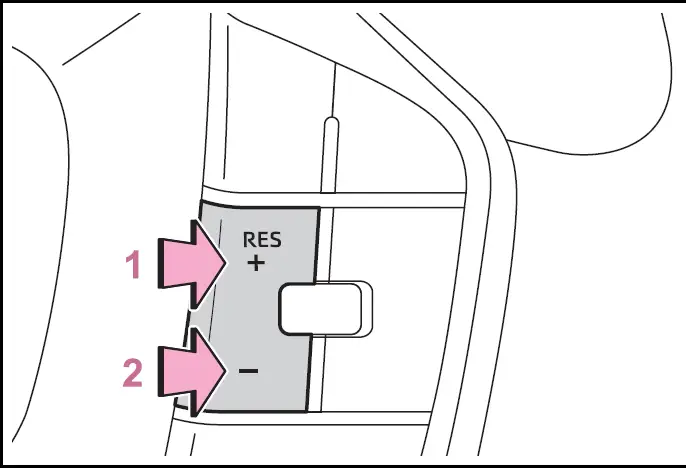
- Increase set vehicle speed
- Decrease set vehicle speed
The set vehicle speed will increase or decrease as follows: Fine adjustment: By 1,6 km/h or 1 km/h each time the switch is pressed Large adjustment: Increases continuously while the switch is pressed and held
- Increasing the set vehicle speed using the accelerator pedal
- Depress the accelerator pedal to accelerate the vehicle to the desired vehicle speed.
- Press the "+" switch.
Canceling/resuming control
- Press the cancel switch or driving assist switch to cancel control.
Control will also be canceled if the brake pedal is depressed.
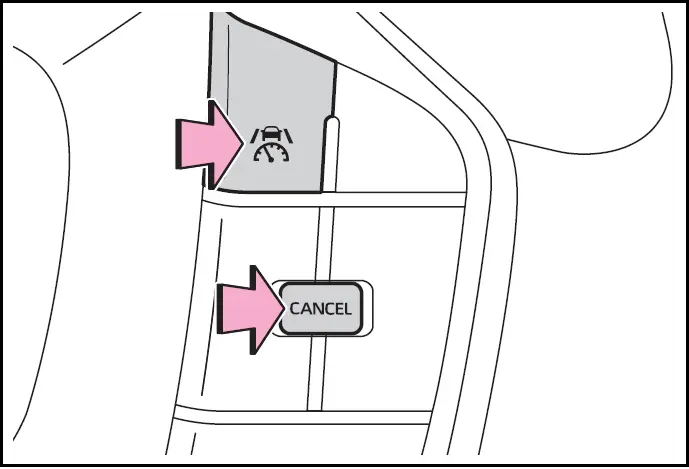
- Press the "RES" switch to resume control.
Automatic cancellation of the cruise control
the following situations, the cruise control will be canceled automatically:
- When the vehicle speed drops approximately 16 km/h or more below the set vehicle speed
- When the vehicle speed drops below approximately 30 km/h
- When the brake control or output restriction control of a driving support system operates (For example: PCS, drive-start control)
- When the parking brake has been operated
- Situations in which some or all of the functions of the system cannot operate
Display and system operation state
The operating state of cruise control is indicated.

Cruise Control Indicators in 2024 Toyota Prius
Indicator:

Multi-information display:

Blank
Situation: Cruise control being OFF
Indicator:

Multi-information display:

Set vehicle speed: Green
Situation: Constant speed cruising
Indicator:
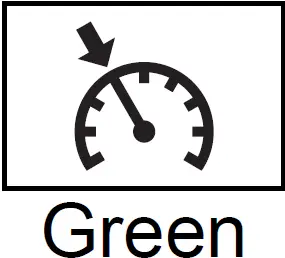
Multi-information display:
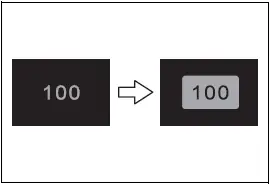
Set vehicle speed: Green in reverse display
Situation: Set vehicle speed being exceeded