Displays and Controls
App Menu on the Instrument Panel
In this manual: Displays and Controls
~1min read
The App menu in the instrument panel provides quick access to commonly used functions for certain apps.
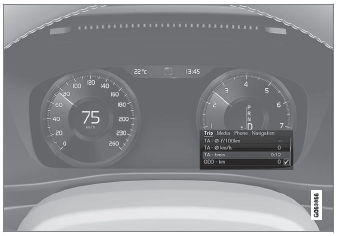
The illustration is generic.
The App menu in the instrument panel can be used instead of the center display and is then controlled using the right-side steering wheel keypad. The app menu makes it easier to switch between different apps or functions within the apps without having to let go of the steering wheel.
App Menu Functions
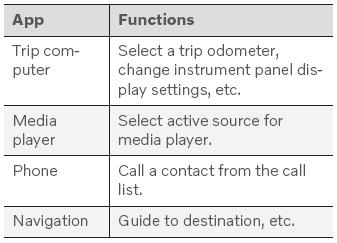
Different apps provide access to different types of functions. The following apps and their functions can be controlled from the App menu:
Test yourself
A quick Volvo XC90 quiz: every answer comes with an explanation and a link to the manual page.
Was this page helpful?