Settings Table in the Center Display
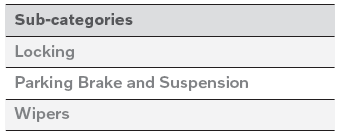
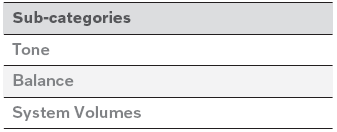
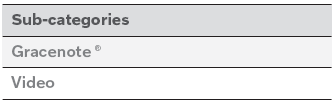
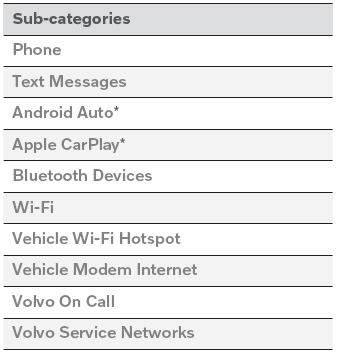
The center display's Settings menu has a number of main categories and sub-categories that contain settings and information for many of the vehicle's features and functions. There are seven main categories: My Car, Sound, Navigation, Media, Communication, Climate and System.
Each category, in turn, contains a number of sub-categories and possible settings. The table below shows the first level of sub-categories. The possible settings for a function or an area are described in more detail in their respective sections of the Owner's Manual.
Some settings are personal, which means that they can be saved to a Driver Profiles. Others are global, which means that they are not linked to a driver profile.
My Car

Sound
Navigation

Media

Communication
Climate
The Climate main category does not have any sub-categories.
System

* Option/accessory.
Test yourself
A quick Volvo XC90 quiz: every answer comes with an explanation and a link to the manual page.