Handling tiles in the center display
Home view consists of four tiles: Navigation, Media, Phone and a fourth tile. These tiles can be expanded.
Expanding a tile from standard mode
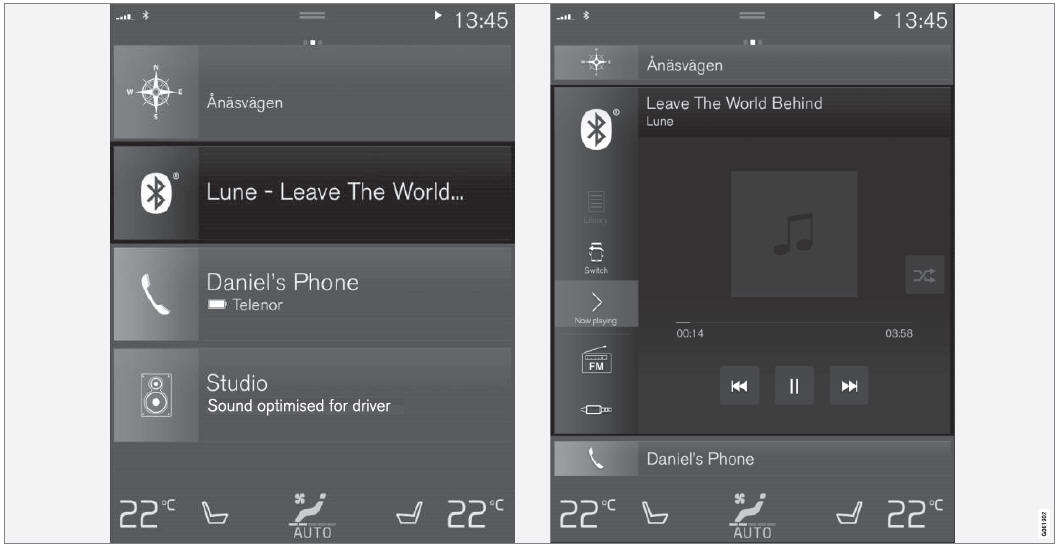
Standard mode and expanded mode of a tile in the center display.
Expanding a tile:
- For tiles Navigation, Media and Phone: Tap the screen anywhere in the tile. When a tile is expanded, the extra tile in Home view will be temporarily hidden. The other two tiles will be minimized and only show certain information. When the extra tile is tapped, the other three tiles are minimized and only certain information is displayed.
Expanded view provides access to the basic functions of the respective apps.
Closing an expanded tile:
- The tile can be closed in three different ways:
- Tap the upper part of the expanded tile.
- Tap another tile (it will then be opened in expanded mode).
- Briefly press the Home button below the center display.
Opening or closing a tile in full-screen mode
The fourth tile1 and the tile for Navigation can be opened in full-screen mode to show additional information and possible settings.
When a tile is opened in full-screen mode, no information from the other tiles is displayed.
 In expanded mode, open the app in full-screen mode. Tap the symbol.
 To return to expanded mode, tap the symbol or press the Home button under the screen.
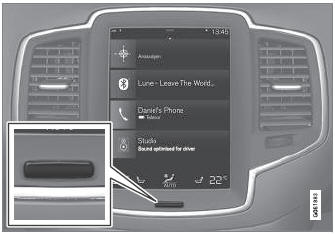
Center display button
You can always press the Home button to return to Home view. To return to Home view's standard view from full-screen mode, press the Home button twice.
1 Does not apply to all apps or vehicle functions opened via the fourth tile.
Test yourself
A quick Volvo XC90 quiz: every answer comes with an explanation and a link to the manual page.