Displays and Controls
Handling Messages in the Center Display
In this manual: Displays and Controls
~1min read
Messages in the center display are handled in the views of the center display.
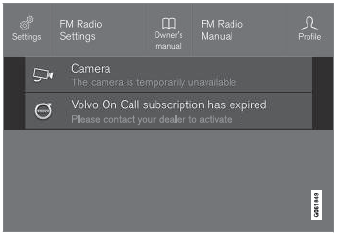
Example of a message in the Top view of the center display.
Some messages in the center display have a button (or several buttons in a pop-up message) to, e.g., activate/deactivate a function connected to the message.
Handling New Messages
For messages with buttons:
- Tap the button to perform the action or let the message automatically time-out after a short period.
- The message will disappear from the status bar.
For messages without buttons:
- Close the message by tapping it or let the message automatically time-out after a short period.
- The message will disappear from the status bar.
Messages that need to be saved are stored as a pop-up in the center display.
Test yourself
A quick Volvo XC90 quiz: every answer comes with an explanation and a link to the manual page.
Was this page helpful?