Messages on the Center Display
The center display shows messages in certain circumstances to inform or assist the driver.
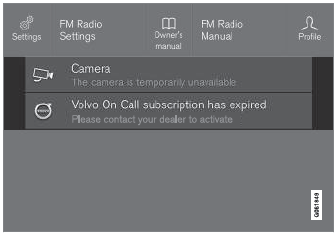
Example of a message in the Top view of the center display.
Messages with lower priority for the driver are shown in the center display.
Most messages are shown in the status bar of the center display. The message will disappear from the status bar after a short period of time or after the required action has been taken. Messages that need to be saved are stored in Top view in the center display.
A message may be shown together with a graphic, a symbol or a button, for example, to activate/deactivate a function connected to the message.
Pop-up Messages
Messages are sometimes displayed as pop-up windows. Pop-up messages have a higher priority than messages shown in the status bar and require acknowledgment/action before they disappear.
Test yourself
A quick Volvo XC90 quiz: every answer comes with an explanation and a link to the manual page.