Viewing Functions on the Center Display
Function view, which is one of the center display's basic views, contains all of the vehicle's function buttons. From the Home view, navigate to Function view by swiping from left to right over the screen1.
Different types of buttons
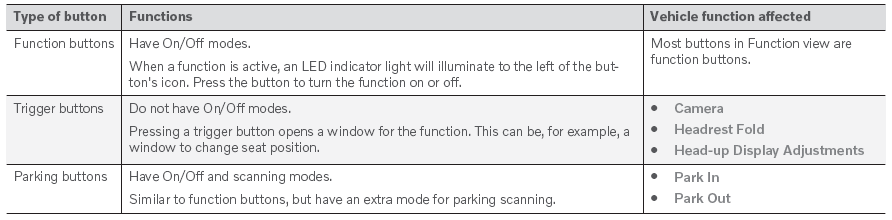
There are three different types of buttons for vehicle functions; see below:
Button modes
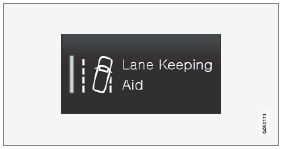
When a function or parking button's LED indicator is green, the function is activated (on). For some functions, an additional text explaining the function will be shown when the function is initially activated. The text will be displayed for a few seconds and then the button will be displayed with the LED indicator illuminated.
For Lane Keeping Aid, for example, the text Works only at certain speeds will be displayed when the button is pressed.
Press the button briefly to activate or deactivate the function.
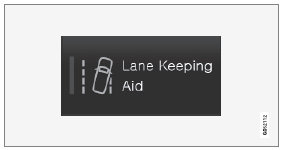
The function is deactivated when the LED indicator goes off.

A warning triangle in the right-hand section of the button indicates that something is not working correctly.
1 Applies to left-hand drive vehicles. For right-hand drive vehicles, swipe in the opposite direction.
Test yourself
A quick Volvo XC90 quiz: every answer comes with an explanation and a link to the manual page.