Таблица настроек на центральном дисплее
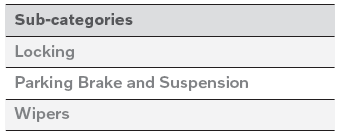
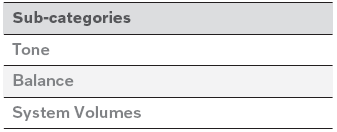
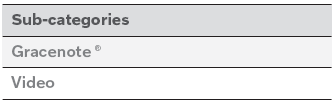
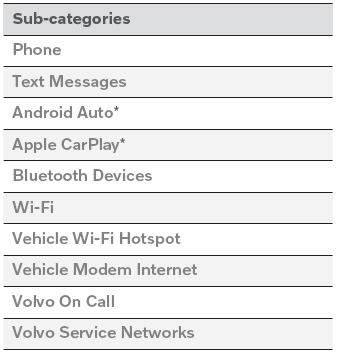
The center display's Settings menu has a number of main categories and sub-categories that contain settings and information for many of the vehicle's features and functions. There are seven main categories: Моя машина, Звук, Навигация, СМИ, Общение, Климат и система.
Каждая категория, в свою очередь, содержит ряд подкатегорий и возможные настройки. В таблице ниже показан первый уровень подкатегорий. The possible settings for a function or an area are described in more detail in their respective sections of the Owner's Manual.
Some settings are personal, which means that they can be saved to a Driver Profiles. Others are global, which means that they are not linked to a driver profile.
Моя машина

Звук
Навигация

СМИ

Общение
Климат
The Климат main category does not have any sub-categories.
Система

* Опция/аксессуар.
Проверьте себя
Короткий тест по Volvo XC90: после ответа — пояснение и ссылка на страницу руководства.