Дата и время
Часы отображаются как на панели прибора, так и на центральном дисплее.
Расположение часов
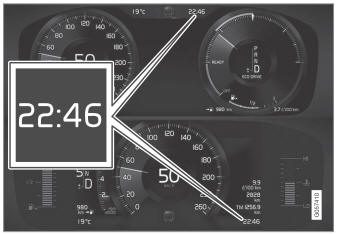
Расположение часов в 12 дюймах * и 8 дюймов приборных панелей. The illustration is generic - details may vary according to vehicle model.
Certain messages and other information may obscure the clock in the instrument panel.
In the center display, the clock is located on the upper right-hand side in the status bar.
Настройки для даты и времени
- Select Settings
 System
 Date and Time in the center display's Top view to change settings for time and date format.
Adjust the date and time by tapping the up or down arrows on the touchscreen.
Автоматическое время для транспортных средств с GPS
When the vehicle is equipped with a navigation system, Автоматическое время is also available. The time zone will then be automatically set to the vehicle's location. In some navigation systems, the current location must also be set to determine the correct time zone. If Автоматическое время is not selected, the time and date can be adjusted using the up and down arrows on the touchscreen.
Дневное время сбережений
In some countries, the Автоматическое время сэкономить setting can be selected to automatically change to daylight savings time. For other countries, the Daylight Saving Time setting can be selected manually.
* Опция/аксессуар.
Проверьте себя
Короткий тест по Volvo XC90: после ответа — пояснение и ссылка на страницу руководства.