SIRIUS TM Radio
Using SIRIUS Satellite Radio TM
Your Kia vehicle comes with a 3-month complimentary SIRIUSXM satellite radio subscription, so you have access to more than 130 channels of music, information and entertainment.
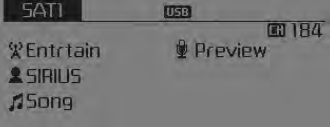
Activation
To extend or reactivate your SIRIUS TM satellite radio subscription, you will need to contact SIRIUS TM customer service at 800-643-2112. Have the SID (Sirius Identification Number) / ESN (Electronic Serial Number) ready. To obtain the SID/ESN, turn on the radio, press the [RADIO] button and tune to channel zero.
Note that the vehicle must be turned on in Sirius mode and have an unobstructed view of the sky for the radio to receive the activation signal.
Seek
press
key
- Short press of the key (less than 0.8 seconds): selects the previous or next channel.
- Press and hold the key (more than 0.8 seconds): Continuously moves to the previous or next channel.
Scan
press
key

Short press of the key (less than 0.8 seconds): previews each broadcast for 5 seconds each.
❈ Press the
press again to continue listening to the current frequency
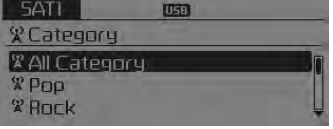
❈ If the "Category" icon is displayed, channels are changed within the current category.
Category
press
key
Set via
TUNE knob
- The category list is displayed. Highlight the category to which the current channel belongs.
- In category list mode, press the
 key to
navigate the category list. - Press the TUNE knob to select the lowest channel in the highlighted category.
❈ If a channel is selected by category selection, the "CATEGORY" icon is displayed at the top of the screen.
Preset
press
key
 ~
 • Short press of the key
(less than 0.8 seconds): plays the frequency stored in the corresponding key. • Press and hold the key (more than 0.8 seconds): press and hold the desired key from ~
 stores the current broadcast
to the selected key and a beep sounds.
Troubleshooting
1. Antenna Error
If this message is displayed, the antenna or antenna cable is damaged or disconnected. Please consult your Kia dealer.
2. Signal Reception
If this message is displayed, it means the antenna is blocked and the SIRIUS TM satellite radio signal is unavailable. Make sure the antenna is open and has a clear view of the sky.
melody
- Turn

TUNE knob: Changes the channel number or scrolls through the category list. - Press

TUNE knob: Selects the menu.
Menu
Select the category menu using the
TUNE knob
Press the key![Info] through](/kia-sorento/images/books/3/1/page.h273.gif) Select [
 Information] using the
on the TUNE knob
or key
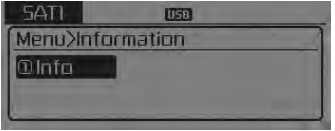
Info (Information)
Displays the artist/song information for the current song.
Test yourself
A quick Kia Sorento Owner's Manual quiz: every answer comes with an explanation and a link to the manual page.