Kia Sorento XM Owner's Manual.
Sound Settings
In this manual: Kia Sorento XM Owner's Manual.
~1min read
press
key
Select [Sound] using TUNE knob or key
 Select menu using
 SETUP knob
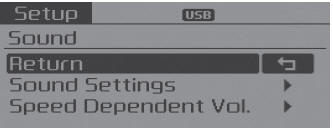
Sound Settings
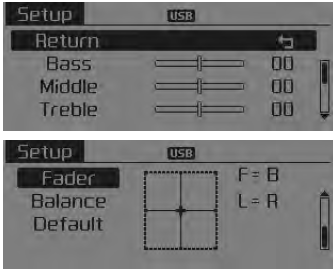
This menu allows you to set the low, middle, and high tones, as well as the fader and balance.
Select [Sound Settings]
Select menu using
TUNE knob
Turn
TUNE knob left/right to set
- Bass, Middle, Treble: Selects the sound tone.
- Fader, Balance: Moves the sound fader and balance.
- Default: Restores the default settings.
❈ Back: While adjusting values, press the key TUNE knob will
return to the parent menu.
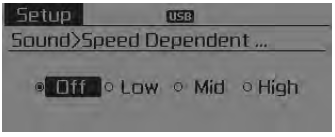
Speed Dependent Volume
This feature is used to automatically control the volume level according to the vehicle speed.
Select [Speed Dependent Volume]
Set to 4 levels [Off/Low/Medium/High] SETUP knob
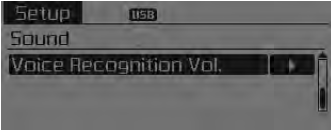
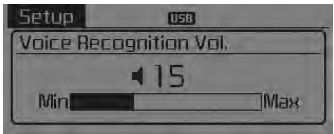
Voice Recognition Volume
Adjusts the voice recognition volume. Select [Voice Recognition Volume]
Set the volume
TUNE knob
 \
Test yourself
A quick Kia Sorento Owner's Manual quiz: every answer comes with an explanation and a link to the manual page.
Was this page helpful?