Basic method of use:
Audio CD / MP3 CD / USB /
iPod® / My Music
press
to change the mode in the following order: CD ➟ USB (iPod®) ➟ AUX ➟ My Music ➟ BT Audio.
The folder/file name is displayed on the screen.
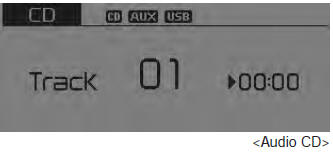
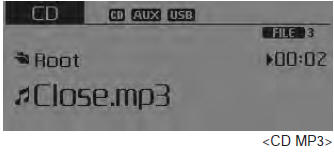
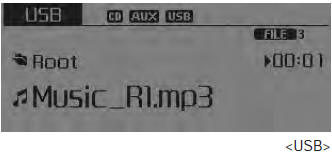
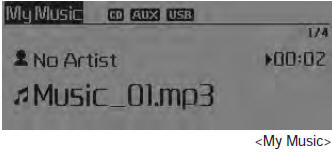
❈ The CD plays automatically when a CD is inserted.
❈ USB music plays automatically when a USB device is connected.
Repeat
During Song (File) Playback
 (RPT) Key
Audio CD, MP3 CD, USB, iPod®, My Music mode: RPT is displayed on the screen.
To repeat one song (press the key): Repeats the current song.
MP3 CD, USB mode: FLD.RPT is displayed
To repeat a folder (double press): Repeats all files in the current folder.
❈ Press the Press the
key again to cancel repeat.
Random
During Song (File) Playback
 (RDM) key
Audio CD, My Music mode: RDM is displayed
Random (press the key): Plays all songs in random order.
MP3 CD, USB mode: F.RDM is displayed on the screen.
Random folder (press the key): Plays all files in the current folder in random order. iPod® mode: ALL RDM is displayed
All random (press the key): Plays all files in random order. MP3 CD, USB: ALL RDM is displayed
All Random (press the key twice): Plays all files in random order.
❈ Press the Press again to cancel repeat.
Changing the Song/File
During Song (File) Playback
 key
Short press of the key: Plays the current song from the beginning.
❈ If Press the
key again within 2 seconds to play the previous song.
Press and hold the key (more than 0.8 seconds): Rewinds the song.
During Song (File) Playback
 key
- • Short press of the key: Plays the next song.
- • Press and hold the key (more than 0.8 seconds): Fast-forwards the song.
Scan
During Song (File) Playback
 key
Short press of the key: Scans all songs starting from the next song for 10 seconds each.
❈ Press the Press the key again to cancel.
❈ The SCAN function is not supported in iPod® mode.
Folder Search: MP3 CD, USB mode
During File Playback
 Key (folder up)
Searches for the next folder. During file playback
 (Folder down) key
Searches the parent folder.
❈ If a folder is selected by pressing the TUNE knob: The first file in the
selected folder will be played.
❈ In iPod® mode, moves to the parent folder.
Song (File) Search
- • Turn

TUNE knob: Searches for songs (files) - • Press

TUNE knob: Plays the selected song (file).
Menu: Audio CD
Press the CD MP3 mode key to set repeat, random, information
functions.
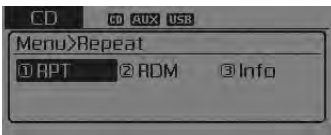
Repeat
press key
![RPT] through the](/kia-sorento/images/books/3/1/page.h300.gif) Select [
 RPT] using the
 TUNE knob or
 button to repeat the current song.
❈ Press the RPT key again to cancel.
Random
press key
![RDM] through the](/kia-sorento/images/books/3/1/page.h305.gif) Select [
 RDM] using the
 TUNE knob or
 key to play songs randomly within the
current folder.
❈ Press the RDM key again to cancel.
Information
press key
![Info] through the](/kia-sorento/images/books/3/1/page.h310.gif) Select [
 Information] using the
 TUNE knob or
 key to display information about the
current song.
❈ Press the Press the
key to turn off the information display.
Menu: MP3 CD / USB
Press the CD MP3 mode key to set repeat, random folder,
folder repeat, all random, information and copy functions.
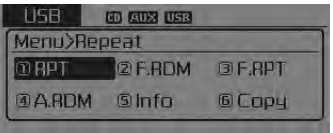
Repeat
press
key![RPT] through the](/kia-sorento/images/books/3/1/page.h318.gif) Select [
 RPT] using the
 TUNE knob or
 button to repeat the current song.
❈ Press the RPT key again to cancel.
Test yourself
A quick Kia Sorento Owner's Manual quiz: every answer comes with an explanation and a link to the manual page.