System Settings
press
key
Select [System]
Select menu using
TUNE knob
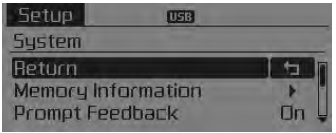
Memory Information
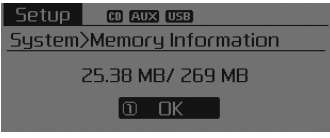
Displays the memory in use and the total system memory capacity.
Select [Memory Information] OK The currently used memory is displayed
on the left, and the total system memory capacity is displayed on the right.
Real-Time Feedback
This function is used to change the voice command feedback between Normal and Expert modes.
Select [Real-Time Feedback] Set using
 SETUP knob
- • On: This mode is intended for beginner users and provides detailed instructions while using voice commands.
- • Off: This mode is intended for experienced users and skips some information while using voice commands. (When using Expert mode, instructions can be heard by using the [Help] or [Menu] commands.)
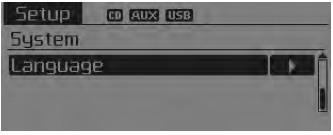
Language
This menu is used to set the display language and voice recognition.
Select language]. Set using
 SETUP knob
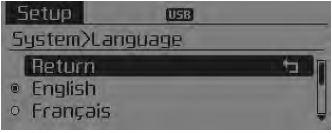
❈ The system will restart after the language is changed.
❈ Language support by region - English, French, Spanish
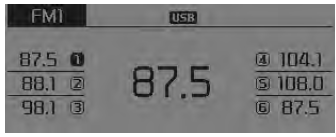
Radio: FM, AM or SIRIUS
Seek
press
key
- • Short key press (less than 0.8 seconds): Automatically seeks the next station.
- • Press and hold the key (more than 0.8 seconds): while holding the key, the frequency changes continuously. When the key is released, the radio automatically searches for the next frequency from that point.
Preset SEEK
press ~
 key • Short press of the key (less than 0.8 seconds): plays the frequency stored in the corresponding key. • Press and hold the key (more than 0.8 seconds): press and hold the desired key from
 ~
 stores the current broadcast
to the selected key and a beep sounds.
SCAN
press key
- • Short press of the key (less than 0.8 seconds): the radio scans the frequencies and previews each broadcast for 5 seconds. After scanning all frequencies, it returns to and plays the current broadcast frequency.
- • Press and hold the key (more than 0.8 seconds): previews the broadcasts stored in Preset
 ~
 for 5 seconds each.
Manual Tuning Selection
Turn
Turn the TUNE knob left/right to adjust the frequency.
- FM: changes in 200 kHz steps
- AM: changes by 10 kHz
MENU Inside
are the A.Store (Auto Store) and Info functions.
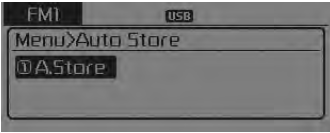
 Store
press
key Set
[A.Store] via
TUNE knob or
key. Stores broadcasts with the best reception in ~
 keys. If no frequencies
are received, the last received frequency will be played.
Test yourself
A quick Kia Sorento Owner's Manual quiz: every answer comes with an explanation and a link to the manual page.