Settings
Type A-1, Type A-2
Display Settings
Press the button Select [Display] using the tuning knob
 or press the button
 Select the menu using the tuning knob

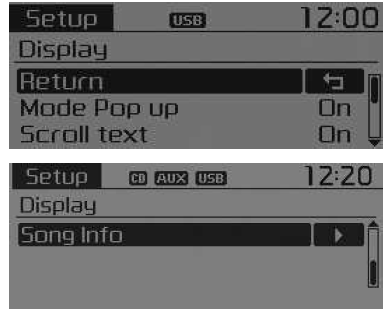
Pop-up Mode
[Pop-up Mode] Switches
 . Mode selection
- In the On state, press
 o
 to display the mode switching pop-up screen.
Scroll Text
[Scroll text] Enable/disable text scrolling /

 : Keeps scrolling
 : Text scrolls only once.
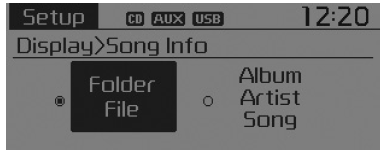
Track Info
When an MP3 file is played, select the information to display from "Folder/File" or "Album/Artist/Track".
Audio settings
Press the button Select [Audio] using the
 tuning knob
 or press the button. Select the menu using the tuning knob.

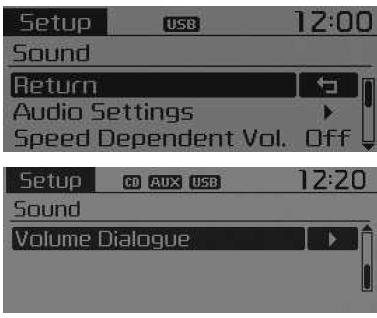
❈ Display and settings may differ depending on the selected audio source.
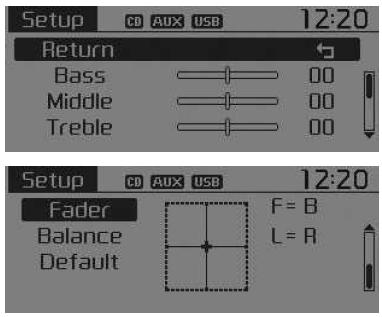
Audio Settings
This menu is used to set the Bass, Mid, Treble, fader and balance.
Select [Audio Settings] using the tuning knob

 Turn the tuning knob
 left or right to adjust
- Bass, Mid, Treble: Adjusts the tone.
- Fader, Balance: Adjusts the fader and balance.
- Default: Restores the default settings.
❈ Return: While adjusting values, press the tuning knob again to return to the main menu.
Speed Dependent Volume
This function automatically adjusts the volume level according to vehicle speed.
Select [Speed Dependent Vol.] Set [Off/On] using the tuning knob
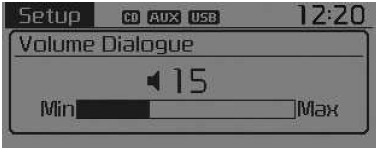
Voice Recognition Volume (if equipped)
Adjusts the voice recognition volume.
Select [Volume Dialogue] Set the volume using the tuning knob

Test yourself
A quick Kia Picanto JA quiz: every answer comes with an explanation and a link to the manual page.