Dynamic Stability Control (DSC)
The Dynamic Stability Control (DSC) system automatically controls braking force and engine torque using the ABS and TCS systems to prevent lateral skidding when driving on slippery surfaces or during sudden maneuvers. This improves driving safety.
See "Anti-lock Braking System ABS" (page 4-86) and "Traction Control System TCS" (page 4-87).
The DSC operates at vehicle speeds above 20 km/h.
The warning light comes on if a malfunction occurs in the system.
See the section "Warning and Indicator Lights" on page 4-41.
WARNING
The Dynamic Stability Control (DSC) system alone does not guarantee safe driving: the DSC will not ensure safety when driving recklessly, at excessive speed, (too close to the vehicle ahead) or when hydroplaning (reduced tire grip caused by a layer of water between the tire and the road surface). There is a risk of a road accident.
CAUTION
For the DSC to work properly, observe the following rules:
- Use the tire size recommended for your Mazda on all four wheels.
- Use tires of the same manufacturer, the same model and the same tread pattern on all four wheels.
- Do not use new and worn tires at the same time.
The DSC may not work properly when snow chains or a spare wheel are fitted, due to the difference in wheel diameters.
TCS/DSC Warning Light
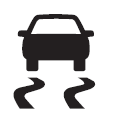 This warning light comes on for a few seconds after the ignition switch is turned to the ON position. If the TCS/DSC is active, the warning light flashes.
If the light stays on, the TCS, DSC or Brake Assist system may be faulty and may not work properly. Contact a qualified workshop. We recommend an Authorized Mazda Dealer.
DSC OFF Warning Light
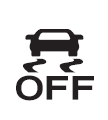 This warning light comes on for a few seconds after the ignition switch is turned to the ON position.
The light also comes on when the DSC OFF switch is pressed (TCS/DSC is off).
See the section "DSC OFF Switch" on page 4-90.
If the light stays on and the TCS/DSC is not switched off, contact a qualified workshop.
We recommend an Authorized Mazda Dealer. The DSC may not function correctly.
Dynamic Stability Control Switch (DSC OFF)
Press the DSC OFF switch to switch off the TCS/DSC. The DSC OFF warning light in the instrument cluster will come on.
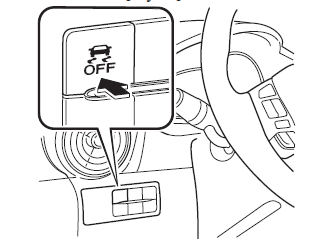
Press the switch again to switch the TCS/DSC back on.
The DSC OFF warning light will go out.
CAUTION
When the DSC is on and you try to drive a vehicle that is stuck, or pull away from fresh snow, the TCS (part of the DSC system) will operate. Pressing the accelerator pedal will not increase engine power and pulling away may be difficult. In such a situation, switch off the TCS/DSC.
If the TCS/DSC is switched off and the engine is stopped by turning the ignition switch to the OFF position, the system will switch on automatically when the ignition switch is turned to the ON position.
The TCS/DSC switched on provides the best traction.
If the DSC OFF switch is pressed and held for 10 seconds or longer, the DSC switch malfunction detection function is activated and the DSC system is automatically turned back on. The DSC OFF indicator light turns off when the DSC system is active.
(Vehicles with SCBS) If the SCBS system is operating and the TCS/DSC is turned off, the TCS/DSC automatically turns on.
Test yourself
A quick Mazda 2 quiz: every answer comes with an explanation and a link to the manual page.