Display Settings
In this manual: Display Settings
~1min read
Press the key Select
[Display] using the knob TUNE
 or the button
 Select the menu using
the knob TUNE
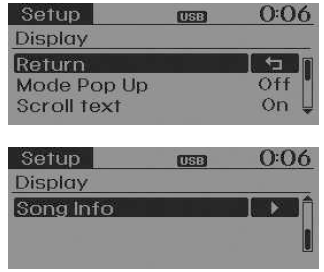
Pop-up Screen Mode
[Mode Pop up] button
changes the selection mode /

- When the system is on, press the button
 or
 button,
to display the mode change pop-up screen.
Text Scroll
[Text Scroll] button Set

/
 : Keeps
scrolling : Scrolls only
once (1).
Song Info
When playing an MP3 file, select the desired information to display from 'Folder/File' or 'Album/Artist/Song'.
Sound Settings
Test yourself
A quick Kia Rio YB quiz: every answer comes with an explanation and a link to the manual page.
Was this page helpful?