Manejo de los mensajes en el cuadro de instrumentos
Messages in the instrument panel are controlled using the right-side steering wheel keypad.
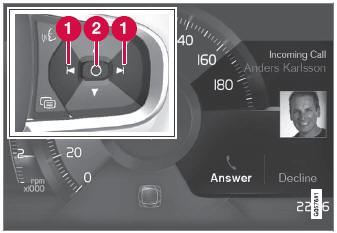
Examples of messages in the instrument panel1 and the right-side steering wheel keypad.
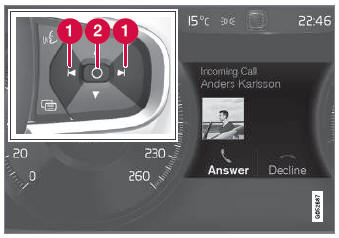
Examples of messages in the instrument panel2 and the right-side steering wheel keypad. The illustration is generic - details may vary according to vehicle model.
 Left/right
 Confirm
Algunos mensajes del cuadro de instrumentos contienen uno o más botones para, por ejemplo, confirmar el mensaje o aceptar una solicitud.
Manejo de mensajes nuevos
Para mensajes con botones:
- Desplácese entre los botones pulsando a la izquierda o a la derecha (1).
- Confirm your selection by pressing confirm (2).
- El mensaje desaparecerá del cuadro de instrumentos.
Para mensajes sin botones:
- Close the message by pressing confirm (2) or let the message automatically timeout after a short period.
- El mensaje desaparecerá del cuadro de instrumentos.
Los mensajes que deban guardarse se almacenan en la aplicación Estado del vehículo, a la que se puede acceder desde la vista de aplicaciones en la pantalla central. El mensaje Mensaje del vehículo almacenado en la aplicación Estado del vehículo aparecerá al mismo tiempo en la pantalla central.
1 With 8" instrument panel.
2 With 12" instrument panel.
Pon a prueba tus conocimientos
Un test rápido sobre el Volvo XC90: cada respuesta trae una explicación y un enlace a la página del manual.