Operation Check
OPERATION CHECK
CHECK PRE-COLLISION SYSTEM SETTING
(a) Turn the ignition switch to ON.
(b) Operate the steering wheel switch assembly to change the PCS setting on the multi-display to "ON" and make sure the pre-collision system turns on.
HINT:
When the ignition switch is turned to ON, PCS is activated. This can be changed by customizing the settings using the Techstream.
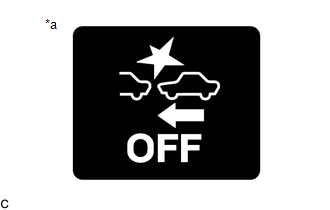
*a |
PCS light |
(c) Operate the steering wheel switch assembly to change the PCS setting on the multi-display to "OFF" and make sure the PCS light comes on.
CHECK PRE-COLLISION SYSTEM SENSITIVITY SETTING
(a) Turn the ignition switch to ON.
(b) Operate the steering wheel switch assembly to change the PCS sensitivity and make sure the pre-collision system sensitivity setting on the multi-display changes accordingly between "Far", "Mid" and "Near".
HINT:
- Make sure the sensitivity shown on the multi-display changes accordingly between "Far", "Mid" and "Near".
- The default setting is "Mid".