Interior features
Cup holder
WARNING - Hot Liquids- Do not place cups of hot liquid without a lid in the cup holders while the vehicle is moving. If the hot liquid spills, you could be burned. Such burns to the driver could lead to loss of control of the vehicle.
- To reduce the risk of injury in a collision or sudden stop, do not place bottles, glasses, cans, etc., without lids loose in the cup holder while the vehicle is moving.
Do not leave cans and bottles exposed to direct sunlight or in a very hot vehicle. They could explode.
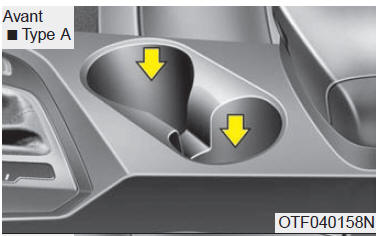
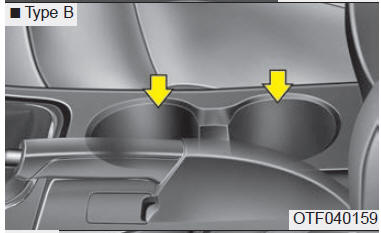
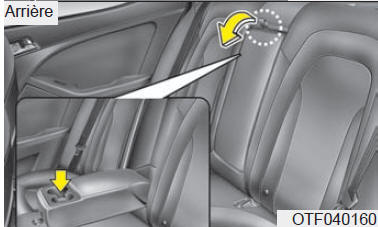
Cups or small beverage cans can be placed in the cup holder.
Sun visor
Use the sun visor to block direct sunlight from the windshield and side windows.
To use the sun visor, flip it down.
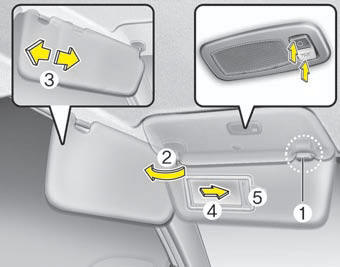
To use the side window sun visor, flip it down, unhook the end (1), and swing it toward the side (2).
Adjust the sun visor extension forward or backward (3).
Adjust the sun visor by sliding it inward or outward (4).
The ticket holder (5, if equipped) is provided to hold a toll ticket.
CAUTION - Vanity Mirror LampIf you are using the vanity mirror lamp, turn it off before raising the sun visor, otherwise you may discharge the battery or damage the sun visor.
WARNINGFor safety reasons, do not block your field of vision with the sun visor.
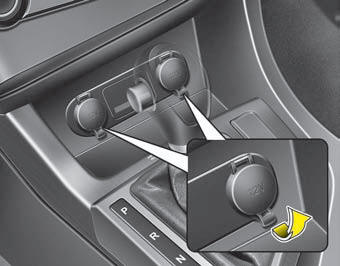
Power outlet (if equipped)
The power outlet is used to power mobile phones and other devices designed to operate on the vehicle's electrical system. Devices must draw less than 10 amps while the engine is running.
CAUTION- Use the power outlet only while the engine is running, and disconnect the accessory plug after use.
Do not put a finger or an object (needle, etc.) into the power outlet and do not touch it with wet hands. You may receive an electric shock.
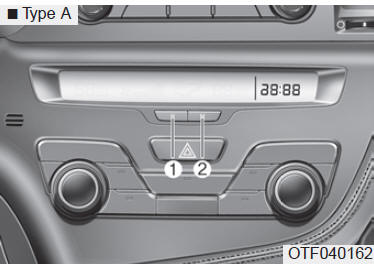
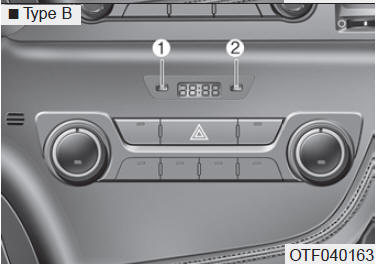
Digital clock
WARNINGDo not adjust the clock while driving. You could lose control and cause an accident that could result in serious injury or even death.
You must reset the time whenever the battery is disconnected or the circuit fuse is disconnected.
The clock buttons operate as follows when the ignition key is in the ON position:
HOURS (1)
Each press of the H button advances the hour by one hour.
MINUTES (2)
Each press of the M button advances the time by one minute.
Changing the display:
To switch between 12-hour and 24-hour format, press the H and M buttons at the same time for more than 5 seconds.
Example: if 10:15 p.m. is displayed, the time will change to 22:15.
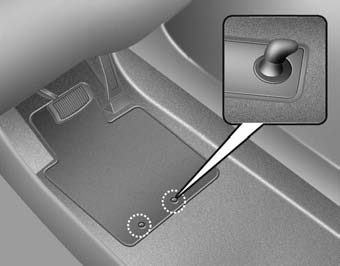
Floor mat anchor(s)
If you use a mat on the front carpet, make sure to hook it onto the anchor on the floor. This will prevent the mat from sliding forward.
WARNINGObserve the following points when installing a mat in the vehicle.
- Make sure the floor mat is securely fastened to the floor mat anchors before driving the vehicle.
- Do NOT use any floor mat that cannot be securely held by the vehicle's floor mat anchors.
- Do not stack floor mats on top of each other (e.g., an all-season rubber mat on top of a carpeted mat). Install only one floor mat per position.
IMPORTANT - Your vehicle is equipped with driver's side floor mat anchors designed to hold the floor mat securely in place.
To avoid interference with pedal operation, Kia recommends installing only Kia floor mats designed for your vehicle.
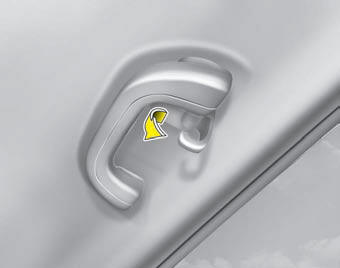
Coat hooks
To use the hook, pull the upper portion of the hook.
CAUTIONDo not hang heavy clothing on the hook as it may damage the hook.
Test yourself
A quick Kia Optima DL3 quiz: every answer comes with an explanation and a link to the manual page.