Automatic air conditioning
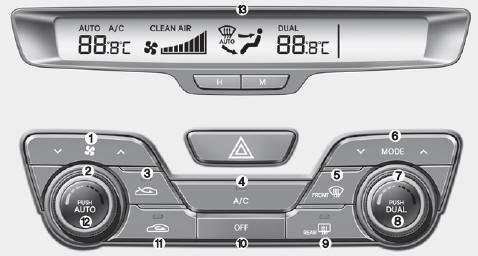
Type A
Type B
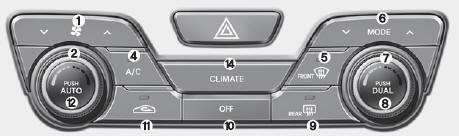
- Fan speed control knob
- Driver temperature control knob
- Outside air button
- A/C Button
- Windshield defroster button
- Mode selection button
- Passenger temperature control knob
- Dual-zone temperature control selection button
- Rear window defroster button
- OFF button
- Recirculated air button (type A) Fresh air intake button (type B)
- AUTO button (automatic control)
- Climate control display
- Heating/climate control information screen selection button
Automatic air conditioning
The automatic climate control system is operated by simply setting the desired temperature.
The fully automatic temperature control (FATC) system controls heating and cooling as follows:
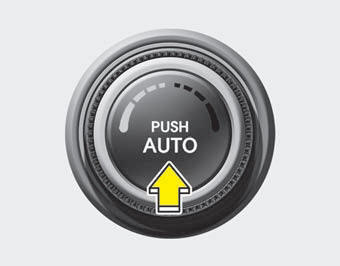
- Press the AUTO button. The mode, fan speed, air intake and air conditioning functions will be controlled automatically based on the selected temperature.
- Set the temperature switch to the desired temperature.
- Mode selection button
- Air conditioner button
- Windshield defroster button
- Air intake control button
- Fan speed switch
The selected function will be controlled manually, while the other functions will remain automatic.
For your convenience and to improve the efficiency of the automatic climate control, use the "AUTO" button and set the temperature to 23 C (73 F).
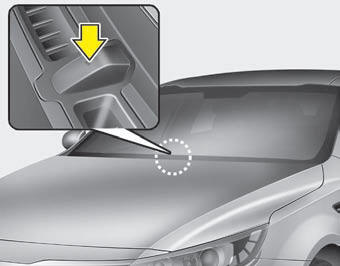
NOTICE
Never place anything on the sensor located on the instrument panel. It ensures proper operation of the heating and air conditioning system.
Manual heating and air conditioning control
Heating and air conditioning can be controlled manually by pressing buttons other than AUTO. In this case, the system operates in sequence, according to the order in which the buttons are selected.
- Start the engine.
- Set the mode to the desired position.
- Heating:

- Cooling:

- Set the desired temperature.
- Set the air intake control to outside air (fresh) or recirculated air.
- Set the fan to the desired speed.
- If desired, turn on the air conditioner.
Press the AUTO button to return to fully automatic control mode.
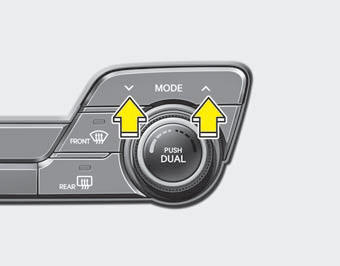
Mode Selection
The MODE button selects the direction of airflow from the ventilation system.
Each press of the mode selection button changes the mode, in the following order:

See the "Manual Air Conditioning" illustration.
 Face level
Air is directed to the upper body and face. Each vent can be adjusted to control the airflow.
 Bi-level
Air is directed to the face and floor.
 Floor
level
Most of the airflow is directed to the floor; a small amount of airflow is also directed to the windshield and side defrost vents.
 Floor/defrost level
Most of the airflow is directed to the floor and windshield, with a small amount of airflow directed to the side defrost vents.
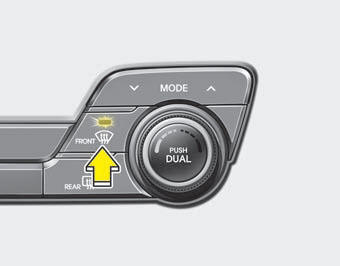
Defrost level
Most of the airflow is directed to the windshield, with a small amount of airflow directed to the side defrost vents.
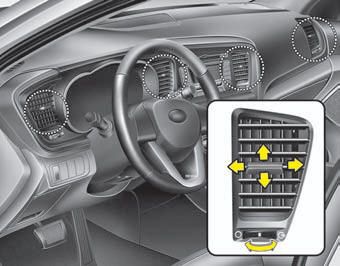
Dashboard air vents
Each air vent can be opened or closed separately using the horizontal wheel.
You can also adjust the direction of airflow from these vents using the lever, as shown.
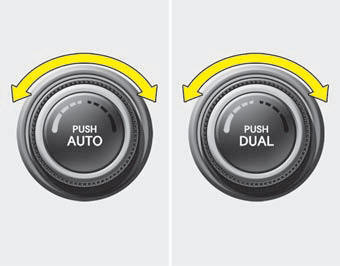
Temperature Control
The temperature control knob allows you to control the temperature of the air coming from the ventilation system. To change the air temperature in the cabin, turn the knob clockwise for warmer air, or counterclockwise for cooler air.
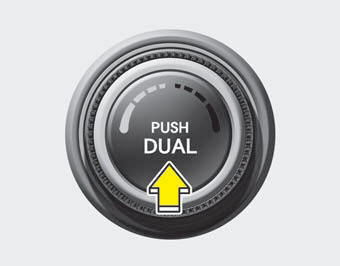
Individual driver and passenger zone temperature control
- Press the DUAL button to operate the driver and passenger zones independently. Pressing the right temperature button automatically activates DUAL (dual-zone) mode.
- Turn the left control knob to adjust the temperature on the driver's side. Turn the right control knob to adjust the temperature on the passenger's side.
Balancing driver and passenger side temperature
- Press the DUAL button again to turn off DUAL (the indicator light on the button goes off). The passenger side temperature is set to the same level as the driver's side.
- Press the left temperature button. The driver and passenger side temperatures will be adjusted to the same level.
Temperature unit conversion
You can switch the display between degrees Fahrenheit and Celsius as follows: while holding down MODE, press DUAL for 3 seconds or longer.
The display will alternate between degrees Fahrenheit and Celsius. If the battery is discharged or disconnected, the temperature display will return to degrees Fahrenheit.
Outside temperature gauge
The current outside temperature is displayed in 1 C (1 F) increments when the temperature is within the range of -40 C to 60 C (-40 F to 140 F).
- The displayed outside temperature may not change immediately, as with an ordinary thermometer, in order to avoid distracting the driver.
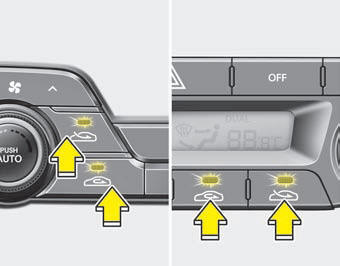
Air Intake Control
This button selects outside (fresh) air or recirculation of the air inside the cabin.
To change the air intake control position, press the button.
Recirculated Air Position
 When
air recirculation is selected, the air inside the cabin is drawn in by the air conditioning system, then heated or cooled, depending on the selected function.
Outside (fresh) air position
Type A
Type B
When outside (fresh) air is selected, air enters the vehicle from outside; it is then heated or cooled, depending on the selected function.
NOTICE
Prolonged use of the heater in the air recirculation position may cause the windshield and side windows to fog up, and the air inside the cabin may smell stale.
In addition, prolonged use of the air conditioner with recirculated air will produce excessively dry air in the cabin.
WARNING- Continuous use of the air conditioning system in recirculation mode can increase the humidity level inside the vehicle, fog up the windows and reduce visibility.
- Do not sleep in the vehicle with the air conditioner or heater running. A drop in oxygen level or body temperature can pose serious health risks.
- Continuous use of the air conditioning system in recirculation mode can cause drowsiness and lead to loss of vehicle control. Whenever possible, set the air intake control to fresh air while driving.
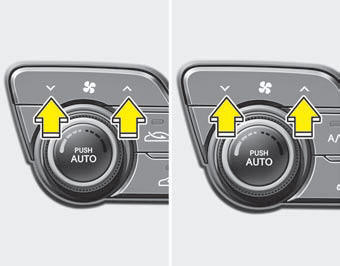
Fan speed control
The fan speed can be adjusted using the fan speed switch. To change the fan speed, press the
part of the switch to increase it, and the part to decrease it. To
turn the fan off, press the OFF button.
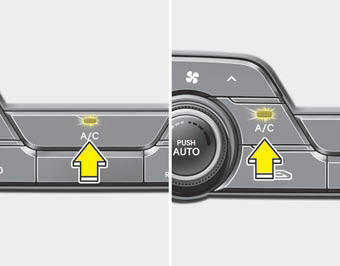
Air Conditioner
Press the A/C button to turn the air conditioner on (the indicator light comes on).
Press the button again to turn the air conditioner off.
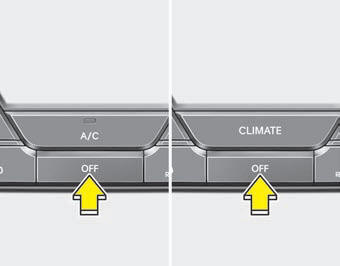
Off Mode (OFF)
Press the OFF button to turn off automatic air conditioning.
You can still use the mode and air intake buttons as long as the ignition switch is in the ON position.
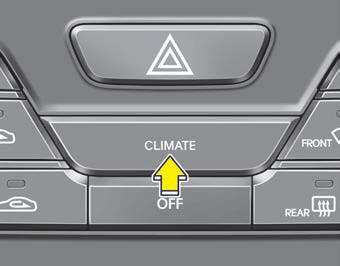
Air Conditioning Information Display Selection (if equipped)
Press the CLIMATE button to display air conditioning information.
Test yourself
A quick Kia Optima DL3 quiz: every answer comes with an explanation and a link to the manual page.