Shift Lever Position Indicator
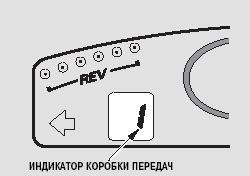
When operating in manual mode, the engaged gear is shown on the upper display to the left of the tachometer indicator.
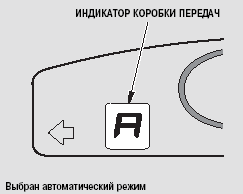
When automatic mode is selected, the letter "A" appears at the indicated location on the upper display, and the tachometer indicator is turned off. Pressing either paddle shifter or moving the lever forward or backward activates manual mode. The "A" symbol disappears from the display and is replaced by the number of the engaged gear.
Moving the shift lever to the left (into the A/M position) allows you to switch between manual and automatic modes.

WARNING
Before starting to drive, check the shift lever position indicator on the upper display and make sure the transmission is in the required mode.
If the shift lever position indicator is flashing, you will not be able to shift gears. Return the lever to the neutral position, wait briefly, then move the lever to the desired position again with the brake pedal depressed.
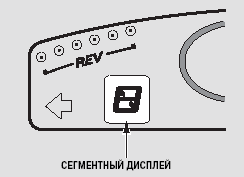
When the ignition switch is turned to the ON (II) position, the segment display turns on and shows the shift lever position symbol (A, N or R). If the battery is discharged or has been disconnected, after charging or reconnecting it, move the shift lever to the neutral position and press the brake pedal for 3 seconds until the shift lever position symbol appears on the display.
Test yourself
A quick Honda Civic quiz: every answer comes with an explanation and a link to the manual page.