Changing the Settings
You can customize certain vehicle system settings to suit your preferences. On vehicles equipped with Adaptive Cruise Control (ACC), there are two types of changeable settings: ACC system settings and gauge and display settings. Main settings have several options. For all other vehicles, a complete list of gauge and display settings is available. The following functions can be changed.
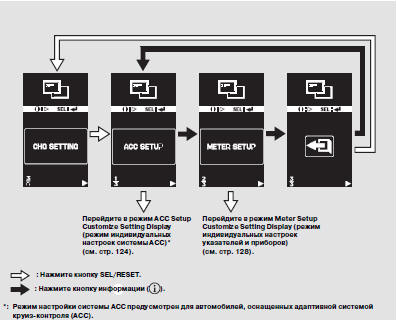
Press and hold the information button to enter the setting mode, then briefly press the same button as many times as needed to select the CHG SETTING (Change Settings) mode. When the message "CHG SETTING" appears on the display, press the SEL/RESET button. The display will enter the settings mode.
Press the information button until the desired setting is selected, then press the SEL/RESET button to confirm your selection. Each press of the information button changes the setting mode as shown in the illustration. For individual settings, follow the procedures described on the following pages.
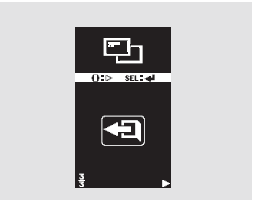
To exit the mode, select EXIT by pressing the information button, then press the SEL/RESET button. The display returns to the settings change mode.
To return to normal display operation, select then press the SEL/RESET button.
Test yourself
A quick Honda CR-V quiz: every answer comes with an explanation and a link to the manual page.