Primary Display Selection
You can select the trip computer function that will be shown in the upper part of the display. The trip computer displays instant fuel economy, average fuel economy, driving distance to empty, elapsed time, and average vehicle speed. When the ignition is turned on, the value of one of the trip computer functions is always shown in the upper part of the display as the main screen. The selected function remains in the upper part of the display even when the INFO button is pressed. For more information on operating all trip computer functions, refer to .
The following settings can be selected as desired:
 : Instant Fuel Economy
 : Driving Distance to Empty
 : Average Fuel Economy
 : Elapsed time since the ignition switch was turned to ON (II).
 : Average Vehicle Speed
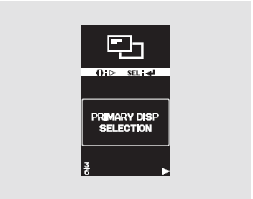
When the message "PRIMARY DISP SELECTION" appears on the multi-function information display, press the SEL/RESET button. The display will enter the setting mode.
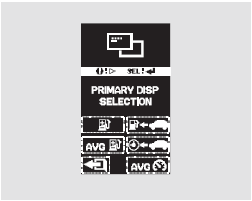
You can select any trip computer icon. Each time the INFO button is pressed, the setting option will change. Confirm your selection by pressing the SEL/RESET button.
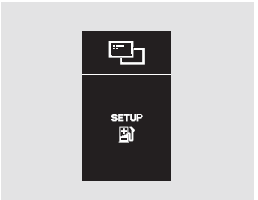
After the operation is successfully completed, the message "SETUP" will be displayed for a few seconds, and then the display will return to the "CHG SETTING" screen. Press the SEL/RESET button, and then press the INFO button to move to the mode for changing other settings.
If you do not confirm the setting you selected, "INCOMPLETE" will appear on the display for a few seconds. The display will return to the setting mode. In this case, repeat the setting procedure.
If you select and press the SEL/RESET button, the display will return to normal operation.
Test yourself
A quick Honda CR-V quiz: every answer comes with an explanation and a link to the manual page.