Adaptive Cruise Control (ACC) Settings
For vehicles equipped with the Adaptive Cruise Control (ACC) system, you can customize any of the Adaptive Cruise Control (ACC) system settings. The setting modes are listed below:
ACC Setup
• PRE-RUNNING CAR DETECT BEEP: You can turn the warning beep on or off when a vehicle ahead is detected.
• ACC DISPLAY SPEED UNIT: You can select the speed unit shown on the display: km/h or mph.
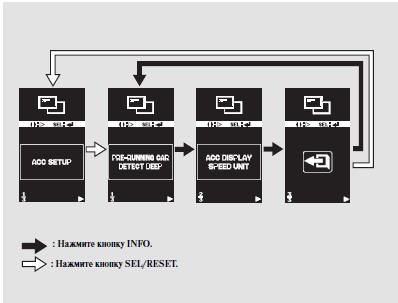
Preceding Vehicle Detection Beep
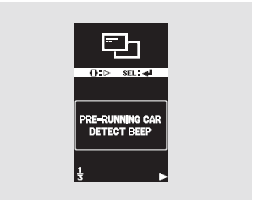
When this function is selected, the beep sounds when a vehicle ahead is detected. A second beep sounds when the vehicle ahead leaves the radar sensor detection range.
When "PRE-RUNNING CAR DETECT BEEP" appears on the display, press the SEL/RESET button. The display will change to the setting mode.
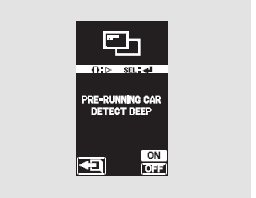
You can select ON or OFF. Each time you press the INFO button, the selected setting will switch between ON and OFF. Confirm your selection by pressing the SEL/RESET button.
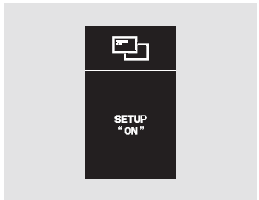
After the procedure is completed successfully, "SETUP ON" will appear on the display for a few seconds, and then the display will return to the "CHG SETTING" screen.
Press the SEL/RESET button, then press the INFO button to move to the mode for changing other settings.

If you do not confirm the setting you selected, "INCOMPLETE" will appear on the display for a few seconds. The display will return to the setting mode. In this case, repeat the setting procedure.
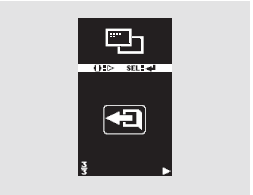
To exit the setting mode without changing the settings, select EXIT by pressing the INFO button, then press the SEL/RESET button. The display will return to "PRE-RUNNING CAR DETECT BEEP."
To return to normal display operation, select then press the SEL/RESET button.
Speed Unit Used by the Adaptive Cruise Control (ACC) System
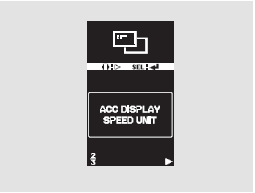
You can select the following speed units for the Adaptive Cruise Control system: km/h or mph.
When "ACC DISPLAY SPEED UNIT" appears on the display, press the SEL/RESET button. The display will change to the setting mode.
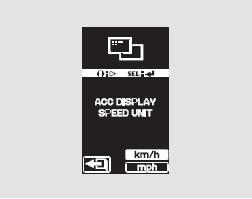
You can select "km/h" or "mph".
The highlighted setting is the current setting. Each time you press the INFO button, the setting changes.
Confirm your selection by pressing the SEL/RESET button.
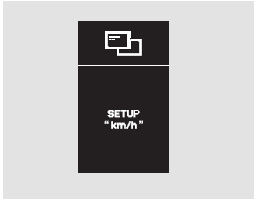
After the procedure is completed successfully, "SETUP km/h" will appear on the display for a few seconds, and then the display will return to the "CHG SETTING" screen. Press the SEL/RESET button, then press the INFO button to move to the mode for changing other settings.
If you do not confirm the setting you selected, "INCOMPLETE" will appear on the display for a few seconds. The display will return to the setting mode. In this case, repeat the setting procedure.
To exit this mode without changing the current settings, select EXIT and press the SEL/RESET button.
Test yourself
A quick Honda CR-V quiz: every answer comes with an explanation and a link to the manual page.