Language Selection
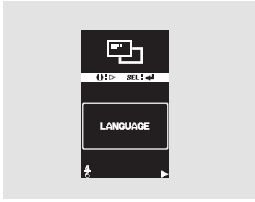
Press and hold the INFO button to enter the setting mode, then briefly press the same button as many times as necessary to select the "LANGUAGE" function. When the message "LANGUAGE" appears on the display, press the SEL/RESET button. The display will enter the setting mode.
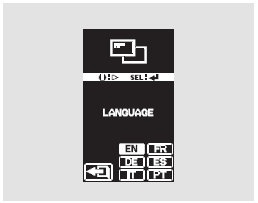
You can select one of the following menu languages: English, French, German, Spanish, Italian, Portuguese. Press the INFO button until the desired language is selected, then confirm your selection by pressing the SEL/RESET button.
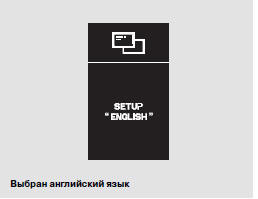
After the procedure is successfully completed, a confirmation screen (see illustration above) will be displayed for a few seconds, after which the "LANGUAGE" screen will appear again. Press the INFO button several times to move to the setting of another parameter.

If you do not enter the selected language setting for text messages, the message "INCOMPLETE" will be displayed for a few seconds.
The display will return to the setting mode. In this case, you will need to repeat the setting procedure again.
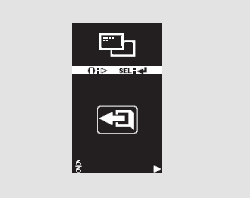
To exit the setting mode without changing the value, select EXIT by pressing the INFO button, and then press the SEL/RESET button. The display will return to normal operation.
Test yourself
A quick Honda CR-V quiz: every answer comes with an explanation and a link to the manual page.