Digital Clock
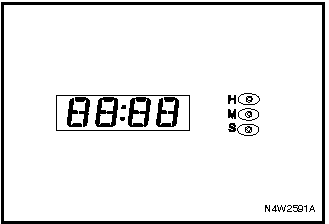
DIGITAL CLOCK
The digital clock displays the time when the ignition key is in the ACC or ON position. The clock has three setting buttons.
H: Hour adjustment button.
• To advance the hour by 1 hour, press the H button.
• To advance the hour by more than 1 hour, press and hold the H button until the desired value is set.
M: Minute adjustment button.
• To advance the minutes by 1 minute, press the M button.
• To advance the minutes by more than 1 minute, press and hold the M button until the desired value is set.
S: Set button.
To set the time to the nearest hour, press the S button.
• If the button is pressed when the time is between 8:00 and 8:29, the time will be set to 8:00.
• If the button is pressed when the time is between 8:30 and 8:59, the time will be set to 9:00.
Remember to reset the clock after disconnecting and reconnecting the battery or replacing fuses.
Test yourself
A quick Chevrolet Lacetti quiz: every answer comes with an explanation and a link to the manual page.