Cargo Net - Front Installation
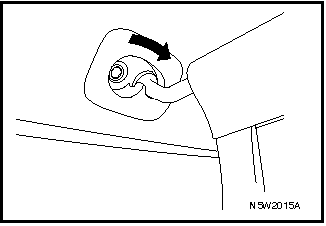
To install the cargo net in the front to increase luggage compartment capacity, perform the following:
1. Fold the rear seatback forward and down. Refer to "REAR SEATBACK FOLDING" earlier in this section.
2. Remove the rear seat head restraints. Refer to
"HEAD RESTRAINTS" earlier in this section.
3. Insert the net rod into the larger-diameter holes next to the grab handles, then secure it by sliding it into the smaller-diameter hole.
4. Hook the strap hooks onto the two rings under the side seat cushions.
5. Pull the straps to remove slack.
REMOVAL
1. Loosen the strap adjusters and unhook the hooks from the anchors.
2. Remove the net rod by sliding it out of the locked position.
Test yourself
A quick Chevrolet Lacetti quiz: every answer comes with an explanation and a link to the manual page.