External amplifier
Components and Component Location
Components
[Mobis]
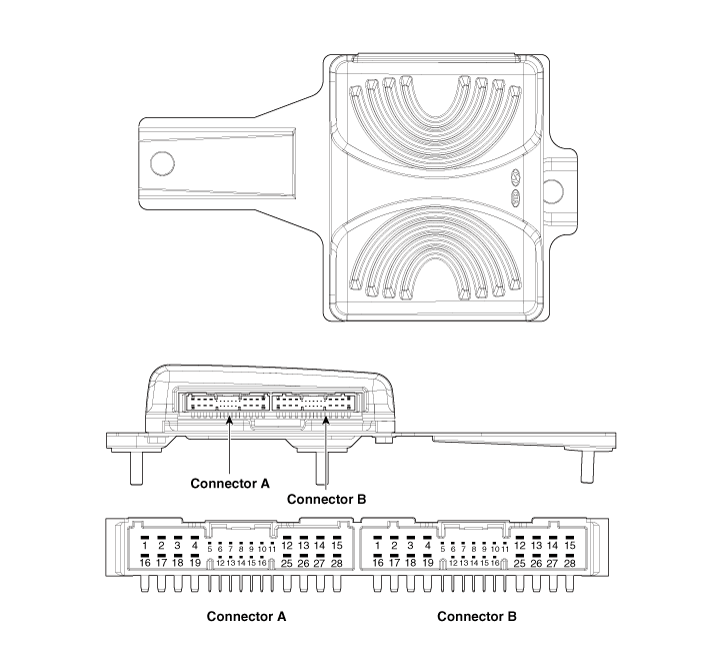
Connector Pin Information
| No. | Connector A | Connector B |
| 1 | Battery (+) | Left rear door speaker (+) |
| 2 | Battery (+) | Left rear door speaker (-) |
| 3 | Battery (+) | Right rear door speaker (+) |
| 4 | Battery (+) | Right rear door speaker (-) |
| 5 | ⁻ | ⁻ |
| 6 | Multimedia CAN (High) | ⁻ |
| 7 | Multimedia CAN (Low) | ⁻ |
| 8 | ACC | ⁻ |
| 9 | Navigation Voice (+) | ⁻ |
| 10 | ⁻ | ⁻ |
| 11 | ⁻ | ⁻ |
| 12 | Left front door speaker (+) | ⁻ |
| 13 | Left front door speaker (-) | ⁻ |
| 14 | Left front door speaker (+) | ⁻ |
| 15 | Left front door speaker (-) | ⁻ |
| 16 | Ground | Subwoofer 1 (+) |
| 17 | Ground | Subwoofer 1 (-) |
| 18 | Ground | Subwoofer 2 (+) |
| 19 | Ground | Subwoofer 2 (-) |
| 20 | SPDIF (+) | ⁻ |
| 21 | SPDIF (-) | ⁻ |
| 22 | SPDIF (Ground) | ⁻ |
| 23 | Navigation Voice (-) | ⁻ |
| 24 | IGN1 | ⁻ |
| 25 | Center Speaker in Seat (+) | ⁻ |
| 26 | Center Speaker on Parcel Shelf (-) | ⁻ |
| 27 | ⁻ | ⁻ |
| 28 | ⁻ | ⁻ |
Repair Procedures
Removal
Disconnect the negative (-) battery terminal.
Remove the luggage compartment side trim [RH].
(Refer to Body — "Luggage Compartment Side Trim")
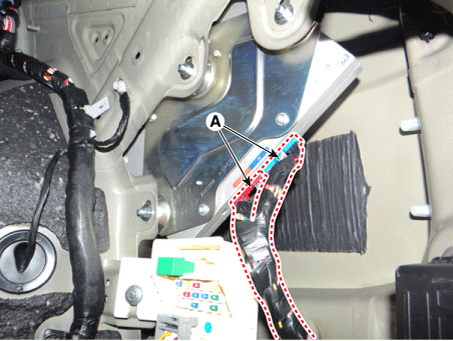
Disconnect the connectors of the external amplifier (A).
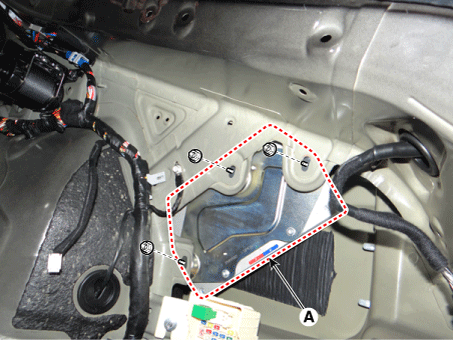
Remove the external amplifier (A) after loosening the mounting nuts.
Installation
Install the external amplifier after connecting the connectors.
Install the luggage compartment side trim panel [RH].
Connect the negative (-) battery terminal.
Inspection
In the body electrical system, faults can be quickly diagnosed using the Korean Diagnostic System (KDS).
The Diagnostic System (KDS) provides the following information.
Self-Diagnosis: Malfunction and code number check (DCT).
Current Data: Check the system input/output status.
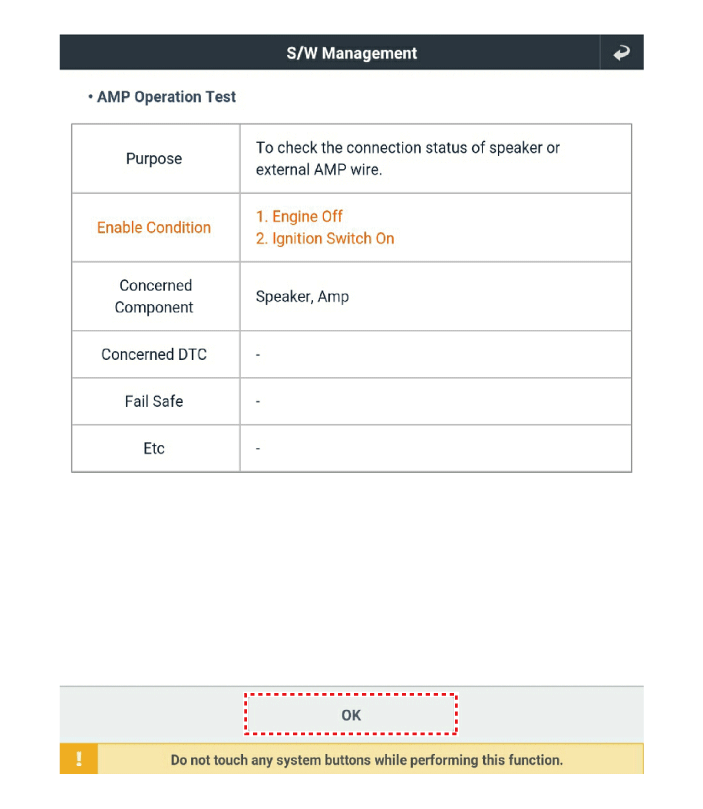
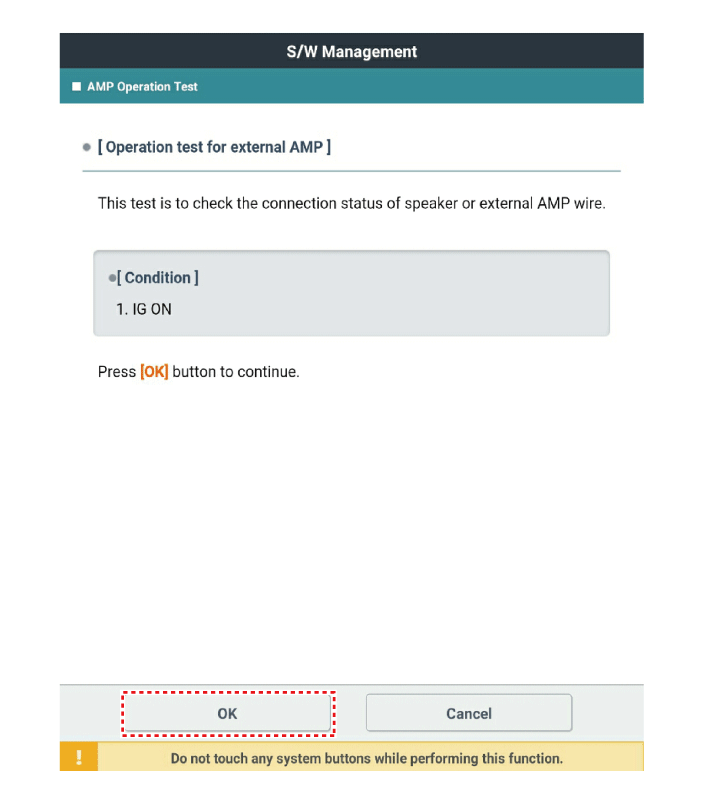
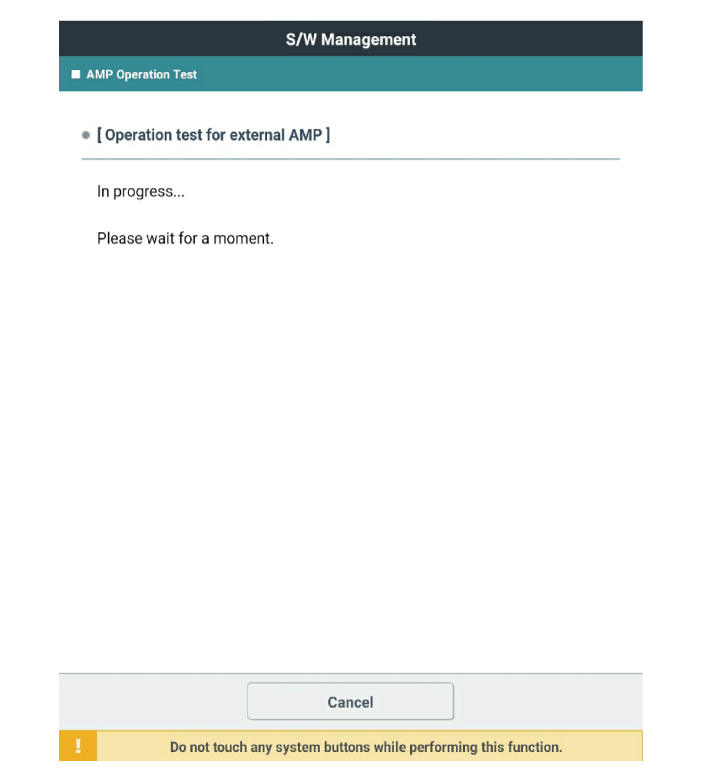
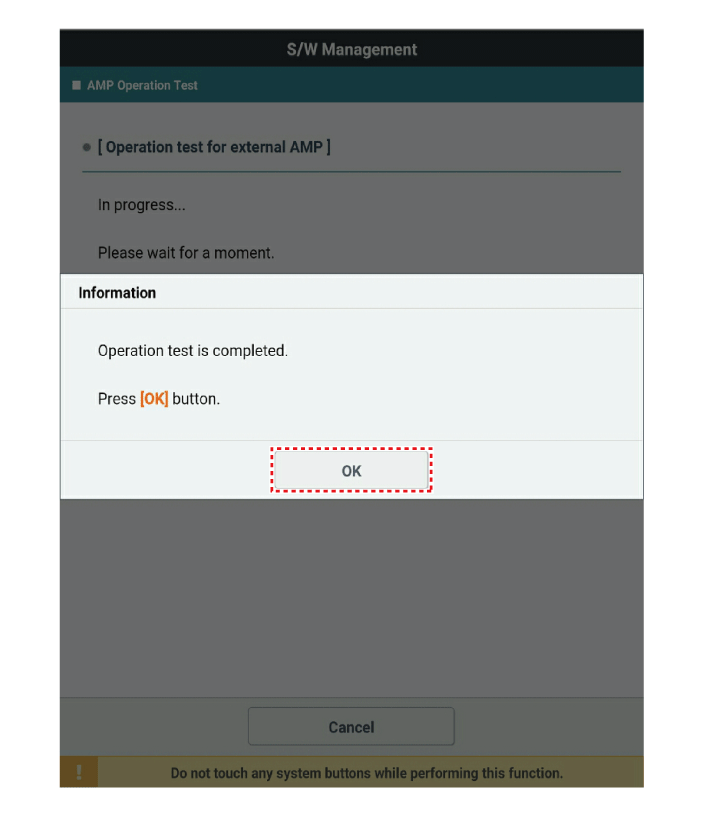
Operation check: Check the operating status of the system.
Special Function: Control of other functions, including parameter setting and zero point adjustment.
Select the "Vehicle Model" and the system to be checked in order to inspect the vehicle with the scan tool.
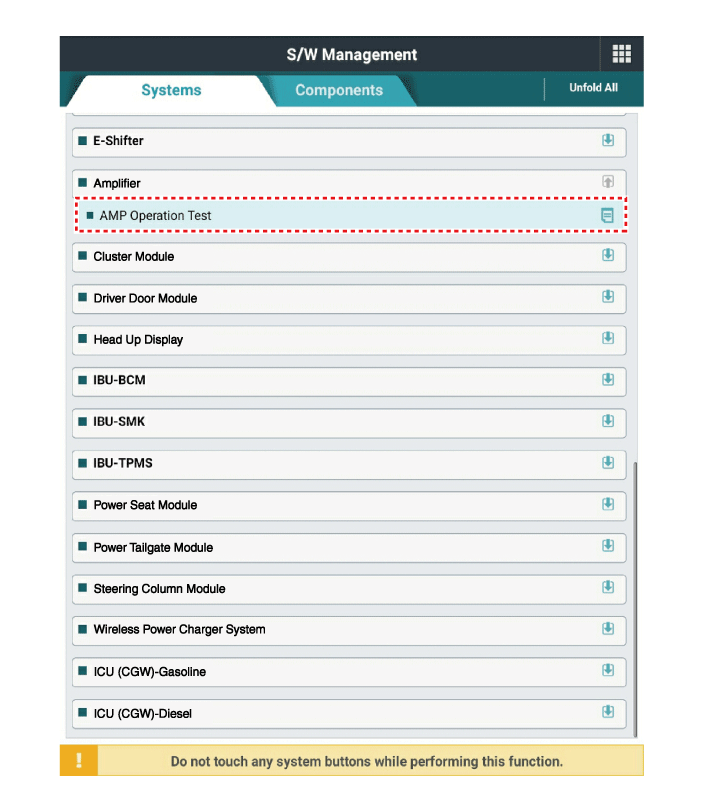
Select "Amplifier" to check the sound.
Select the "Current Data" menu to view the current input/output data status.
Input/output data for sensors related to the audio channel to be checked.
Test yourself
A quick Kia Stinger CK quiz: every answer comes with an explanation and a link to the manual page.