Instrument Cluster
Speedometer
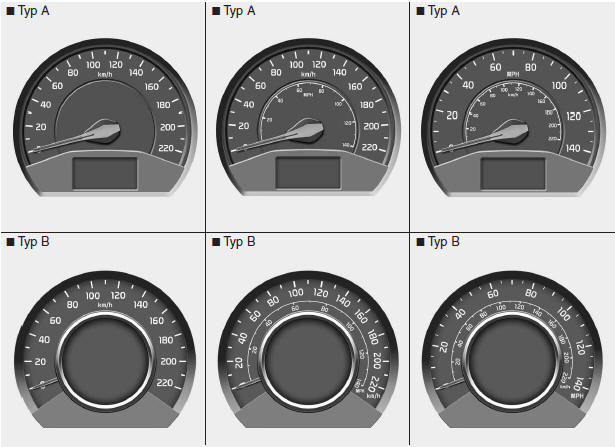
The speedometer shows the vehicle speed.
The speedometer is calibrated in miles per hour and/or kilometers per hour.
Tachometer
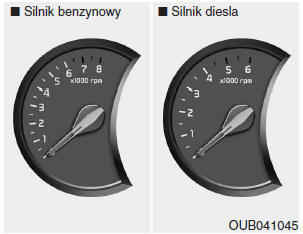
The tachometer shows the approximate engine speed in revolutions per minute (rpm).
Use the tachometer to select the correct gear and to prevent engine lugging or over-revving.
The tachometer needle may move slightly when the ignition switch is in ACC or ON with the engine off. This movement is normal and does not affect tachometer accuracy once the engine is started.
CAUTION Do not operate the engine in the RED ZONE of the tachometer.This may cause serious engine damage.
Fuel Gauge
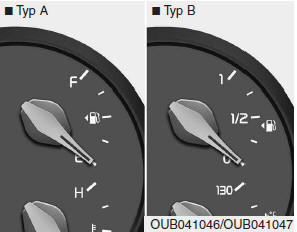
The fuel gauge shows the approximate amount of fuel remaining in the fuel tank. Fuel tank capacity is specified in section 8. The fuel gauge is supplemented by a low fuel warning light, which comes on when the tank is almost empty.
On slopes or curves, the fuel gauge needle may fluctuate, or the low fuel warning light may come on earlier than usual due to fuel movement in the tank.
WARNING - Fuel gauge Running out of fuel may place vehicle occupants at risk.When the low fuel warning light comes on, or when the fuel gauge needle is close to "E", stop the vehicle as soon as possible and obtain fuel.
CAUTION Avoid driving with a very low fuel level. Running out of fuel may cause engine misfires and damage to the catalytic converter.Engine coolant temperature gauge
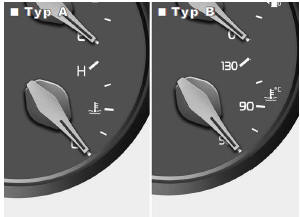
When the ignition switch is in the ON position, this gauge shows the engine coolant temperature.
Do not continue driving with an overheated engine. If your engine overheats, refer to the "If Your Engine Overheats" paragraph in section 6.
CAUTION If the gauge needle moves beyond the normal range toward the "130/H" position, the engine is overheating, which may cause engine damage. WARNING Never remove the radiator cap when the engine is hot.Hot coolant is under pressure and may spray out, causing serious burns. Wait for the engine to cool before adding coolant to the reservoir.
Trip computer (if equipped)
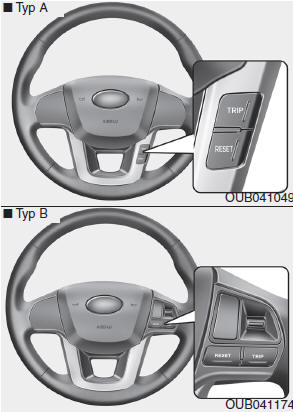
The trip computer is a microcomputer-controlled driver information system that shows driving-related information on the display when the ignition key is in the ON position.
All stored driving information (except the odometer data) is reset to zero if the battery is disconnected.
- Type A
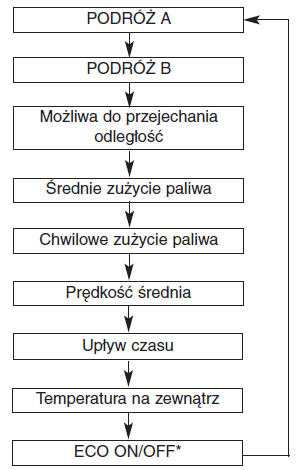
* if equipped
- Type B
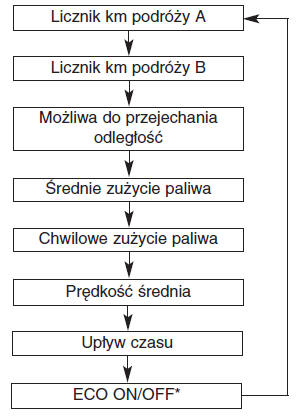
* if equipped
Total odometer (km or MI)
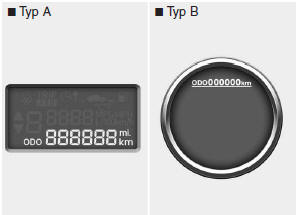
The total odometer shows the total distance the vehicle has traveled.
The total odometer can be useful for determining when scheduled maintenance should be performed.
The odometer is displayed at all times until the display is turned off.
Trip meter (km or miles)
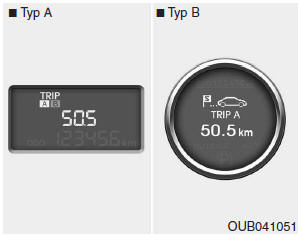
TRIP A: Trip meter A TRIP B: Trip meter B
This mode shows the distance of individually selected trips since the trip meter was last reset.
The operating range of the trip meter is 0.0 to 999.9 km (0.0 to 999.9 miles).
Pressing the RESET button for more than 1 second while the trip meter is displayed resets the reading to zero (0.0).
Driving range (km or MI) (if equipped)
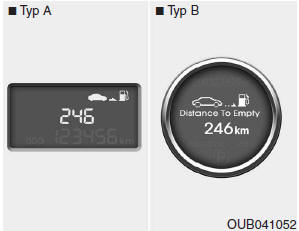
This mode shows the estimated driving distance based on the current amount of fuel remaining in the fuel tank and the amount of fuel supplied to the engine. If the remaining distance is below 50 km, "---" is displayed.
The operating range of the driving range display is 50 to 999 km (30 to 999 miles).
Average fuel economy (l/100 km or MPG) (if equipped)
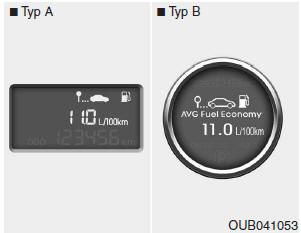
This mode calculates the average fuel economy based on the total fuel consumed and the distance traveled since the average fuel economy was last reset.
The total fuel consumed is calculated from fuel consumption data. For accurate calculations, drive more than 50 m (0.03 miles).
Pressing the RESET button for more than 1 second while the average fuel economy is displayed resets the reading to zero (--.-).
Instant fuel economy (l/100 km or MPG) (if equipped)
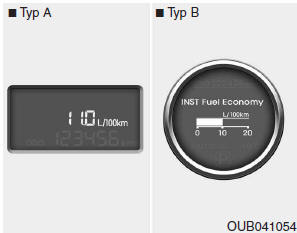
This mode calculates the instant fuel economy every 2 seconds based on the distance traveled and the fuel injection amount.
Average speed (km/h or mph)
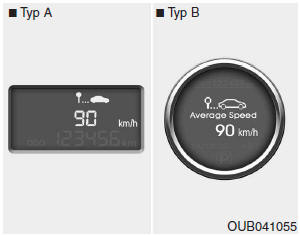
This mode calculates the average vehicle speed since the average speed was last reset.
Even if the vehicle is not moving while the engine is running, the average speed remains active.
Pressing and holding the RESET button for longer than 1 second while the average speed is displayed will reset this value (---).
Driving time
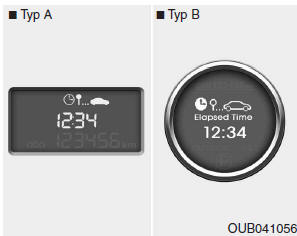
This mode shows the total driving time since it was last reset.
Also, if the vehicle is not moving, the driving time counter runs while the engine is running.
The operating range of the counter is 00:00 ~ 99:59.
Pressing and holding the RESET button for longer than 1 second while the driving time is displayed resets the counter to zero (00:00).
Outside air temperature (if equipped)
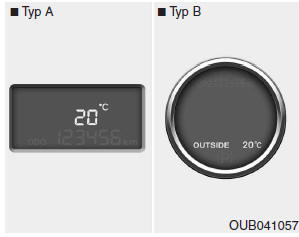
This mode shows the temperature outside the vehicle.
The operating range of the temperature gauge is from -40C to 60C (-40F to 140F).
Type A
To change the outside temperature display unit (C ? F), press and hold the RESET button for longer than 1 second in this mode.
Type B
To change the outside temperature display unit (C ? F), see the later pages in the section describing Vehicle Options.
ECO ON/OFF mode (if equipped)
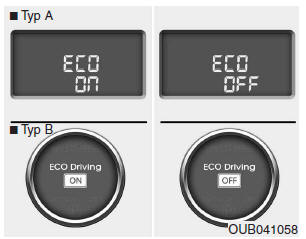
In this mode you can turn the ECO indicator on the instrument cluster on or off. If you press and hold the RESET button for longer than 1 second in ECO ON mode, ECO OFF appears on the display and the ECO indicator goes out while driving. To display the ECO indicator again, press and hold the RESET button for longer than 1 second in ECO OFF mode, and ECO ON appears on the display.
Pressing the RESET button for less than 1 second in ECO mode changes the mode to the trip odometer.
NOTE
- If the vehicle is not on level ground or the battery power has been disconnected, the driving distance available function may not operate correctly.
Manual transmission shift indicator (if equipped)
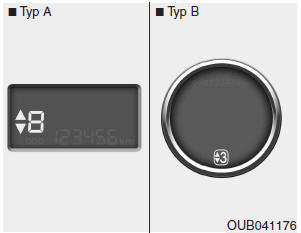
This indicator shows which gear is recommended while driving to save fuel.
For example
 : Indicates that a shift to a higher gear, 3rd gear, is recommended (the gear lever is currently in 2nd or 1st gear).
 : Indicates that a shift to a lower gear, 3rd gear, is recommended (the gear lever is currently in 4th or 5th gear).
When the system is not operating correctly, the indicator is not displayed.
Test yourself
A quick Kia Rio YB quiz: every answer comes with an explanation and a link to the manual page.