Adaptive Cruise Control ACC* - Overview. Adaptive Cruise Control* - Regulating speed. Adaptive Cruise Control* - Setting the time gap
The ACC system in the Volvo S80 (2nd generation, 2013–2016) provides intuitive control of speed and distance via the steering wheel. This section explains activation, adjustment, and the meaning of the displays in the instrument cluster. It also explains how to set the time gap to the vehicle ahead. Notes on adjusting safely to traffic conditions and complying with regulations conclude the section.
Adaptive Cruise Control ACC (cruise control)* - Overview

- Standby mode is exited and the stored speed is resumed.
- ACC on/off or standby mode.
- Time gap - increase/decrease.
- Activate and set the speed.
- (Not used)
- Green marking at stored speed (WHITE = standby mode).
- Time gap
- ACC is active when the symbol is GREEN (WHITE = standby mode).
Related information
- Adaptive cruise control - ACC*
- Adaptive Cruise Control ACC (cruise control)* - Function
- Adaptive Cruise Control ACC (cruise control)* - Symbols and messages
Adaptive cruise control* - Regulating speed
Starting ACC:
- Press the steering wheel button
 - a similar WHITE symbol lights up in the instrument cluster (8). This indicates that ACC is in standby mode.
To activate ACC:
- At the desired speed, press the SET steering wheel button.
 or
 press.
> The current speed is stored. The instrument cluster shows a magnifying glass (6) around the stored speed for a few seconds, and its marking changes from WHITE to GREEN.
 As soon as this symbol changes from WHITE to GREEN, ACC is active and the vehicle maintains the stored speed.
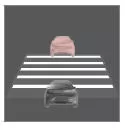 Only when the symbol shows the image of another vehicle is the distance to the vehicle ahead regulated by ACC.
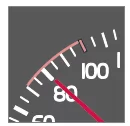 At the same time, a speed range is marked:
- the higher speed with GREEN marking is the preset speed.
- the lower speed is the speed of the vehicle ahead.
Changing the stored speed
To change the stored speed, press the steering wheel button or
 briefly or press and hold.
To change in +/- 5 km/h increments:
- Press briefly - each press changes the speed by +/- 5 km/h.
To change in +/- 1 km/h increments:
- Press and hold the button, then release it at the desired speed.
The value reached by the last press is stored.
If the speed is increased with the accelerator pedal before pressing the SET button, /the current vehicle speed is stored when the button is pressed.
Temporary acceleration with the accelerator pedal, e.g. when overtaking, does not affect the setting. The vehicle resumes the last stored speed as soon as the accelerator pedal is released.
CAUTIONIf one of the ACC buttons is pressed and held for several minutes, its function is blocked and ACC is switched off. To switch it on again, the vehicle must be switched off and the engine restarted.
In certain situations, ACC cannot be switched on again. In this case, ACC not available is shown in the instrument cluster.
Related information
- Adaptive cruise control - ACC*
- Adaptive Cruise Control ACC (cruise control)* - Overview
- Adaptive Cruise Control ACC (cruise control)* - Function
Adaptive cruise control* - Setting time gap
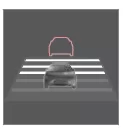 Different time gaps to the vehicle ahead can be set. They are shown in the instrument cluster as 1–5 horizontal bars. The more bars, the greater the time gap. One bar corresponds to approx. 1 second to the vehicle ahead, 5 bars to approx. 3 seconds.
To set or change the time gap:
- Increase or decrease the value using the steering wheel buttons.

At low speed, when the gaps become short, ACC increases the time gap slightly.
To follow the vehicle ahead smoothly and comfortably, ACC allows the time gap to vary noticeably in certain situations.
Please note that with a short time gap, the driver has very little time to react and take action if something unexpected happens in traffic.
The same symbol is also shown when the Distance Warning function is activated.
CAUTIONOnly use time gaps that are permitted under local traffic regulations.
If the adaptive cruise control does not seem to respond after being switched on, the time gap to the vehicle ahead may be preventing a speed increase.
The higher the speed, the larger the distance in meters for a given time gap.
Further information on cruise control.
Related information
- Adaptive cruise control - ACC*
- Adaptive Cruise Control ACC (cruise control)* - Overview
- Adaptive Cruise Control ACC (cruise control)* - Function
- Adaptive cruise control* - Switching off
The adaptive cruise control (ACC) of the Volvo S80 (2nd gen) is easy to activate and can be individually adjusted. Speed and time gap to the vehicle ahead can be conveniently controlled using the steering wheel buttons. The system clearly shows all relevant information in the instrument cluster.
This relieves the driver while maintaining a high level of safety. The system supports smooth acceleration and braking and dynamically adapts to the flow of traffic.
FAQ
How do I change the time gap in ACC?
Use the corresponding steering wheel buttons to select between 1 and 5 bars (time gap of approx. 1 second to approx. 3 seconds).
What happens during temporary acceleration?
After releasing the accelerator pedal, the vehicle automatically resumes the stored speed.
Test yourself
A quick Volvo S80 quiz: every answer comes with an explanation and a link to the manual page.