Multimedia connector
Circuit Diagrams
Wiring Diagram
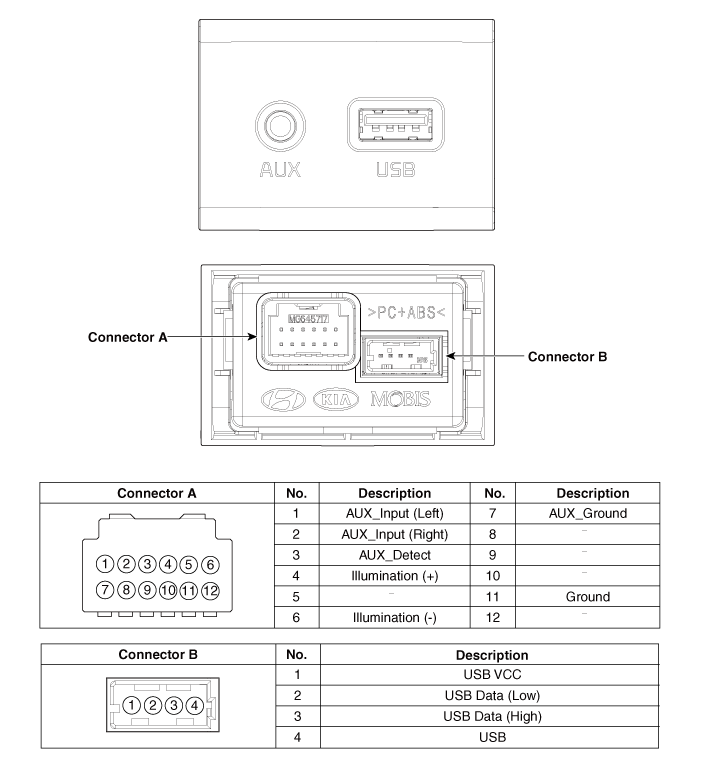
Description and Operation
Description
The multimedia jack on the console upper cover is intended for customers who want to listen to external portable music players, such as MP3 players, through the vehicle audio system when connected to this jack. This is an optional feature.
If distorted sound is heard from external music players connected to AUX, the audio system may be normal, but the output level of the player may not meet the AUX specification.
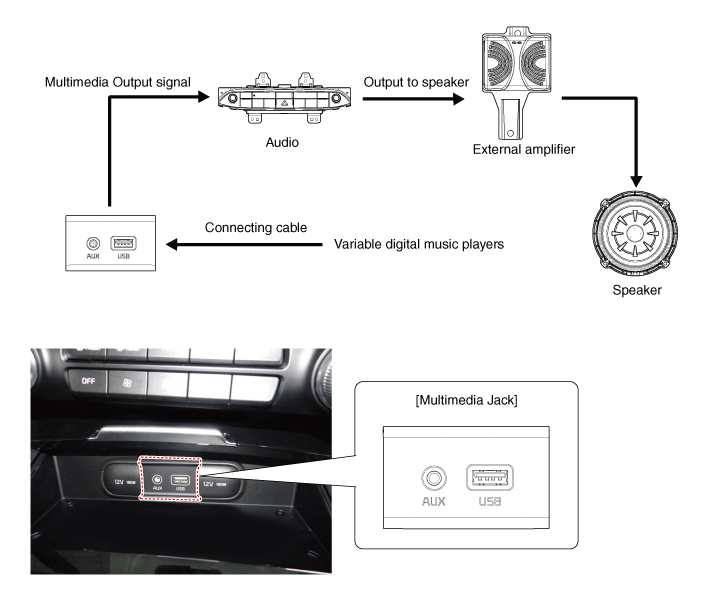
Repair Procedures
Removal
Multimedia connector
Disconnect the negative (-) battery terminal.
Remove the console assembly.
(Refer to Body - Floor Console Assembly)
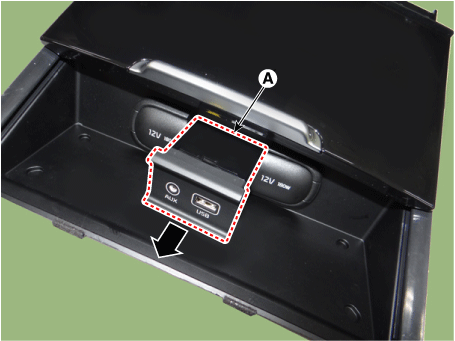
Remove the front cover (A) after loosening the mounting screws.
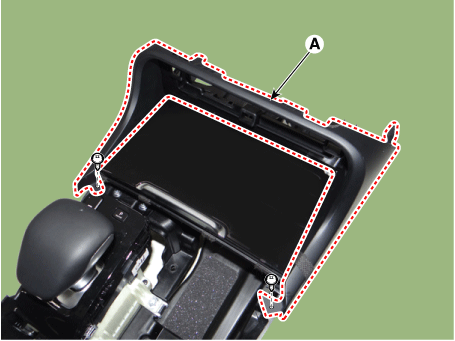
Remove the floor console tray (A).
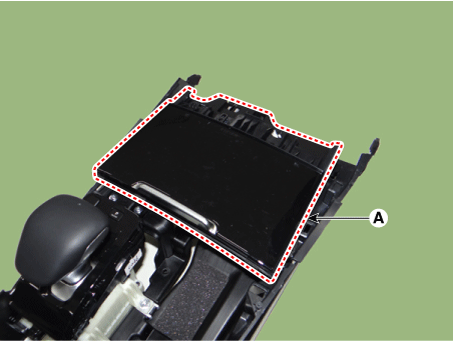
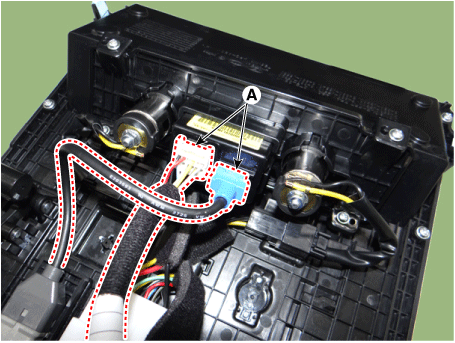
Disconnect the connectors of the multimedia jack (A).
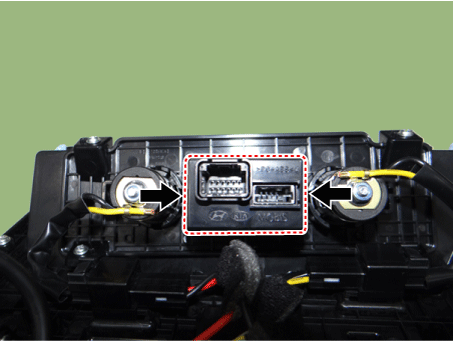
Remove the multimedia jack (A) after releasing the fixed hooks.
USB Charger
Disconnect the negative (-) battery terminal.
Remove the rear console cover.
(Refer to Body - "Console Rear Cover")
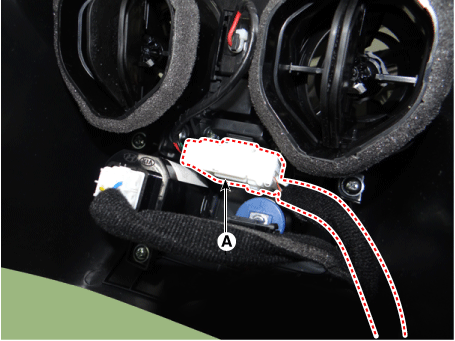
Disconnect the USB charger connector (A).
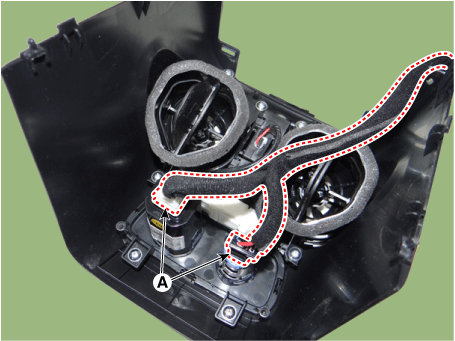
Disconnect the connector (A) of the rear heater and air conditioning control unit.
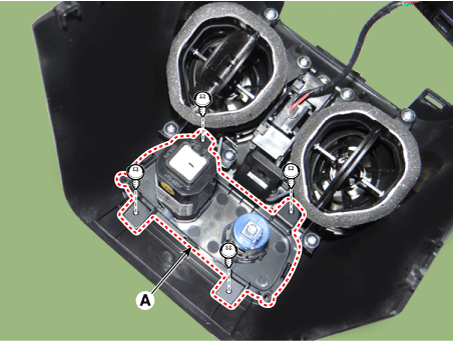
Remove the USB charger (A) after loosening the mounting screws.
Installation
Multimedia connector
Install the multimedia jack.
Connect the multimedia jack connector.
Install the floor console tray.
Install the front cover.
Install the console assembly.
Connect the negative (-) battery terminal.
USB Charger
Install the USB charger.
Connect the connector of the rear heater and air conditioning control unit.
Connect the USB charger connector.
Install the rear console cover.
Connect the negative (-) battery terminal.
Test yourself
A quick Kia Stinger CK quiz: every answer comes with an explanation and a link to the manual page.