Dual-Zone Climate Control System
When the DUAL indicator appears on the display, you can independently adjust the air temperature for the driver and front passenger zones.
To adjust the temperature in the driver's zone, use the temperature control knob on the climate control panel. To adjust the air temperature supplied to the front passenger zone, press the sides of or
 the temperature adjustment button built into the passenger door armrest.
Air temperature control knobs. Press the AUTO button or
The set temperature will appear on the display (for vehicles equipped with a navigation system, on the side display). If the indicator built into the DUAL button is not illuminated, the same temperature is set in both zones when adjusting with the driver's rotary knob.
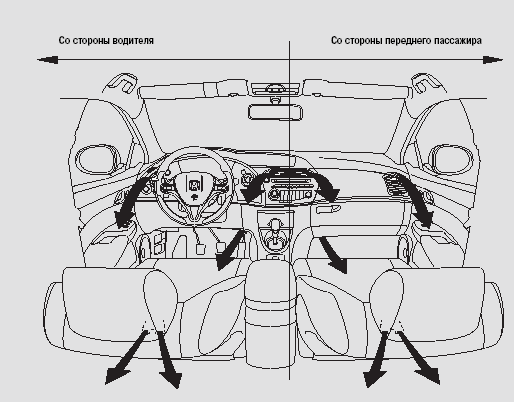
Dual-zone independent climate control system
If you want to set a driver-side temperature that differs from the front passenger-side temperature, press the DUAL button, then use the driver-side temperature control. To set the air temperature for the front passenger side that differs from the driver side, press the passenger-side
orthe temperature adjustment button built into the passenger door armrest.
Note that you can adjust the front passenger-side temperature without first pressing the DUAL button.
If the maximum or minimum temperature setting is selected, the symbol " " or "
 ".
Test yourself
A quick Honda Civic quiz: every answer comes with an explanation and a link to the manual page.