Audio System (Vehicles without GPS) - Cassette Tape Playback
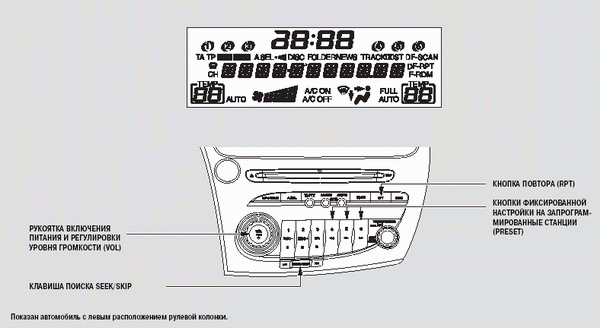
Cassette Tape Playback (optional equipment on some versions)
The cassette player can be used with the ignition key in the following positions: ACCESSORY (I) and ON (II). Insert the cassette into the loading slot with the side of the cassette showing the exposed magnetic tape facing right.
The cassette is then automatically loaded into the playing position and playback begins.
The track indicator is shown on the audio unit display. If the triangle point is facing up
, the upper track of the cassette is playing.
To immediately change tape tracks and reverse the direction of tape travel, press preset button 5 ( ). After one side of the cassette has played to the end, the player automatically switches to playback of the second track.
When a cassette is loaded, the Dolby* noise reduction system is switched on automatically. The indicator will appear on the display
If the Dolby system was not used when the cassette was recorded, turn the Dolby system off by pressing the NR button. The Dolby system will remain off until this button is pressed again.
* Dolby noise reduction system is manufactured under license from Dolby Laboratories Licensing Corporation. "Dolby" and the double-D symbol
are trademarks of Dolby Laboratories Licensing Corporation.
Test yourself
A quick Honda Civic quiz: every answer comes with an explanation and a link to the manual page.