Information Displays
The information display in the Ford Mustang (6th Generation) serves as a digital control center. It clearly shows important vehicle data, warnings and settings, and can be conveniently operated with the steering wheel controls. In addition to general notes on menu navigation, special features such as Track Apps for the race track are also explained. This display allows precise control of vehicle parameters and enhances driving safety. Through the display, drivers have intuitive access to comfort and safety functions. An ideal tool for a confident and personalized driving experience.
General Information
WARNING
Distraction while driving can lead to loss of vehicle control, accidents and injuries.
We strongly recommend using these devices and their functions only with extreme caution, so that your attention is not diverted from the road. The safe operation of your vehicle is entirely your responsibility. We advise against using handheld devices while driving and recommend using voice-controlled systems where possible.
Make sure you are informed of all local laws that may affect the use of electronic devices while driving.
Various systems in your vehicle can be controlled using the information display controls on the steering wheel. The relevant information is shown in the information display.
Information Display Controls
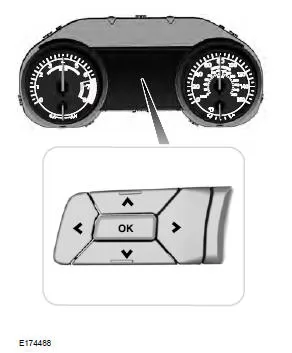
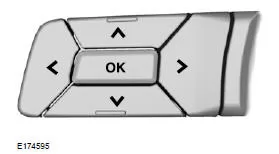
- Use the up and down arrow buttons to scroll through display menus and highlight options.
- Press the right arrow button to open a submenu.
- To exit a menu, press the left arrow button.
- If you press and hold the left arrow button at any time, you return to the main menu (Esc button).
- Press the OK button to select and confirm settings or messages.
Menu

 This symbol is used to turn a function on or off. A check mark in the box indicates that the function is on; if there is no check mark, the function is off.
Note: Depending on equipment options, some menu items may appear slightly different or may not appear.
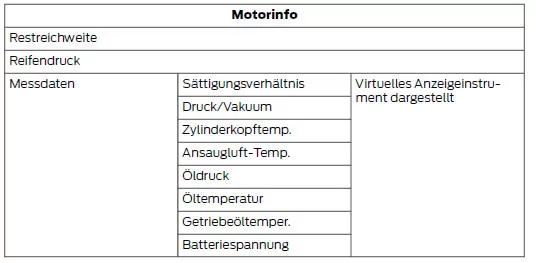
Note: The values of some gauges may fluctuate more during normal operation than others, because their values are displayed in real time.
Some displays use US customary units.
Metric units are also available.
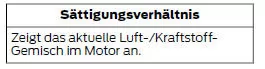
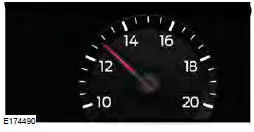
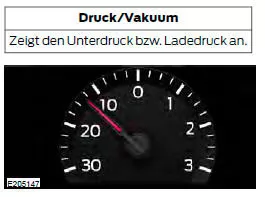
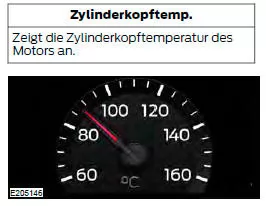
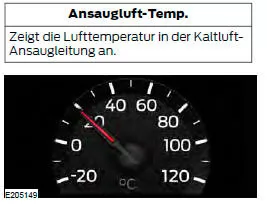
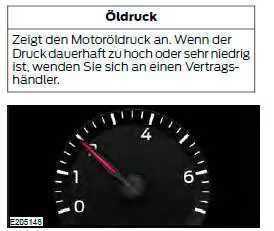
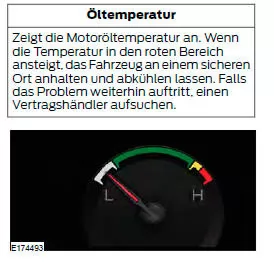
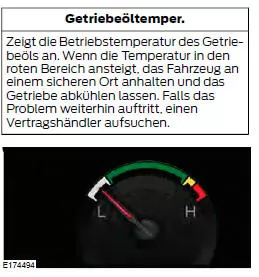
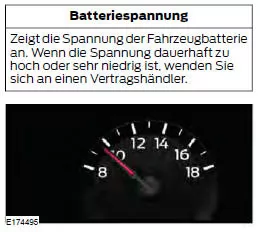

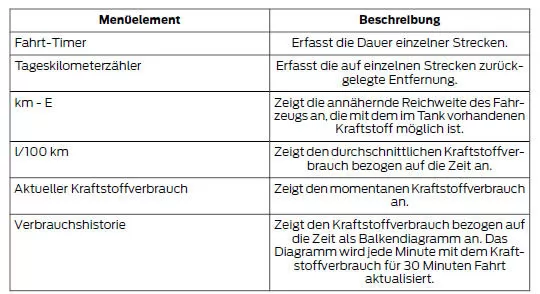
Note: Press and hold OK to reset the information currently displayed.
WARNING
Track Apps™ is intended for use on race tracks only. Even the most advanced technology is subject to the laws of physics. There is always a possibility that the driver may lose control of the vehicle through improper driving.
Aggressive driving can cause loss of vehicle control under any driving conditions, increasing the risk of injury to persons and damage to property.
Note: Track Apps are intended for use on race tracks only. They must not be used under any other driving conditions.
Note: Displayed or deleted results can only be used after the vehicle has come to a complete stop. The right arrow on the display menu is inactive. If the vehicle does not reach the speed of 160 km/h during a run on the track, 1/4-mile results may not be displayed.
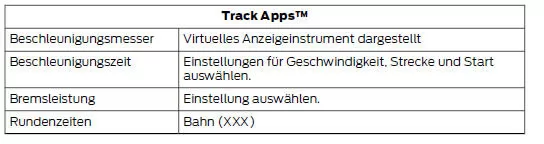
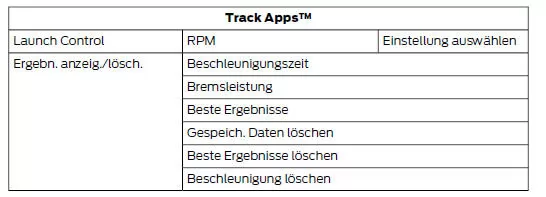
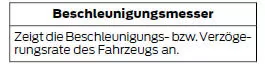
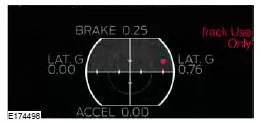
The red dot moves toward the acceleration or braking area.
- Accelerating or braking LEFT – When accelerating or braking to the left, the red dot in the acceleration sensor moves to the right.
- Accelerating or braking RIGHT – When accelerating or braking to the right, the red dot in the acceleration sensor moves to the left.
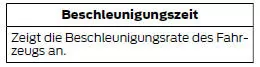
- Select the desired speed or distance.
- Select automatic start or countdown start.
- Follow the instructions on the screen.
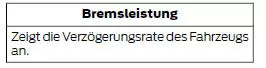
- Select the desired speed to start recording data.
- Follow the instructions on the screen.
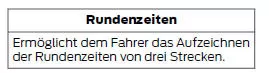
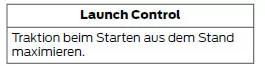

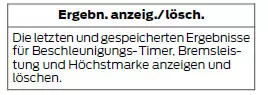
Note: Some items are optional and may not be displayed.
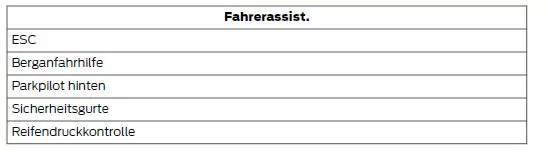
Note: Some items are optional and may not be displayed
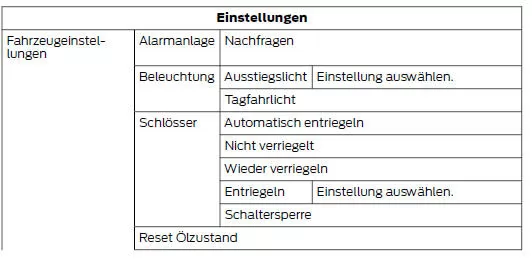

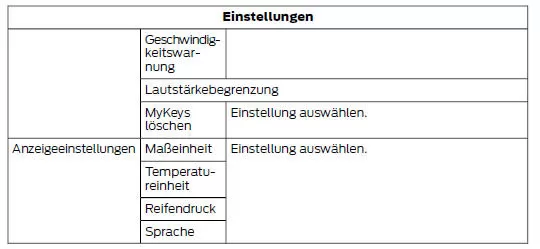
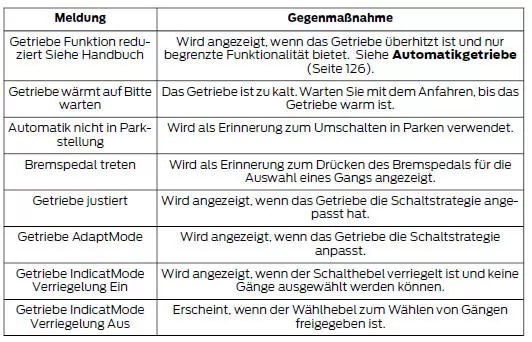
Information messages
Note: Depending on the equipment options and instrument cluster type of your vehicle, certain messages may not be displayed or may not be available. Some messages are abbreviated in the information display.
Press the OK button to acknowledge some messages and remove them from the information display. Other messages are automatically cleared from the information display after a short time.
Certain messages must be acknowledged before the menus can be accessed.
Airbag

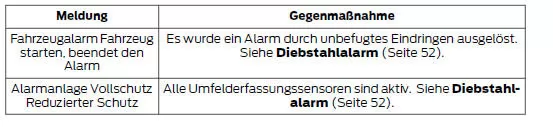
Alarm
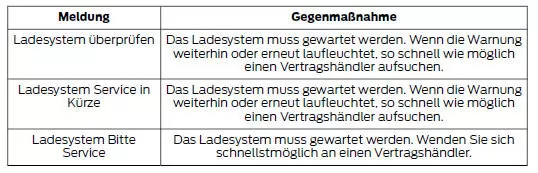
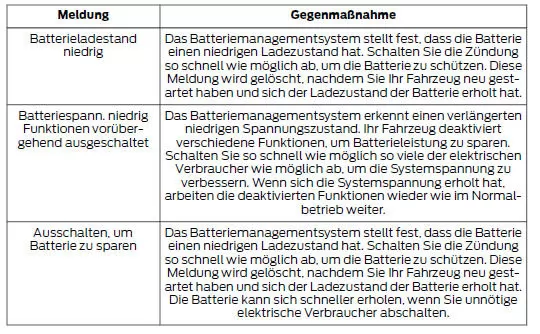
Battery and charging system
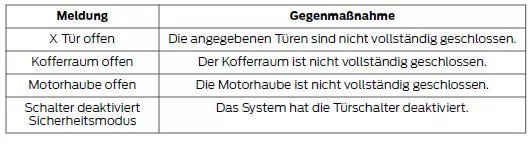
Doors and locks
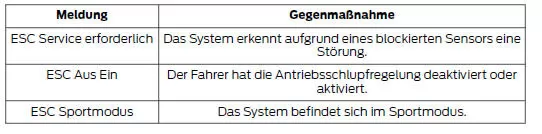
Electronic stability control
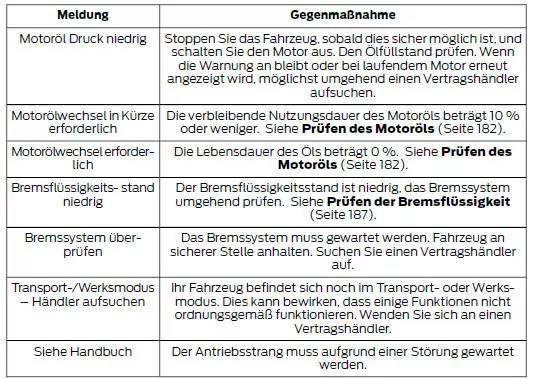
Engine

Fuel

Hill start assist

Keys and Intelligent Access

Maintenance
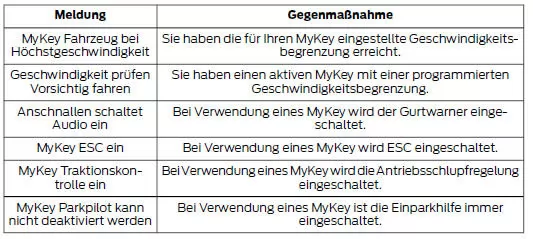
MyKey

Parking brake

Parking aid

Rear axle

Seats

Starting system

Steering system
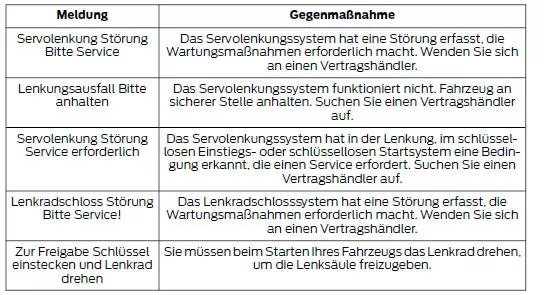
Tire repair kit

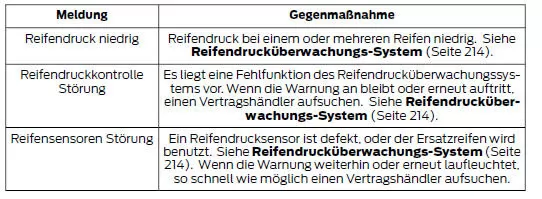
Tire pressure monitoring system
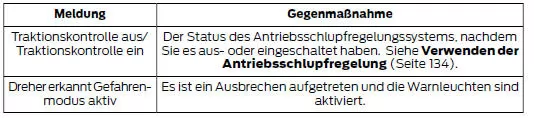
Traction control
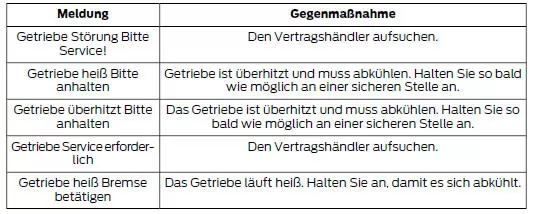
Transmission
The information display in the Ford Mustang (VI Gen, 2014–2023) provides a user-friendly and clear presentation of all important vehicle data. With logical menu structures and intuitive steering wheel controls, the Ford Mustang 2014–2023 is also a modern and easy-to-operate vehicle in this respect.
The integration of Track Apps™ and individual settings emphasizes the sporty character of the Ford Mustang VI Generation and allows optimal adaptation to the personal driving style. All functions are designed for maximum ease of use.
With this innovative system, the Ford Mustang (VI Gen, 2014–2023) shows how technology, safety and driving pleasure can be combined in a cockpit that meets the high demands of sporty drivers.
Test yourself
A quick Ford Mustang quiz: every answer comes with an explanation and a link to the manual page.