Unit selector switch (mph - km/h)
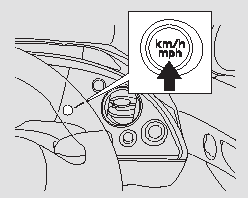
Unit selector switch (mph - km/h)
For vehicles with right-hand steering wheel only
Press and hold the unit selector switch (mph - km/h) until you hear a beep. The units shown on the speedometer and the multifunction display (trip meters, odometer, instant and average fuel economy, distance to empty, average speed) will change.
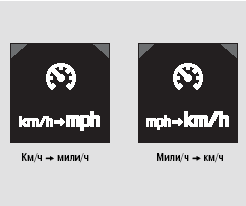
The change in units is shown on the multifunction information display. When the ignition key is turned to ON (II), the display shows the value that was displayed last.
The "mph" unit is set at the factory as the default. Even if you change the unit to km/h, it will return to the default setting if the battery is discharged or disconnected.
For some vehicle variants
The "km/h" unit is set at the factory as the default. Even if you change the unit to "mph", it will return to the default setting if the battery is discharged or disconnected.
Test yourself
A quick Honda Civic quiz: every answer comes with an explanation and a link to the manual page.