Controls, Instrument Panel, Interior Equipment
Luggage compartment cover (for certain versions of the vehicle)
In this manual: Controls, Instrument Panel, Interior Equipment
~1min read
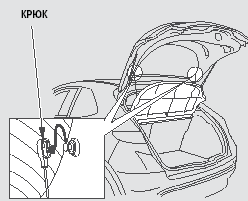
The cover can be removed to increase the luggage compartment capacity.
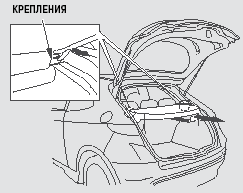
To remove the cover, disconnect the hooks from the luggage compartment door, slide the cover rearward, and then lift it straight up.
To install the cover, insert the support rods into the recesses and slide the cover forward until it locks in the correct position. Make sure the cover is securely fastened and will not come out of its holders while the vehicle is moving.
Lower the rear door and secure the hooks in their designated positions.
Test yourself
A quick Honda Civic quiz: every answer comes with an explanation and a link to the manual page.
Was this page helpful?