Power Supply, Ground & Circuit Elements - Basic Inspection
- Battery
- Inspection and Adjustment. Additional Service When Removing Battery Negative Terminal
- Fuse Inspection
- Fusible Link Inspection
Battery Nissan Pathfinder R53
How to Handle Battery
METHODS OF PREVENTING OVER-DISCHARGE
The following precautions must be taken to prevent over-discharging a battery.
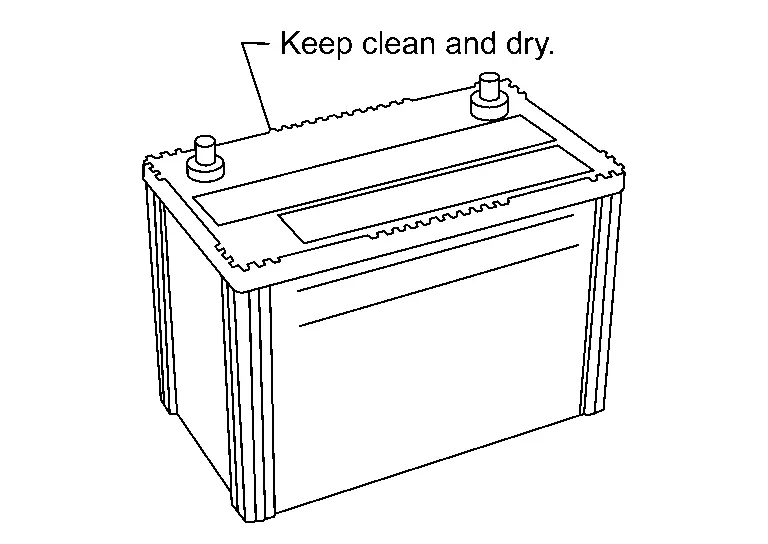
The battery surface (particularly its top) should always be kept clean and dry.
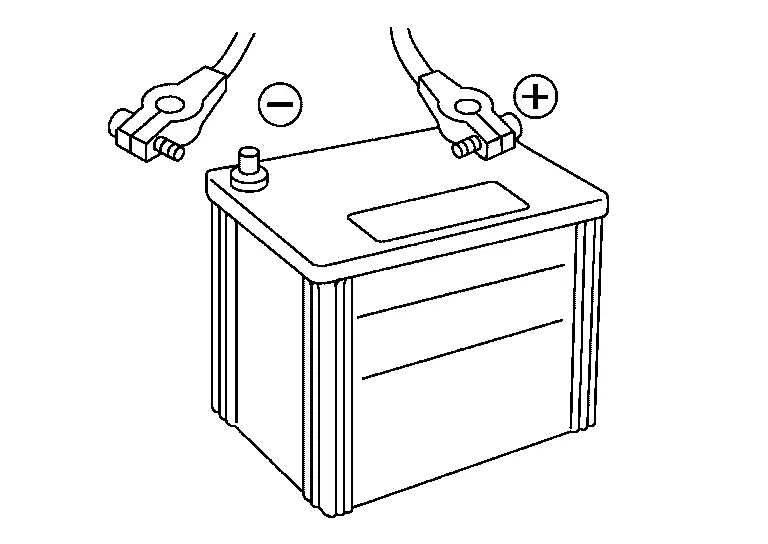
The terminal connections should be clean and tight.
When the Nissan Pathfinder vehicle is not going to be used over a long period of time, disconnect the battery cable from the negative terminal. (If the Nissan Pathfinder vehicle has an extended storage fuse switch, turn it off.)
Work Flow
BATTERY DIAGNOSIS WITH 165-DSS-5000P
To diagnose and confirm the condition of the battery, use the 165-DSS-5000P.
BATTERY DIAGNOSIS WITHOUT 165-DSS-5000P
OVERALL SEQUENCE
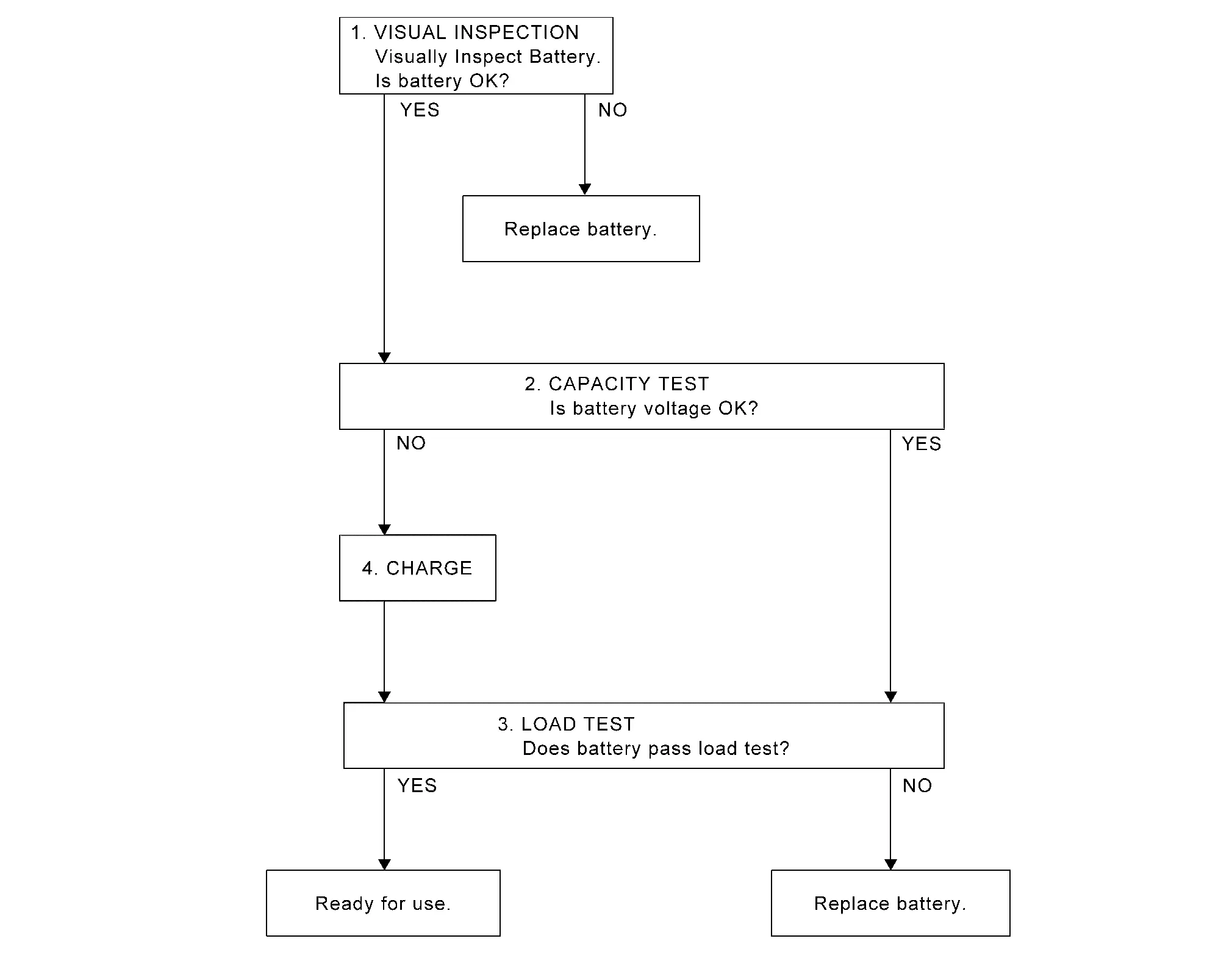
DETAILED FLOW
VISUAL INSPECTION
Check battery case for cracks or bends.
Check battery terminals for damage.
Are these inspection results normal?
YES>>GO TO 2.
NO>>Replace battery. Refer to Removal and Installation.
CAPACITY TEST
Check battery voltage.
Is the voltage 12.35 V or more?
YES>>GO TO 3.
NO>>GO TO 4.
LOAD TEST
Check battery type and determine the specified current using the table.
Type Current (A) L3 EFB 720 L4 EFB 760 Read load tester voltage when specified discharging current flows through battery for 15 seconds.
Is the voltage 10 V or more?
YES>>Ready for use.
NO>>Replace battery. Refer to Removal and Installation.
CHARGE
Charge battery following the instructions below:
Constant current charging may damage batteries. Therefore, charge battery by constant voltage charge mode with the maximum voltage set at 15 V.
Charge at least 6 hours or until the charge current becomes 4 amps or less.
GO TO 3.
Inspection and Adjustment. Additional Service When Removing Battery Negative Terminal Nissan Pathfinder
Special Repair Requirement
| System | Item | Reference |
|---|---|---|
| Engine Control System | Idle Air Volume Learning | Work Procedure |
| Door & Lock | Calibration Of Automatic Back Door Position Information | Work Procedure |
| Power Window Control System | Power Window System Initialization | Work Procedure |
| Roof | Moonroof Memory Reset/Initialization Sunshade Memory Reset/Initialization |
Special Repair Requirement |
| Automatic Drive Positioner | Automatic Drive Positioner System Initialization | Refer to Owner's Manual. |
| Heater & Air Conditioning Control System | Temperature Setting Trimmer (front) | Temperature Setting Trimmer (Front) |
| Temperature Setting Trimmer (rear) | Temperature Setting Trimmer (Rear) | |
| Foot Position Setting Trimmer | Foot Position Setting Trimmer | |
| Inlet Port Memory Function (FRE) | Inlet Port Memory Function (FRE) | |
| Inlet Port Memory Function (REC) | Inlet Port Memory Function (REC) | |
| Setting of Target Evaporator Temperature Upper Limit Value | Setting of Target Evaporator Temperature Upper Limiit Value | |
Audio, Visual & Navigation System |
Audio (Radio Preset) | Refer to Owner's Manual. |
| Navigation System | Refer to Owner's Manual. |
Fuse Inspection Nissan Pathfinder SUV
How To Check
If fuse is blown, be sure to eliminate the cause of the malfunction before installing a new fuse.
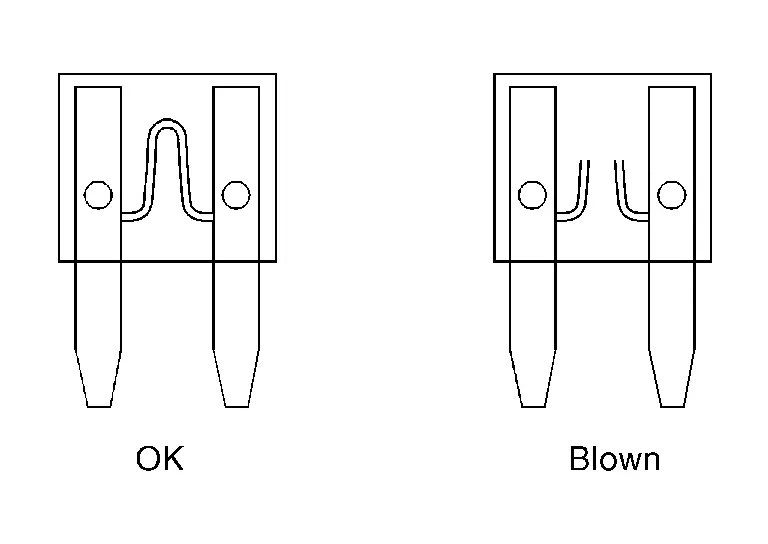
Use fuse to the specified rating. Never use a fuse of more than the specified rating.
Do not partially install the fuse; always insert it into the fuse holder properly.
Remove fuse for “ELECTRICAL PARTS (BAT)” if Nissan Pathfinder vehicle is not used for a long period of time.
EXTENDED STORAGE SWITCH (IF EQUIPPED)
The following switch may be mounted on the fuse block (Junction Box) for transportation and storage.
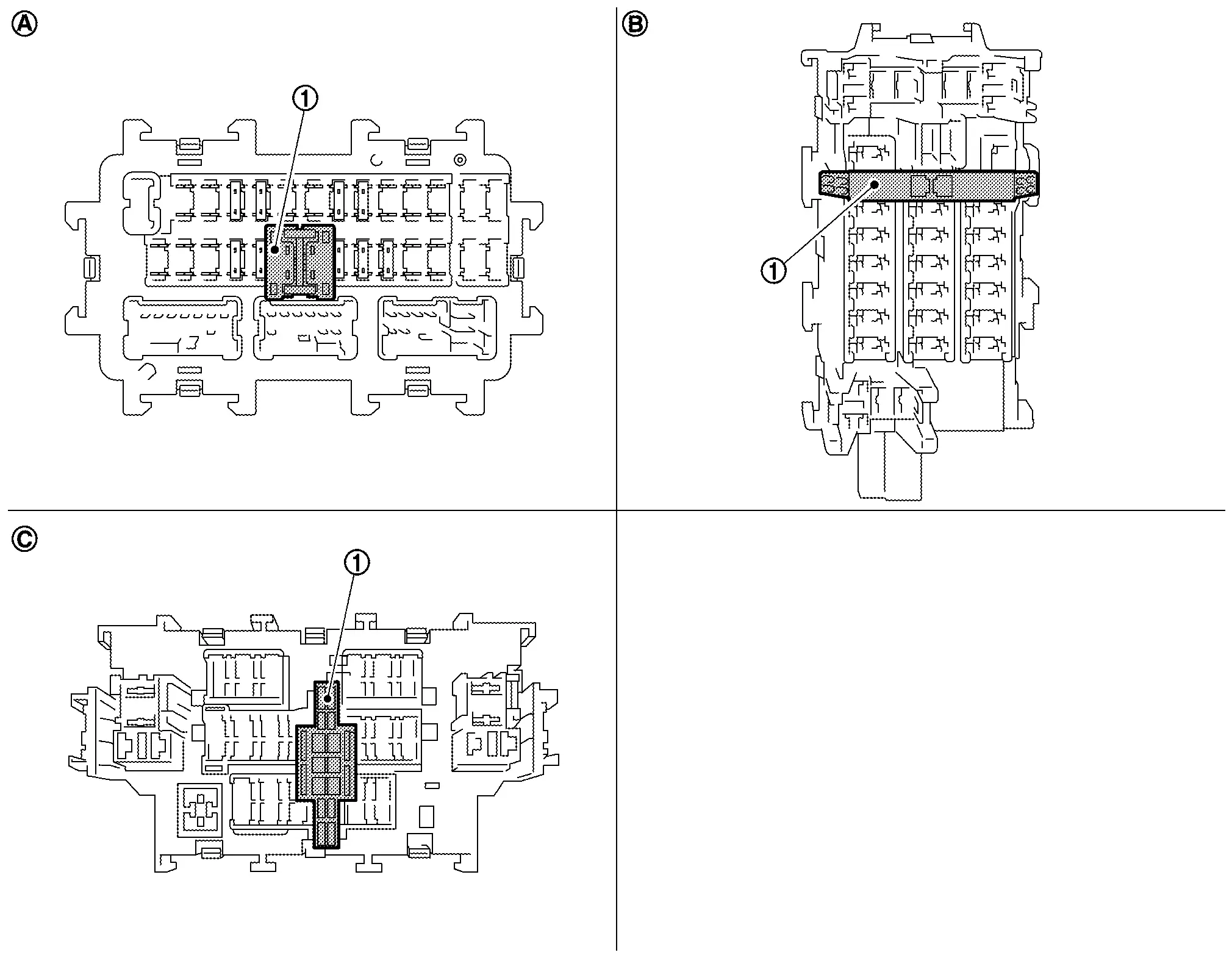
 |
Extended storage switch | ||||
 |
Type A |  |
Type B |  |
Type C |
Remove the extended storage switch if it interferes when checking fuses.
How/When to turn Extended Storage Switch ON/OFF
Type A
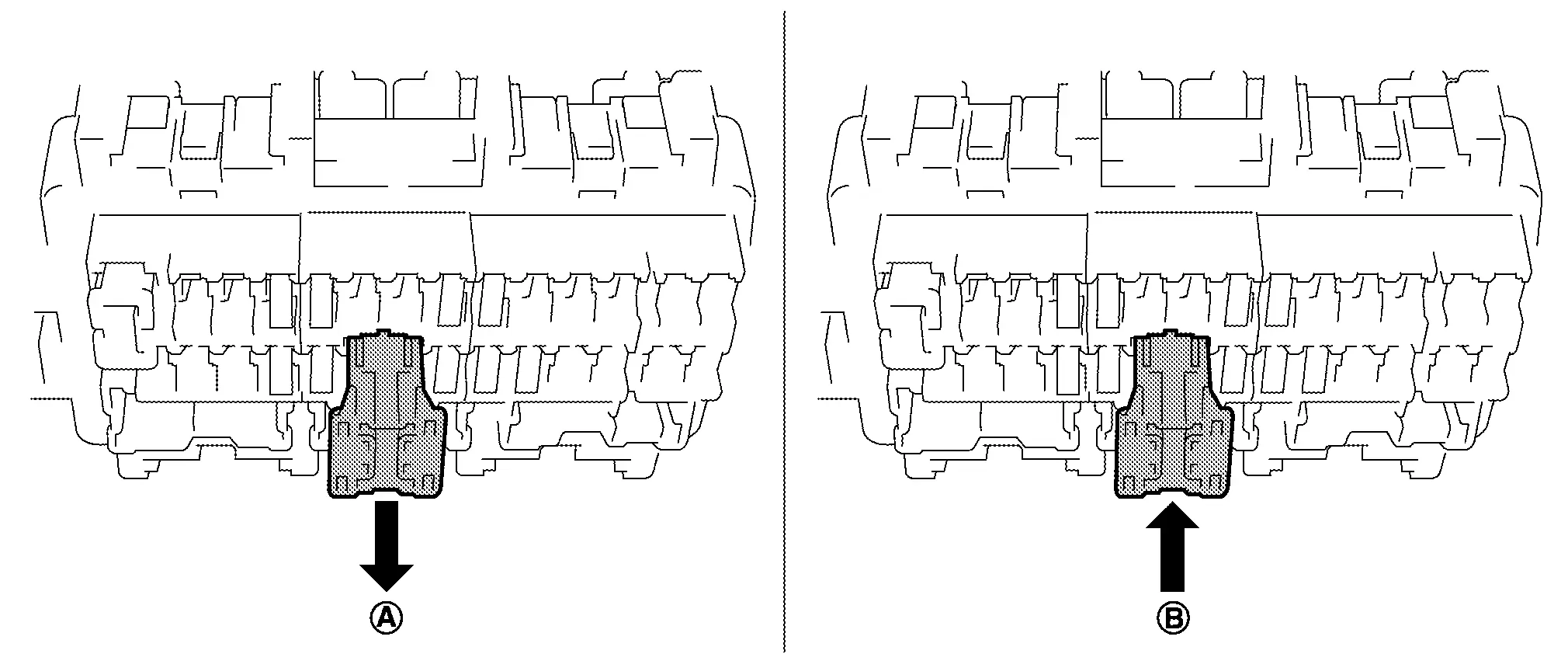
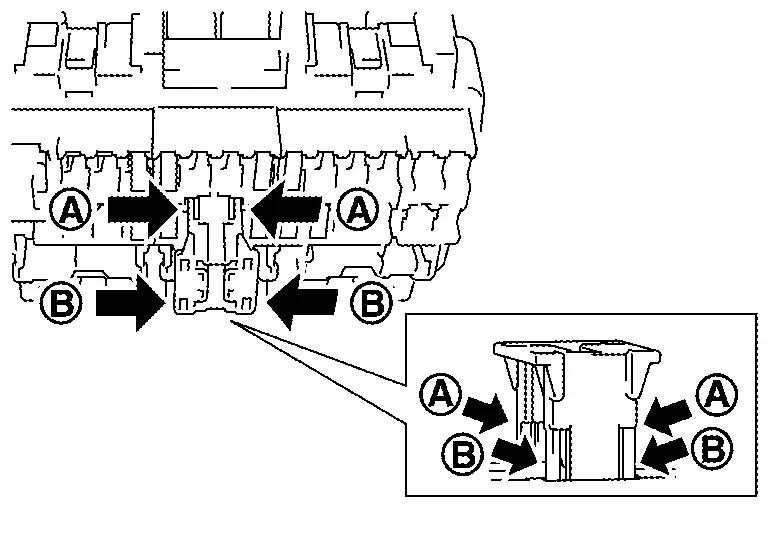
To turn the extended storage switch OFF, pull out in
 direction as shown in the figure.
To turn the extended storage switch ON, press in
 direction as shown in the figure.
Type B
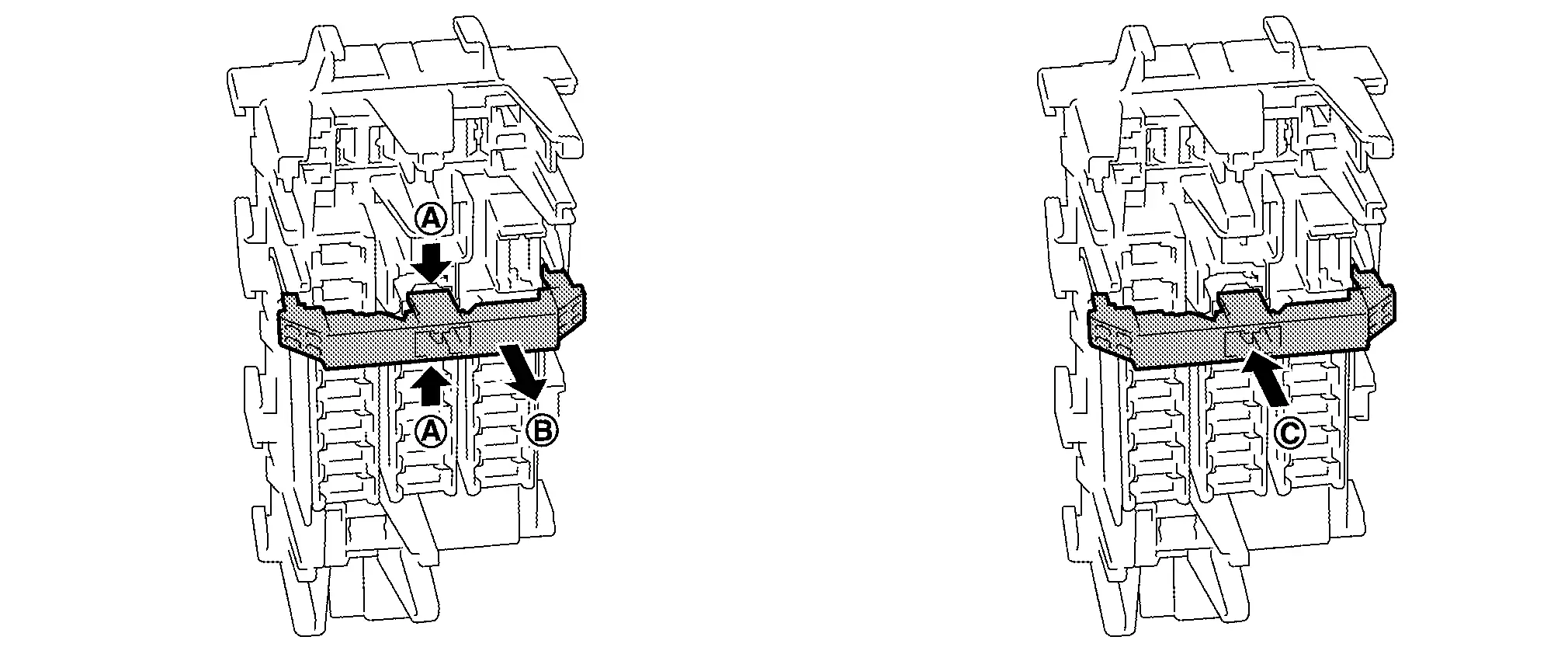
To turn the extended storage switch OFF, pinch tabs
 of the switch and pull out in
 direction as shown in the figure.
To turn the extended storage switch ON, press in
 direction as shown in the figure.
Type C
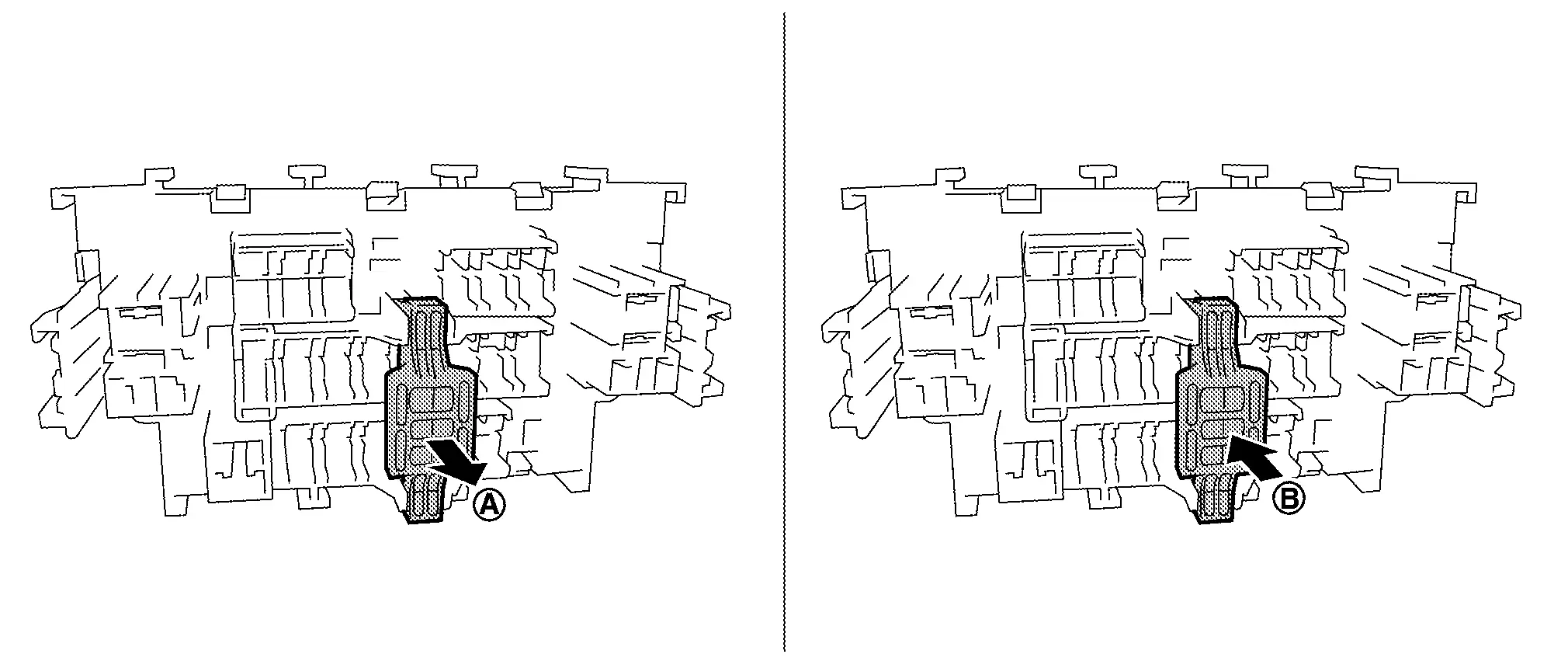
To turn the extended storage switch OFF, pull out in
 direction as shown in the figure.
To turn the extended storage switch ON, press in
 direction as shown in the figure.
How To Remove Extended Storage Switch
Type A
Ignition switch OFF.
Turn the extended storage switch OFF.
Pinch tabs
 and tilt to disengage the extended storage switch. Pinch tabs
 to remove the extended storage switch.
Type B
Ignition switch OFF.
Turn the extended storage switch OFF.
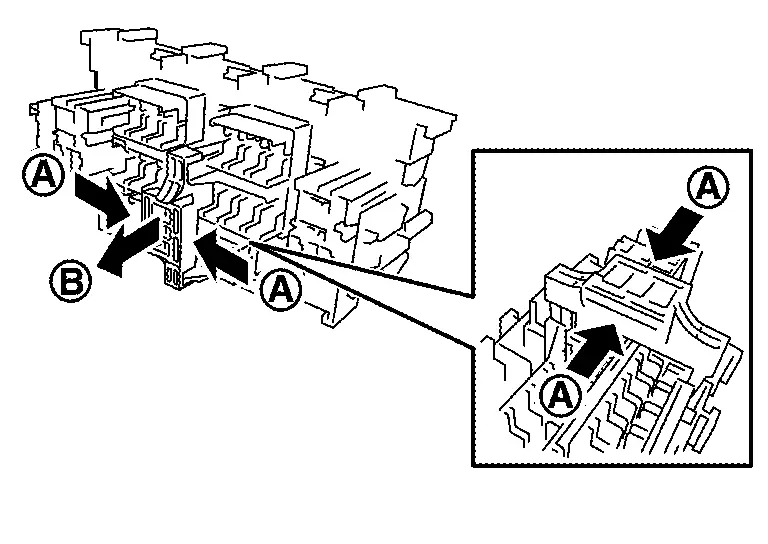
Pinch tabs
 and firmly pull out the extended storage switch in
 direction.

Type C
Ignition switch OFF.
Turn the extended storage switch OFF.
Pinch tabs
 and firmly pull out the extended storage switch in
 direction.
Fusible Link Inspection Nissan Pathfinder 2026
Fusible Link
A melted fusible link can be detected either by visual inspection or by feeling with a finger tip. If its condition is questionable, use circuit tester or test lamp.
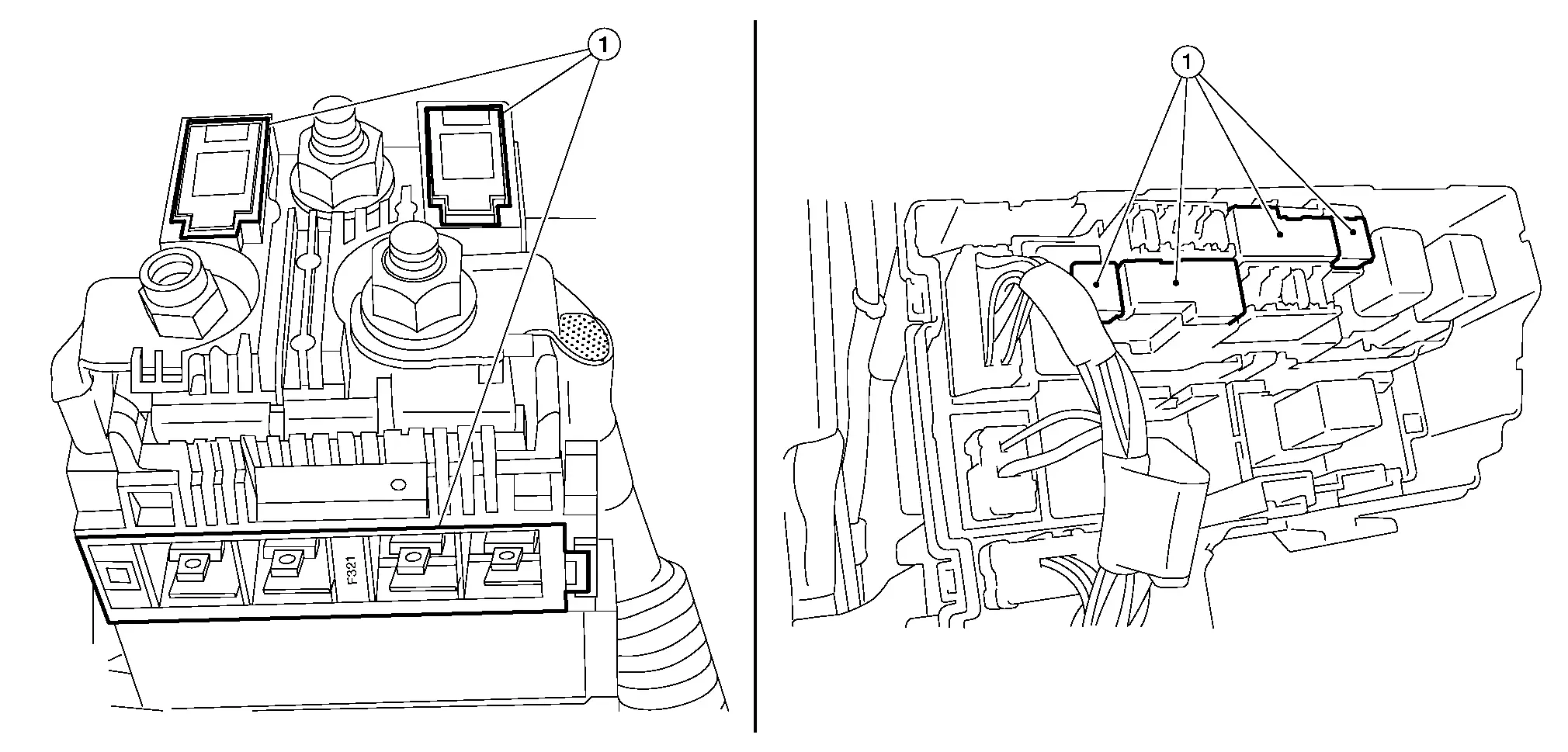
- : Fusible link