Audio, Visual & Navigation System - Removal and Installation
- Av Control Unit
- Around View Monitor Control Unit
- Front Camera
- Side Camera
- Rear View Camera
Av Control Unit Nissan Pathfinder R53
Exploded View
WITH NAVIGATION
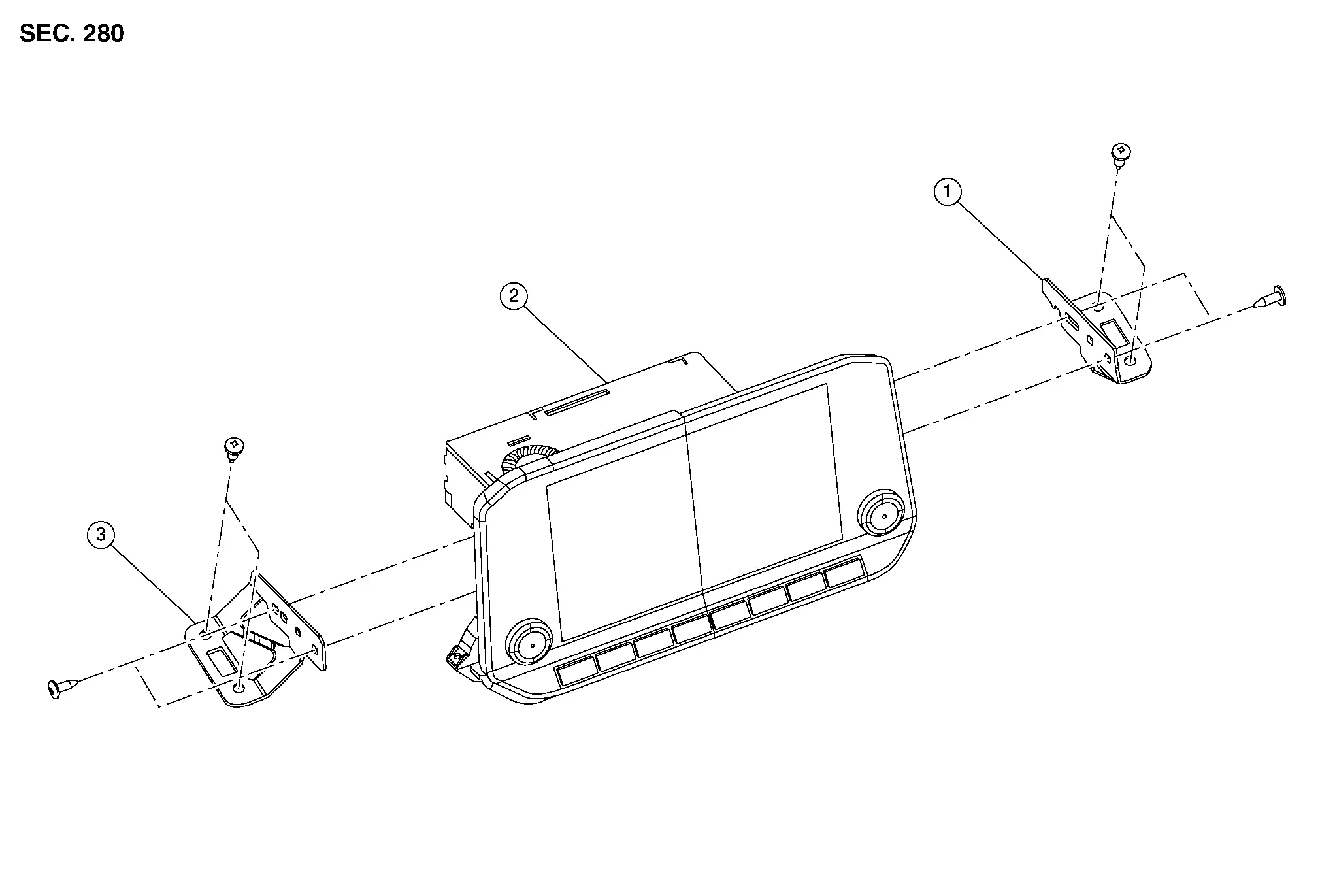
| 1. | AV control unit bracket (RH) | 2. | AV control unit | 3. | AV control unit bracket (LH) |
WITHOUT NAVIGATION
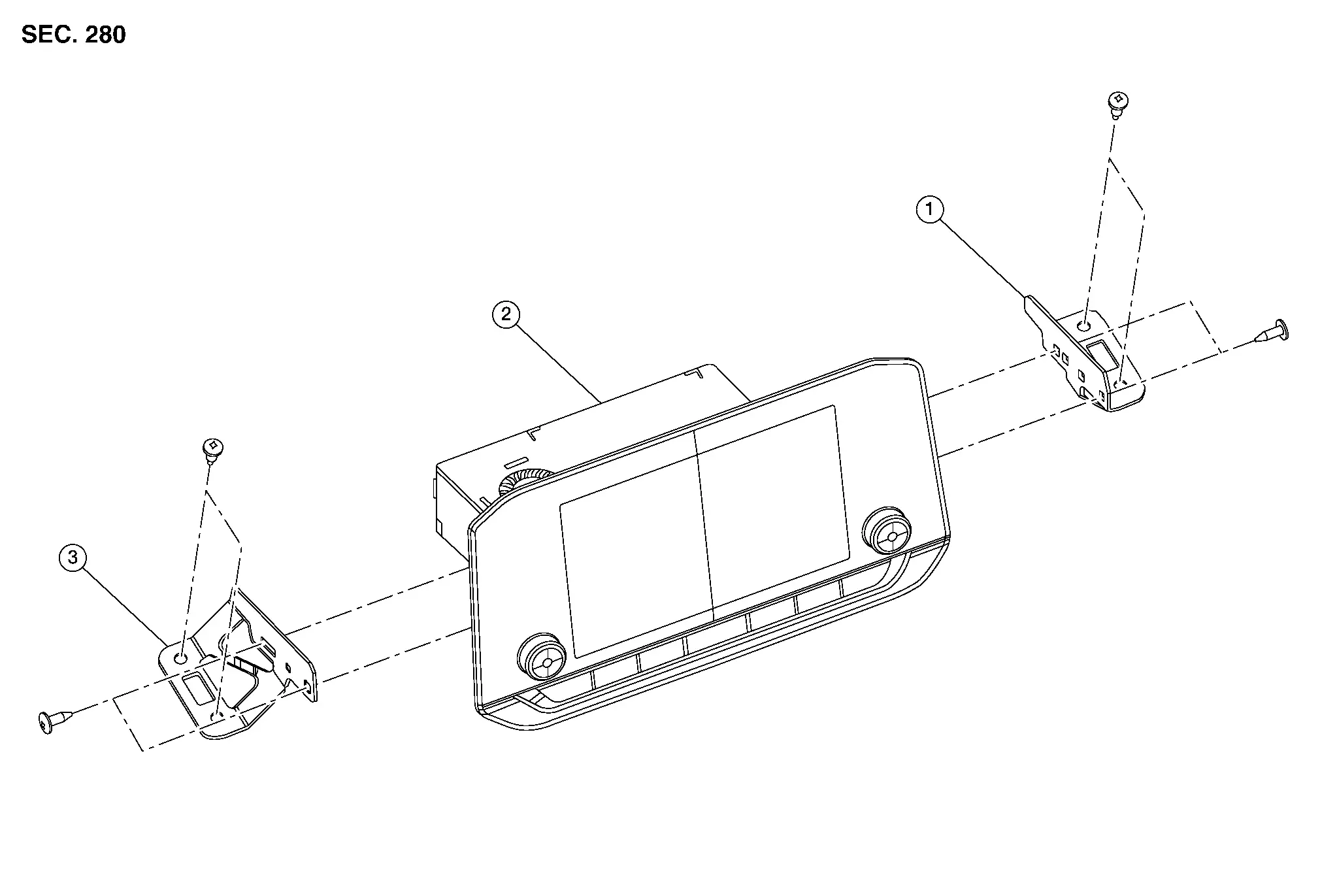
| 1. | AV control unit bracket (RH) | 2. | AV control unit | 3. | AV control unit bracket (LH) |
Removal and Installation
REMOVAL
If replacing AV control unit, perform "ADDITIONAL SERVICE WHEN REPLACING AV CONTROL UNIT". Refer to Description.
Therefore, data corruption may occur if battery voltage is cut off within 30 seconds.
Disconnect the negative battery terminal. Refer to Removal and Installation.
Remove cluster lid D. Refer to Removal and Installation.
Remove the screws, then pull out the AV control unit.
Disconnect the harness connectors from the AV control unit.
Remove AV control unit.
INSTALLATION
Installation is in the reverse order of removal.
Around View Monitor Control Unit Nissan Pathfinder
Exploded View
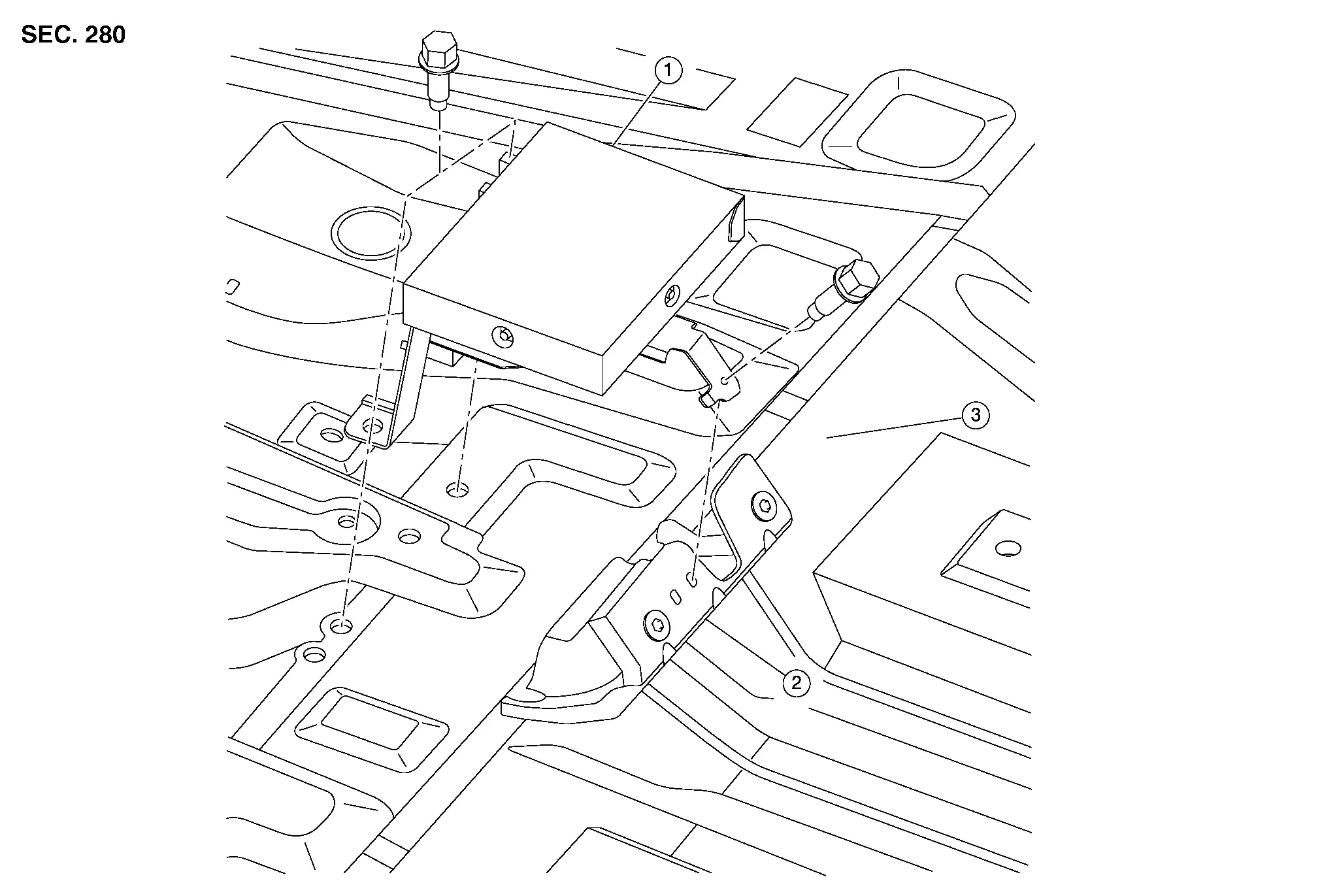
| 1. | Around view monitor control unit | 2. | Bracket | 3. | Floor panel |
Removal and Installation
REMOVAL
Remove the center console assembly. Refer to Removal and Installation.
Remove the around view monitor control unit screws.
Disconnect the harness connector from around view monitor control unit and remove the around view monitor control unit.
INSTALLATION
Installation is in the reverse order of removal.
Front Camera Nissan Pathfinder 5th Gen
Removal and Installation
REMOVAL
Remove the front grille. Refer to Removal and Installation.
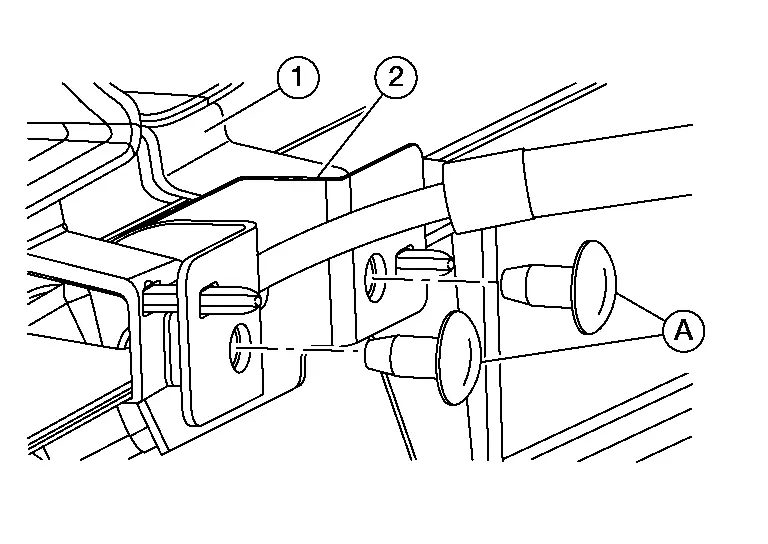
Remove screws (A) and the front camera (1) from the front grille (2).
INSTALLATION
Installation is in the reverse order of removal.
Side Camera Nissan Pathfinder
Removal and Installation
Remove door mirror finisher. Refer to Exploded View.
Remove door mirror glass. Refer to Removal and Installation.
Remove side camera (1) bolts (A).
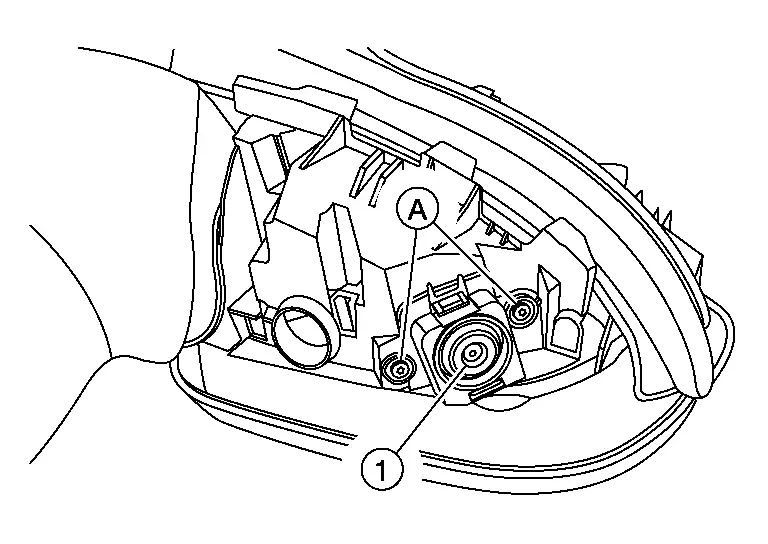
Using a suitable tool, release pawls.
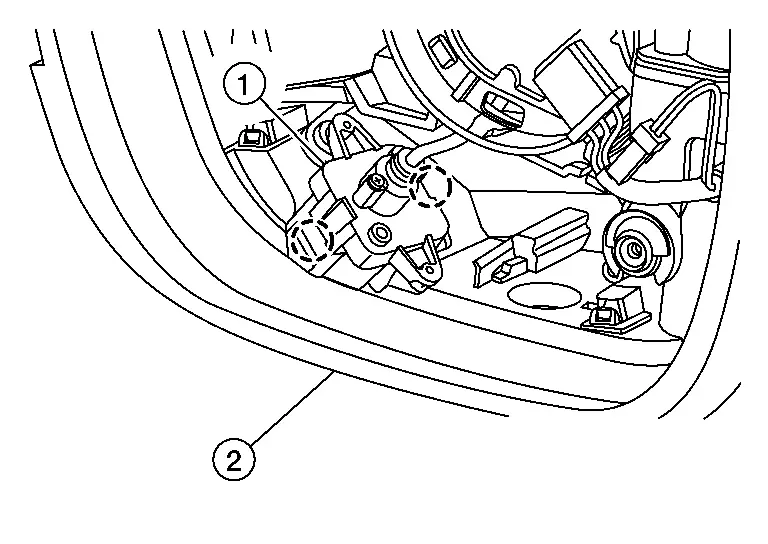
Disconnect harness connector from side camera (1) and remove side camera from door mirror (2).
INSTALLATION
Installation is in the reverse order of removal.
Rear View Camera Nissan Pathfinder SUV
Removal and Installation
REMOVAL
Remove rear bumper. Refer to Removal and Installation.
Remove rear view camera screws (A), then remove rear view camera (1).

INSTALLATION
Installation is in the reverse order of removal.