In this manual: Srs Air Bag - Occupant Classification System
~6min read
Tightening torque found on this page
Occupant Classification System Control Unit
Occupant Classification System Sensor
Occupant Classification System Control Unit Nissan Pathfinder 5th Gen
Removal and Installation
Removal
Remove the front passenger seat assembly. Refer to Removal and Installation.
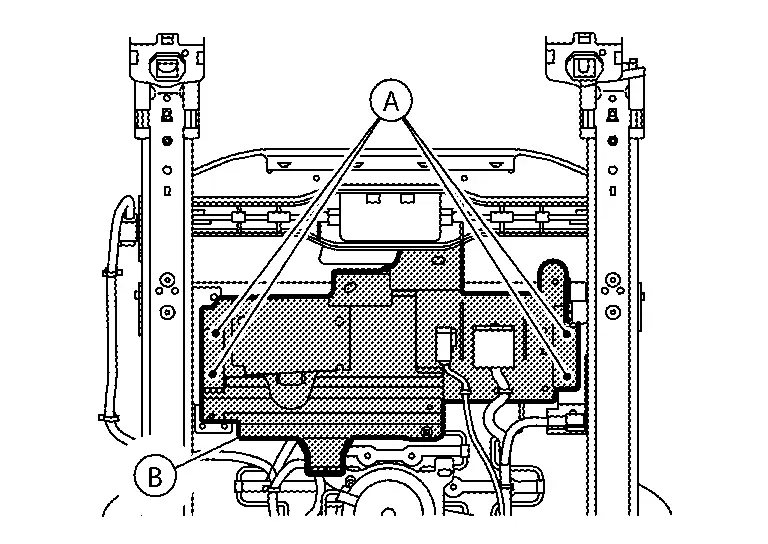
Remove screws (A) and position the center cushion bracket (B) aside to access the occupant classification system control unit.
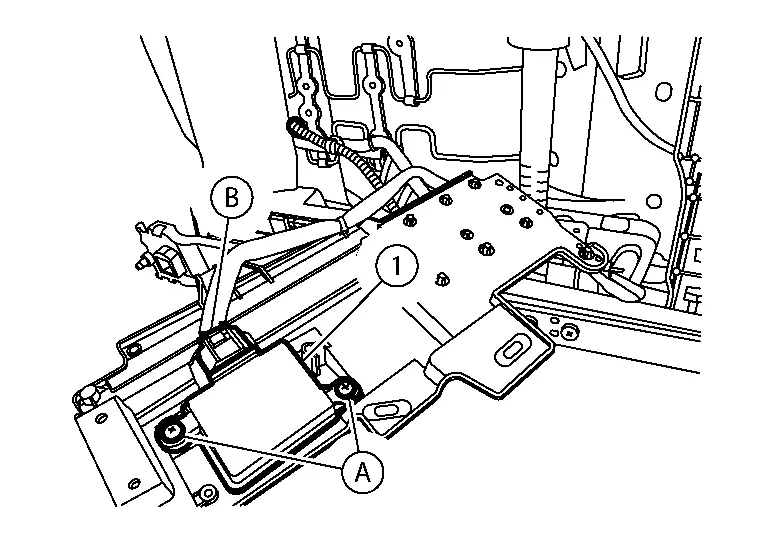
Remove occupant classification system control unit screws (A), then disconnect the harness connector (B), and remove the occupant classification control unit (1).
Installation
Installation is in the reverse order of removal.
Occupant Classification System Sensor Nissan Pathfinder
Removal and Installation
REMOVAL
Remove the passenger seat cushion. Refer to Seat Cushion.
Disconnect the harness connectors (A) from the occupant classification system sensors (1).
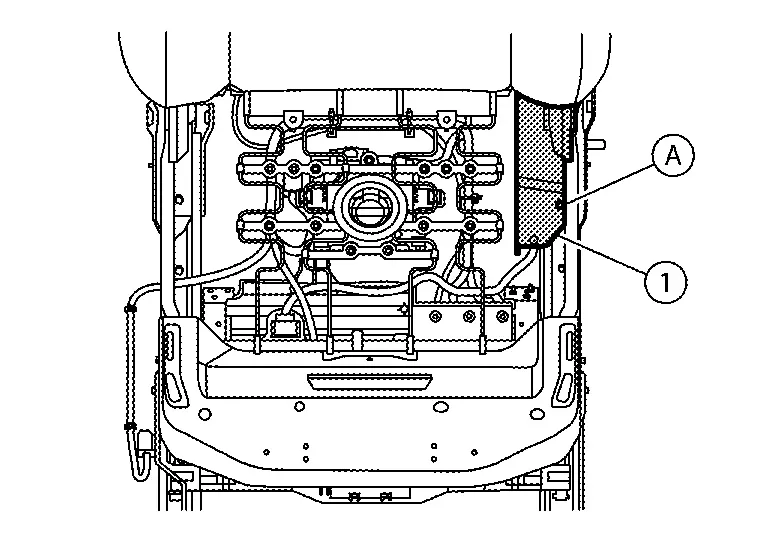
Remove screw (A), release harness retainer, and position the seat cushion inner finisher [LH (1)] aside.
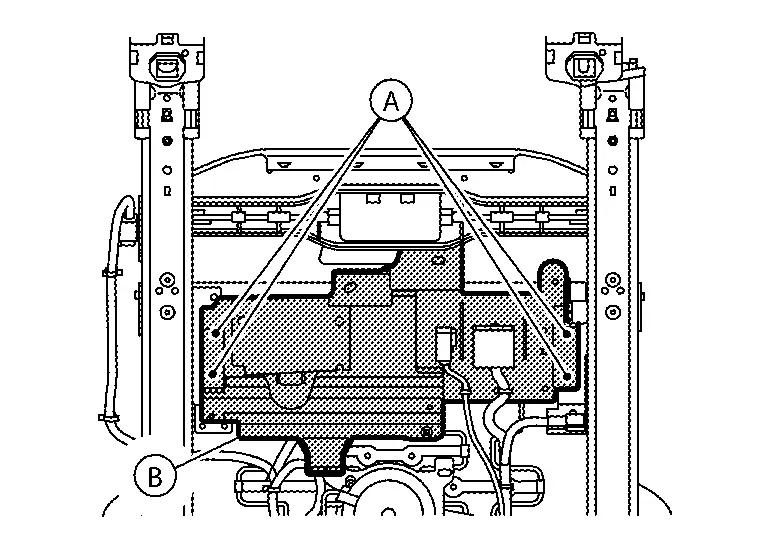
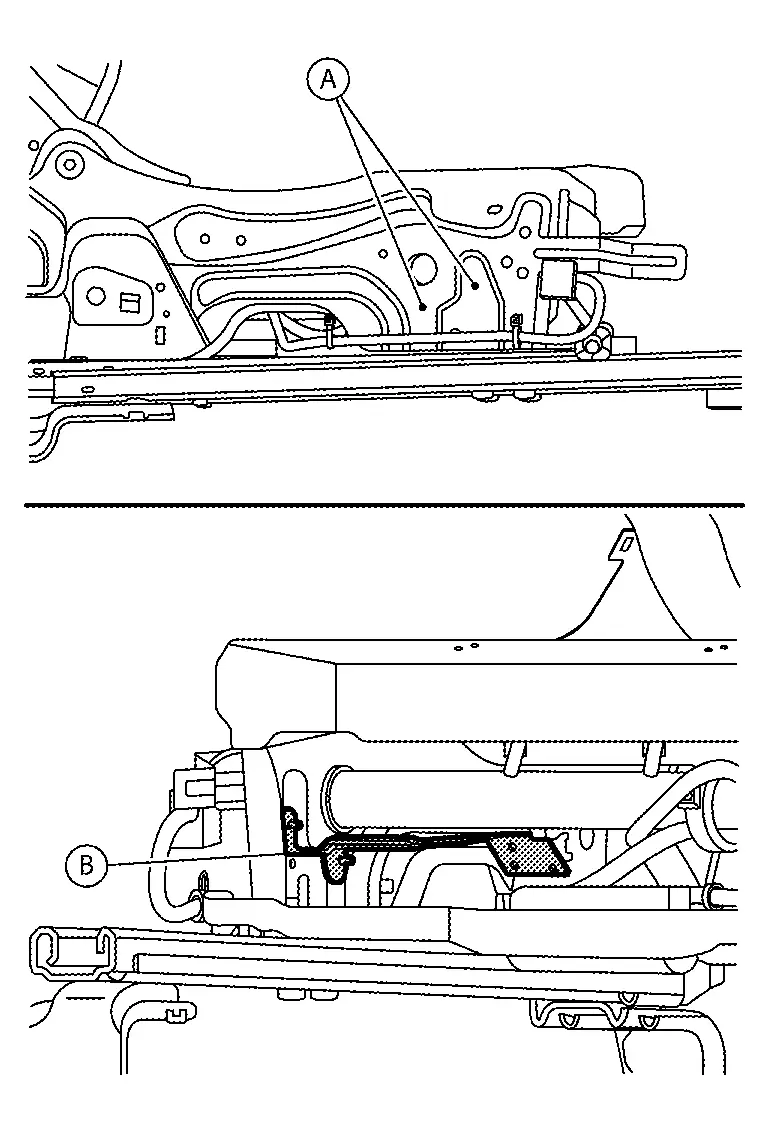
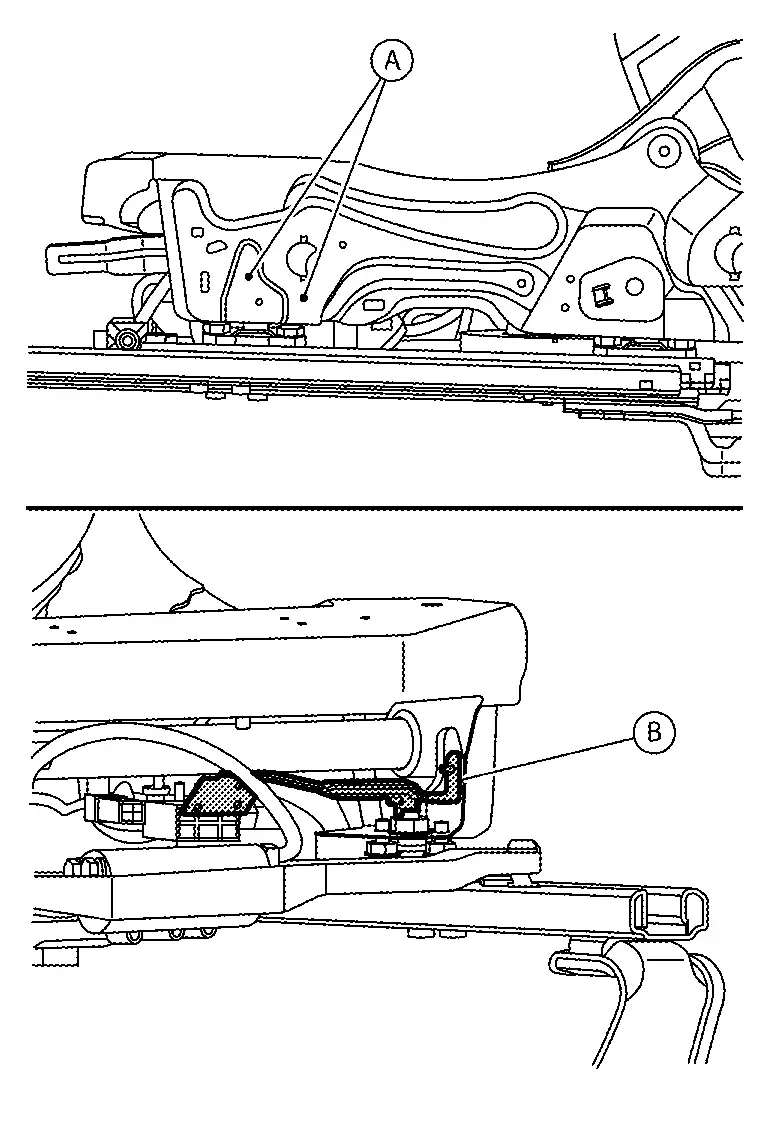
Remove screws (A) and position the center cushion bracket (B) aside.
Remove bolts (A) and remove the seat cushion bracket [RH (B)].
Remove bolts (A) and remove the seat cushion bracket [LH (B)].
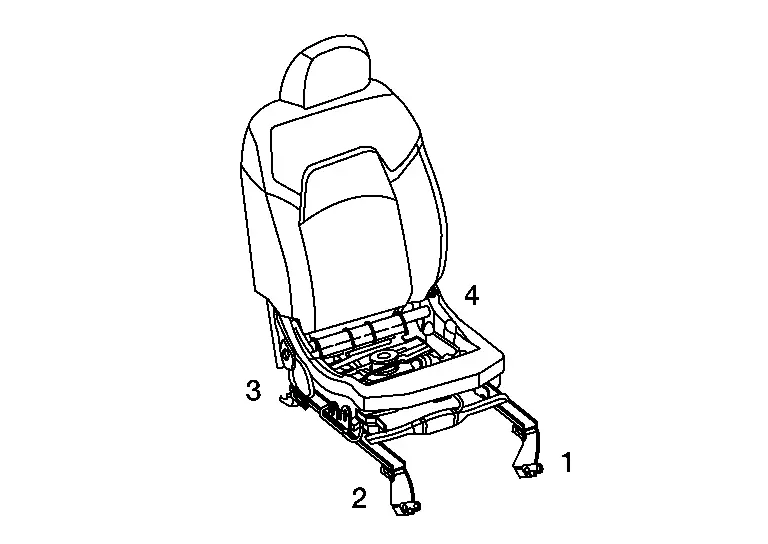
Install the passenger seat to the Nissan Pathfinder vehicle and tighten bolts to specification in the order shown:
Passenger seat bolts
: 45 N·m
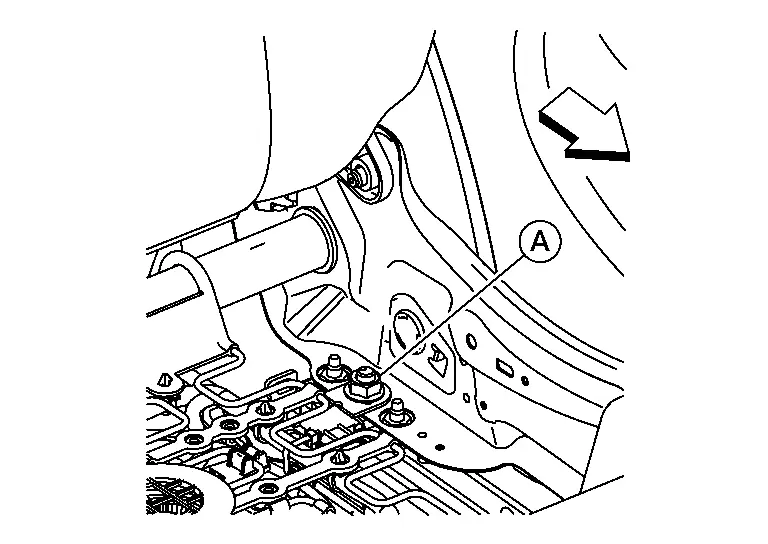
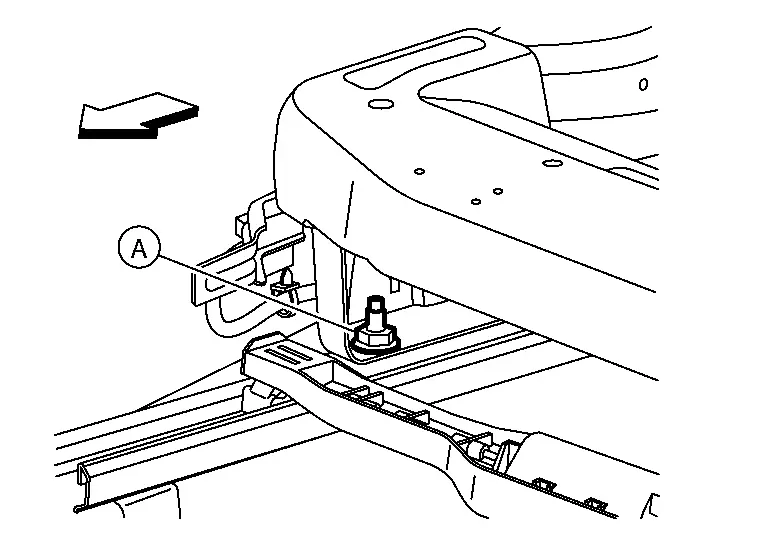
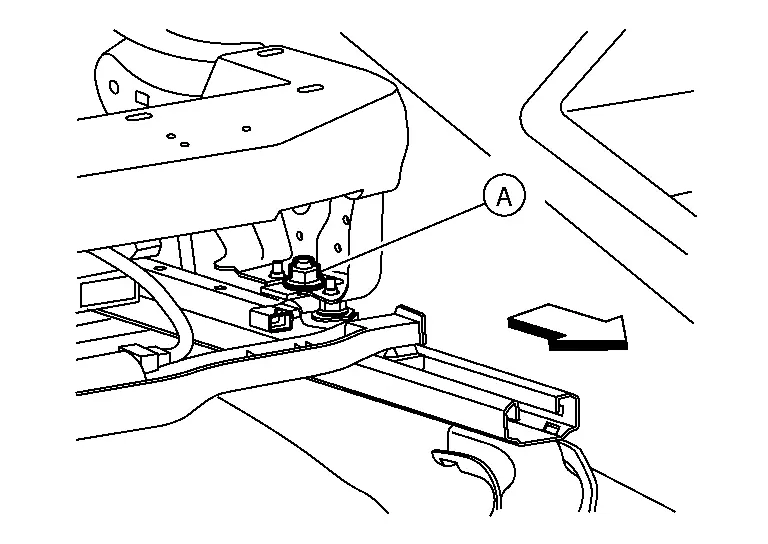
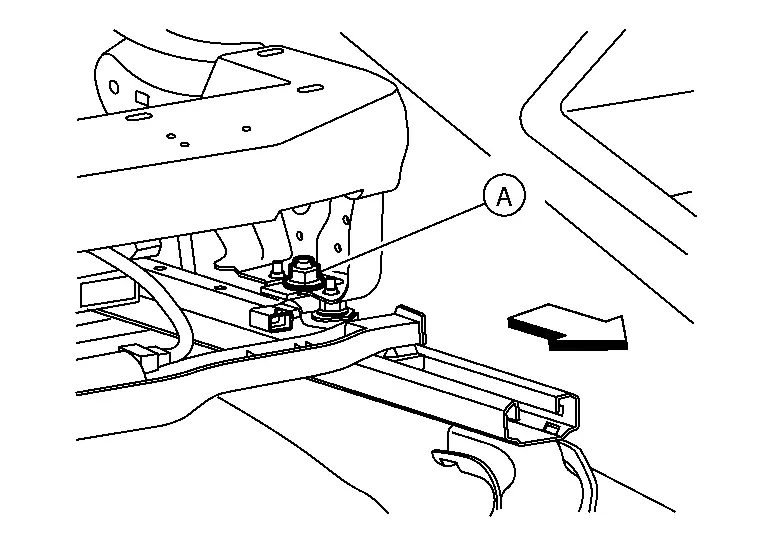
Remove the passenger seat frame assembly from the seat track using the following procedure:Remove nut (A) from the LH (inboard) rear of the seat frame assembly.
: Front
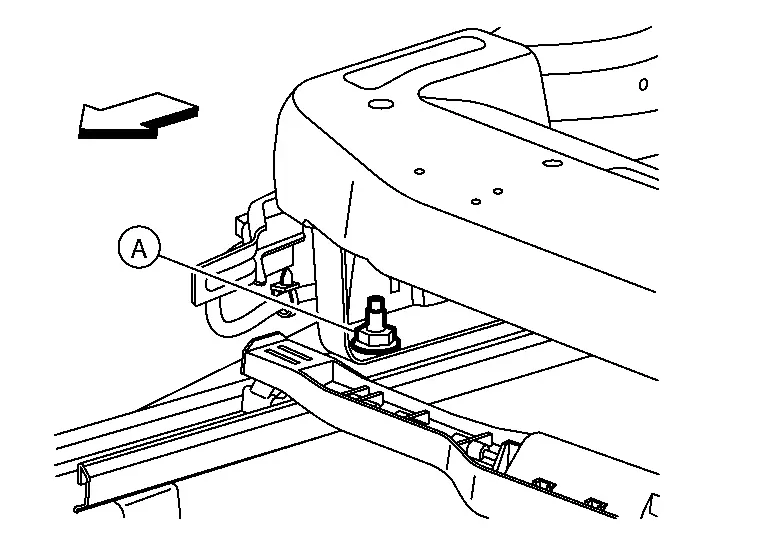
Remove nut (A) from the RH (outboard) rear of the seat frame assembly.
: Front
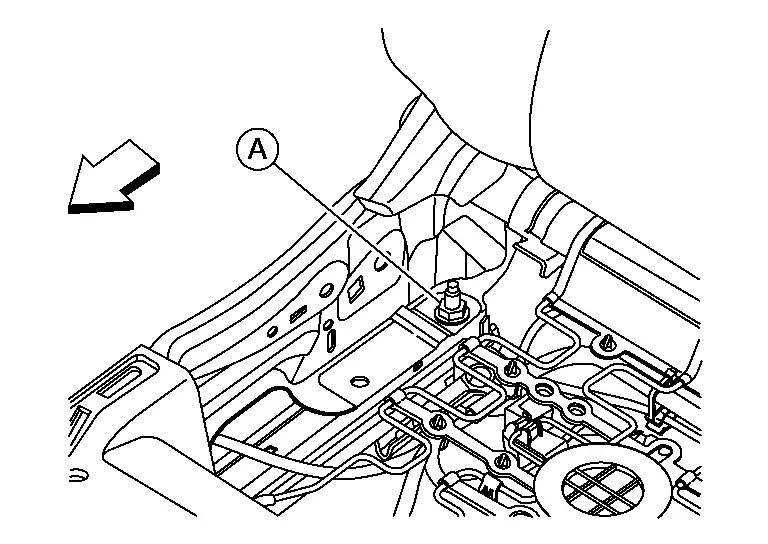
Remove nut (A) from the RH (outboard) front of the seat frame assembly.
: Front
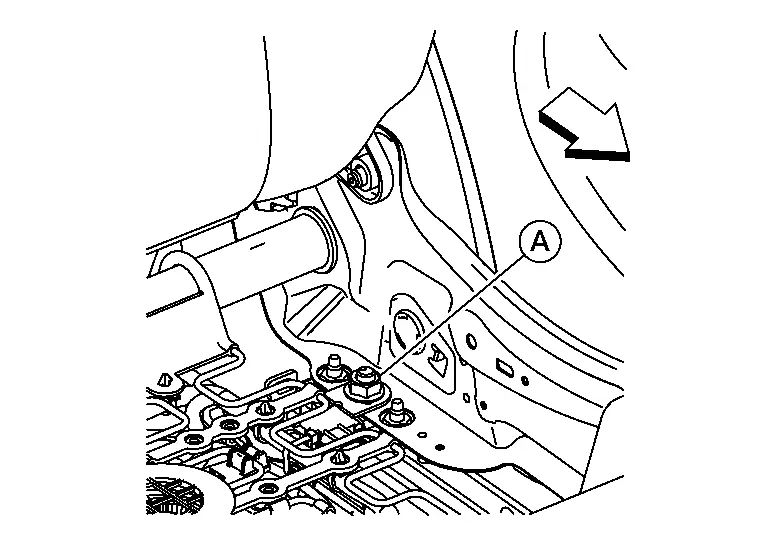
Remove nut (A) from the LH (inboard) front of the seat frame assembly.
: Front
Separate the seat frame assembly from the seat track and remove the seat frame assembly from Nissan Pathfinder vehicle.
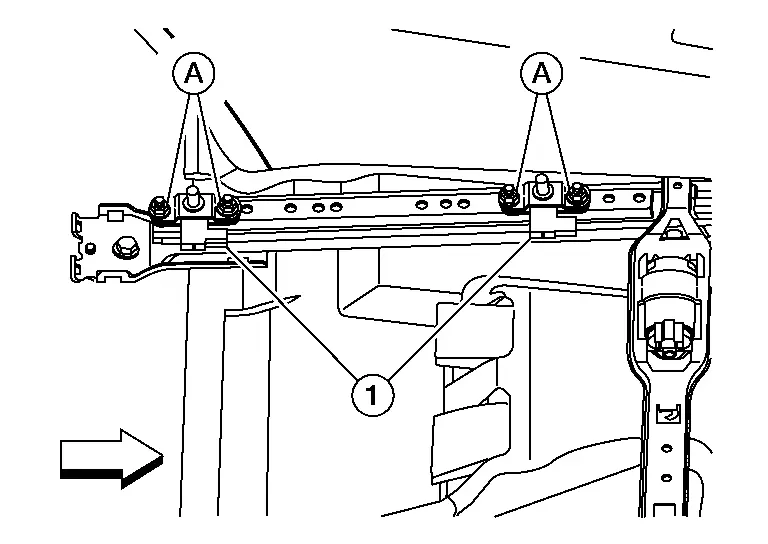
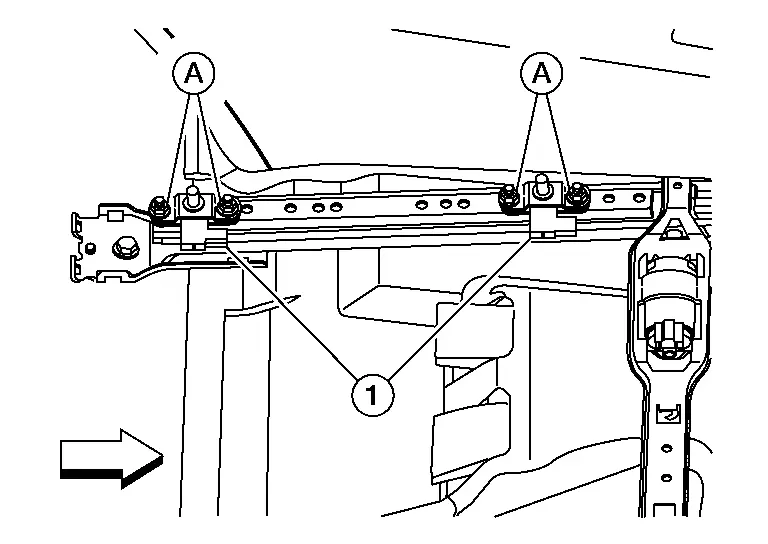
Remove nuts (A) and remove the occupant classification system sensors (1) from the seat track.
: Front
INSTALLATION
Install the occupant classification system sensor (1) to the seat track and tighten nuts (A) to specification.
Occupant classification system sensor nut
: 24 N·m
: Front
Install the passenger seat frame assembly to the seat track using the following procedure:Gently place the passenger seat frame assembly on the seat track.
Install nut (A) to the LH (inboard) front of the seat frame assembly and tighten to specification.
Seat frame assembly nut
: 45 N·m
: Front
Install nut (A) to the RH (outboard) front of the seat frame assembly and tighten to specification.
Seat frame assembly nut
: 45 N·m
: Front
Install nut (A) to the RH (outboard) rear of the seat frame assembly and tighten to specification.
Seat frame assembly nut
: 45 N·m
: Front
Install nut (A) to the LH (inboard) rear of the seat frame assembly and tighten to specification.
Seat frame assembly nut
: 45 N·m
: Front
Installation of the remaining components is in the reverse order of removal.