Removal and Installation
- Distance Sensor
- Icc Steering Switch
Distance Sensor Nissan Pathfinder 2022
Exploded View
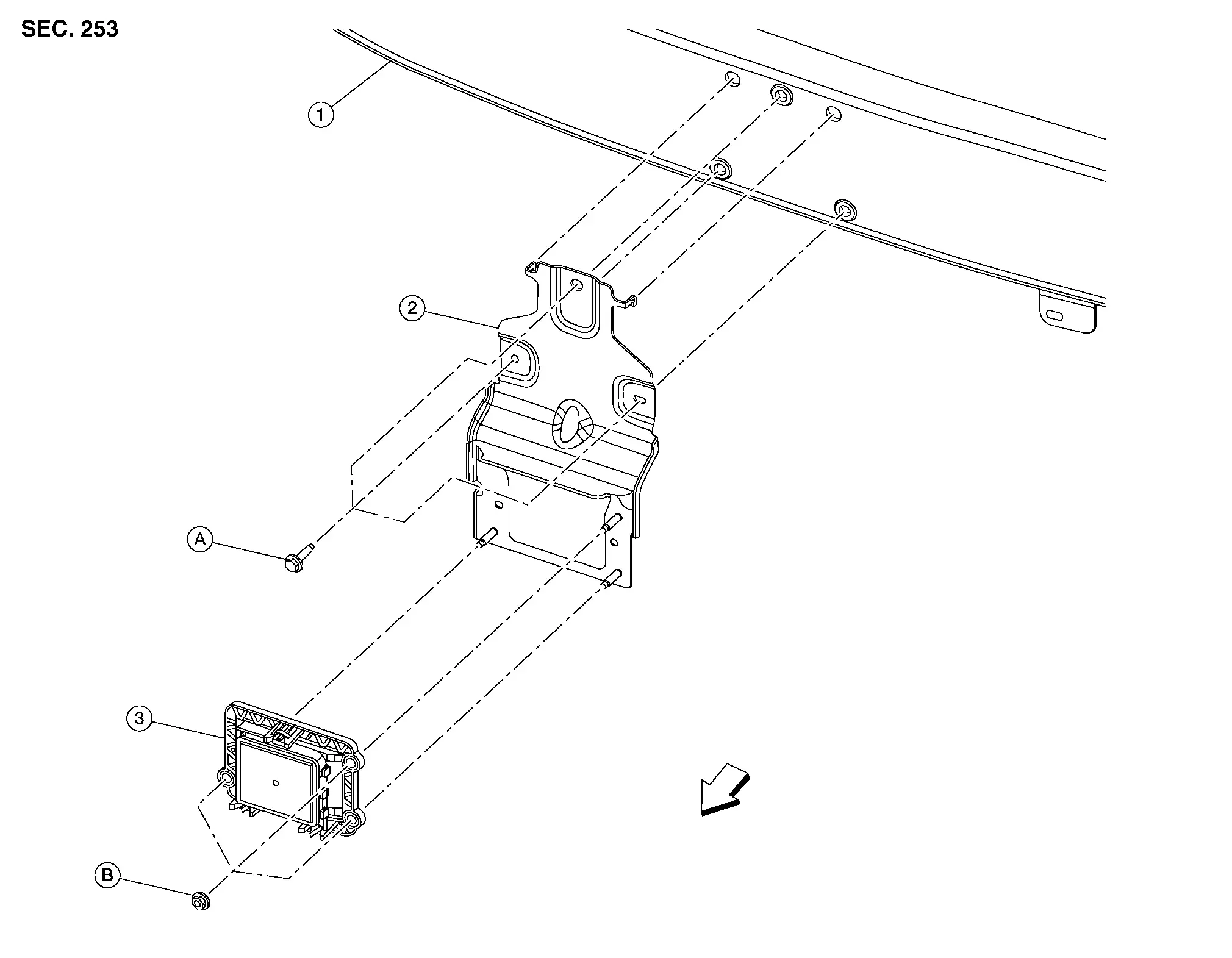
| 1. | Front bumper reinforcement | 2. | Distance sensor bracket | 3. | Distance sensor |
| A. | Refer to INSTALLATION. | B. | Refer to INSTALLATION. |  |
Front |
Removal and Installation
REMOVAL
Remove front bumper fascia. Refer to Removal and Installation.
Release the lock (1) as shown by the arrow in the figure and disconnect the harness connector from the distance sensor.
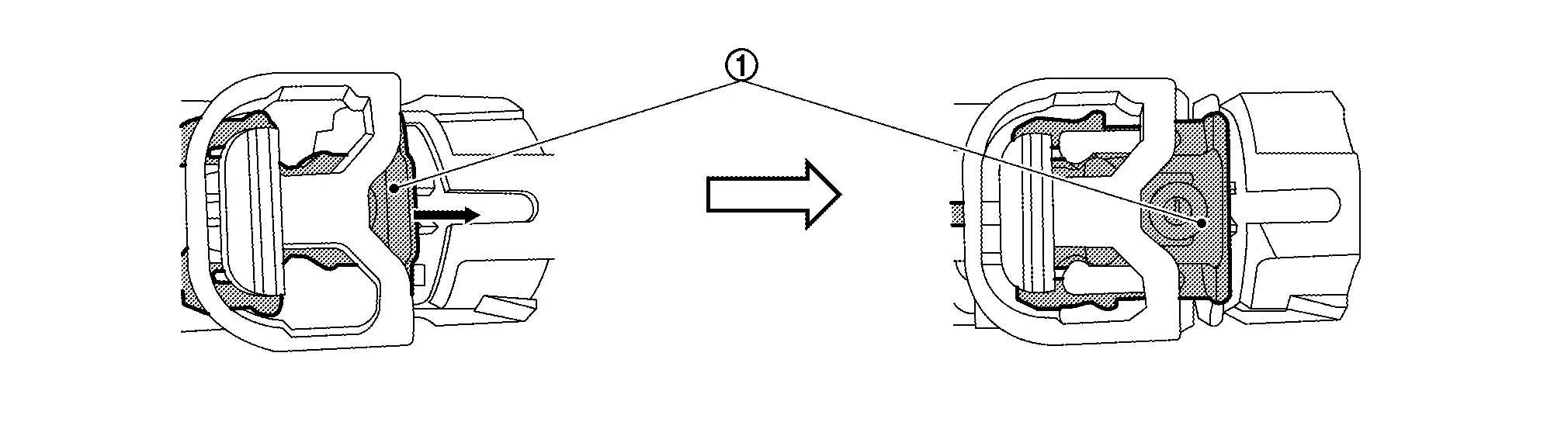
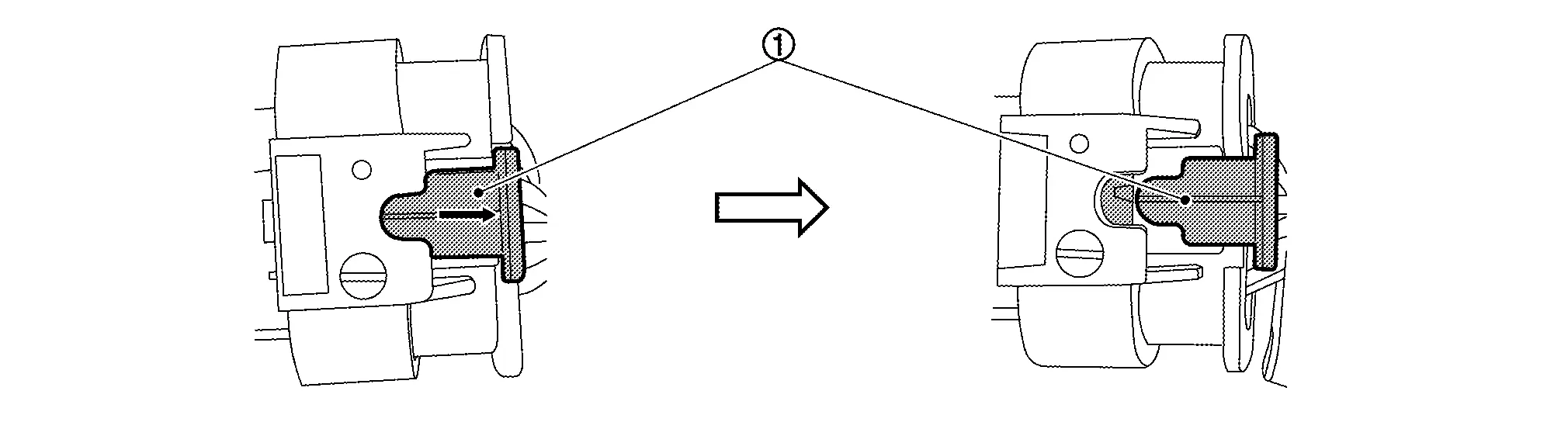
Remove nuts and separate distance sensor from distance sensor bracket.
If necessary, remove distance sensor bracket bolts.
INSTALLATION
If necessary, install distance sensor bracket to front bumper reinforcement bracket. Tighten bolts to specification in sequence shown.
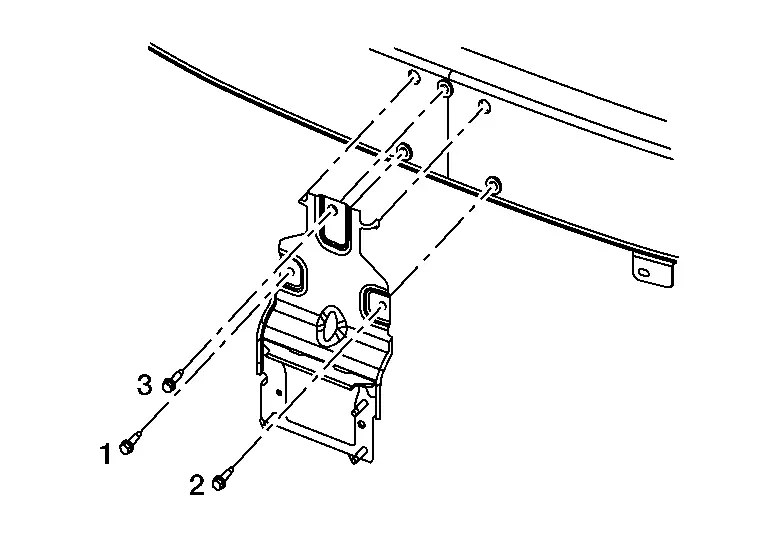
Distance sensor bracket bolts : 8 N·m Install distance sensor to distance sensor bracket and tighten nuts to specification in sequence shown.
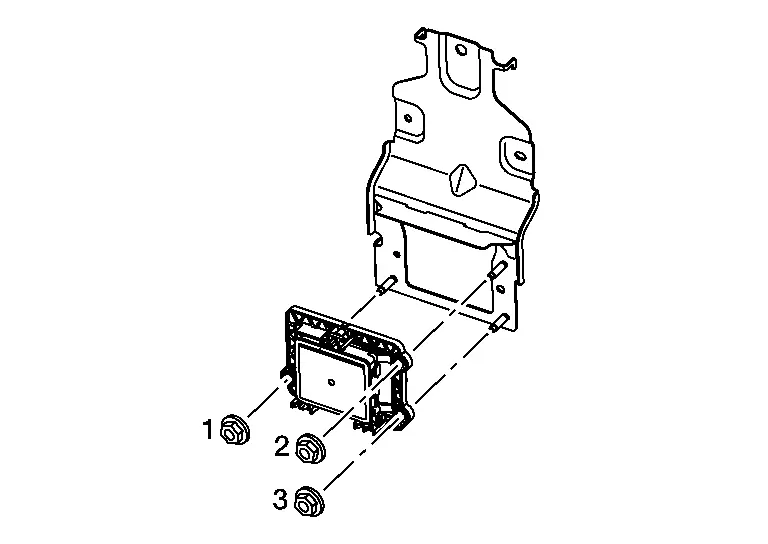
Distance sensor nuts : 8 N·m Installation of remaining components is in the reverse order of removal.
Do not touch distance sensor face.
Do not drop or shock distance sensor.
Make sure distance sensor harness is installed without any twists.
Icc Steering Switch Nissan Pathfinder R53
Exploded View
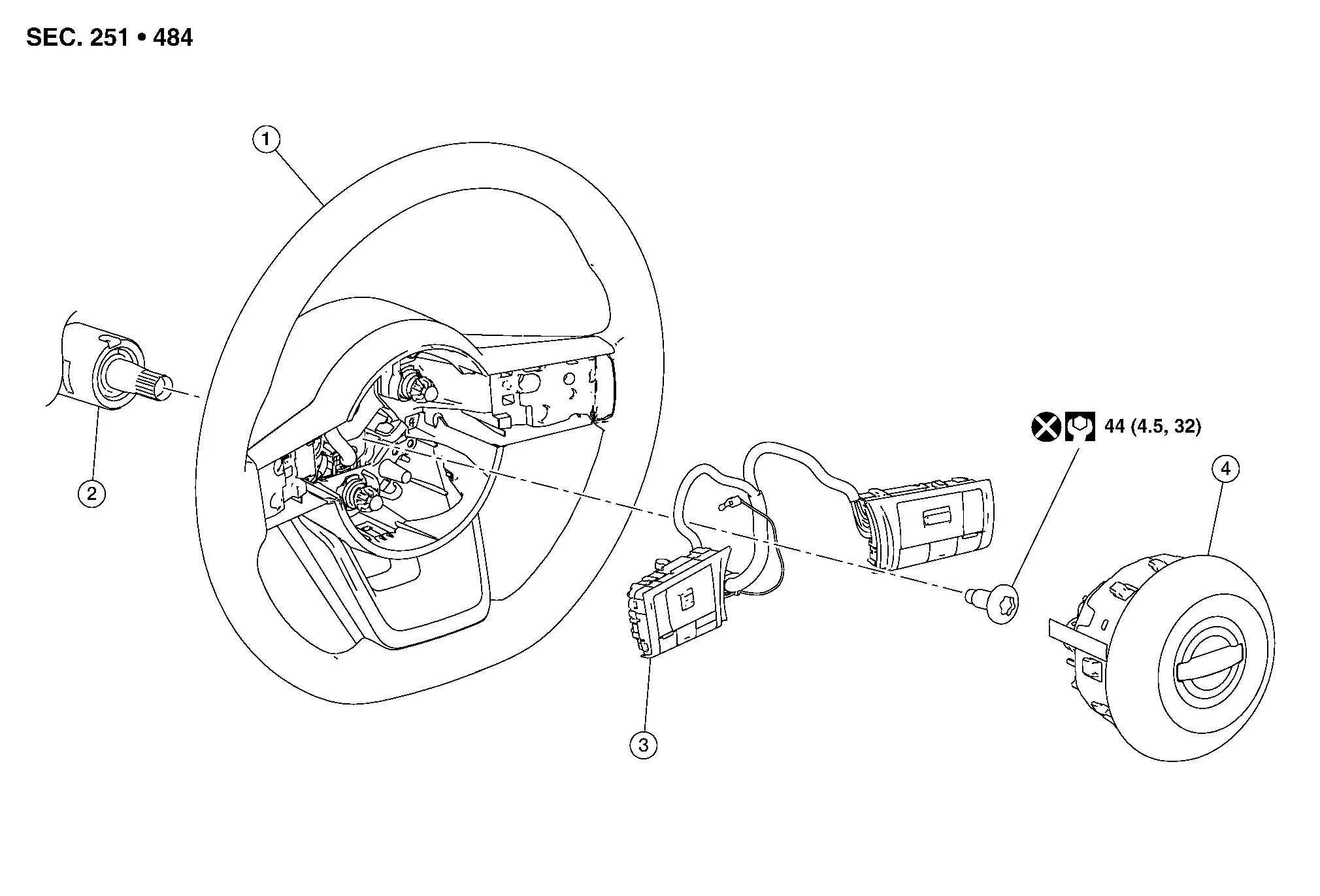
| 1. | Steering wheel | 2. | Steering column | 3. | ICC Steering switch |
| 4. | Driver air bag module. |
Removal and Installation
REMOVAL
Remove driver air bag module. Refer to Removal and Installation.
Remove screws (A), then remove steering wheel bottom finisher (2) from steering wheel (1).
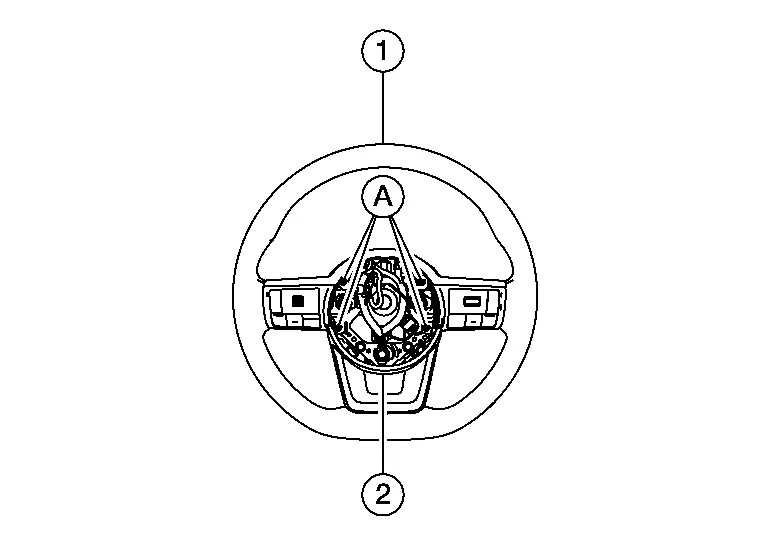
Using suitable tool, release pawls.

 |
: Pawl |
Disconnect harness connector and remove ICC steering switch (1) from steering wheel.
INSTALLATION
Installation is in the reverse order of removal.